Tag Archives: POS system

electronic payments and secure transactions 199796283

Five Reasons to Accept Credit Card Payments through a Virtual Terminal

The economy has been on a roar, and consumers are confident and are happily opening up their purses to get out, spend, and plan vacations they’ve been delaying for some time. Today the U.S. economy is bigger than it was at the beginning of 2020, primarily driven by consumer spending. This is giving rise to more and more business starting up. In 2020, 4.4 million new companies were started, increasing 24% from the year prior. 

This is all welcome news for businesses looking to cater to such consumers ready to spend. However, challenges abound for businesses as the spending habits of consumers have significantly changed over the past two years. Cash is no longer king. People just don’t like to use cash as a means of transaction. In fact, three out of ten consumers don’t even use any cash in any given week. While there has been a strong surge of cashless transactions over the past year, not all businesses are prepared to thrive in this rapidly fluid environment. These businesses need to accept noncash modes of payment such as credit and debit cards and ACH/eCheck payments seamlessly and securely.

Point of Sale (POS) systems are aplenty, but not every business needs POS equipment as they may not be client-facing. Or they may not have the wherewithal to outlay cash for such devices just as they are starting to bootstrap their business. For many companies, the best solution is a virtual terminal. Below, we look at a virtual terminal, how it works, and why your business may need one.

What is a Virtual Terminal?

A virtual terminal is an internet-based payment processing application that lets merchants accept payments anytime, anywhere, on any device with an internet connection. Whether a business accepts payments via phone, mail, fax, email, or in person, merchants can use their existing devices such as a desktop PC, a laptop, or a mobile device such as a tablet or smartphone as their POS.

To make life easier, you can purchase a small card reader to plug into your laptop or smart device. However, it isn’t a necessity. All your business needs are internet access, a merchant account, a payment gateway, and a browser.

How does a Virtual Terminal work?

Virtual terminals are set up in coordination with your payment processor/ payment gateway. You start by simply logging into your merchant account or payment gateway and initiate the virtual terminal. From there, you would select the payment type, debit, credit, or ACH, and enter the sales details such as the amount to be processed and any other information pertinent to the transaction.

To enter the card data, you can key it in and any billing/security information required. If the business has a USB card reader plugged into the laptop or mobile device, the card data can easily be swiped. The transaction is then submitted, and within seconds, the merchant receives confirmation of the card either being approved or denied. With a virtual terminal, businesses have the option to email the receipt to the client and process any refunds or track the sales history of the company.

Keep in mind that if a business is not using a card reader to collect card data instead of keying it in, it is classified as a card not present transaction, even if the cardholder is right there in front of you. This results in higher processing rates, which can be mitigated by accepting ACH/eCheck payment and utilizing a card reader.

Why does your business need a Virtual Terminal?

Below are some reasons why your business may need a Virtual Terminal.

Save money on POS equipment – merchants don’t need to buy additional equipment to process payments via a virtual terminal. Businesses can use their laptop, tablet, or smartphone. With a virtual terminal, companies quickly eliminate a major headache of paying hefty upfront equipment costs and reading the fine print of equipment agreements to ensure they are not locked into a long-term non-cancelable contract for outdated POS.

Ease of use – A virtual terminal offers much peace of mind given all the friction it eliminates. A retail business that may have relied on a single POS device to be shared at peak times to get payments processed can now have each of its employees log into the virtual terminal account to process the payment. Businesses can easily track which employee processed which transaction; a level of accountability is not readily available with a single POS passed around.

Recurring Payments – businesses can easily set up recurring payments by scheduling a specific transaction on repeat. Once you process a payment for a particular service or product and enter all the card and billing details, it can be set as a recurring transaction.

Insight: The data stored on a virtual terminal lets business owners track their payment history and can help them plan for peak times in terms of inventory and staffing. Critical data about consumers, what they spent money on during a particular time of the year is also easy to track. This level of insight can help businesses build a loyalty program or run a very targeted marketing campaign.

Over the last few years, consumer spending habits have experienced seismic shifts driven by smartphone technology and a lesser inclination towards the hassle of carrying around currency and coinage. It’s much easier to swipe a phone to pay for something rather than pull out a wallet, hand over cash, and possibly hear that they don’t have change. If they do, count it and stow it all away.

Even as merchants come to terms with the new paradigm, they still loathe spending an excessive amount upfront for POS equipment. Alternatively, virtual terminals are an excellent option for businesses to accept all types of payment methods. Traditional laptops or smartphones can easily be used as the makeshift POS device to settle the transaction as long as you have a payment gateway and merchant account setup up.
clover on the go

Clover POS Systems Work With Many Payment Options

People who need POS system setups are finding it easier for them to accept more payment options through Clover®. Clover POS systems are prominent for how flexible they are in handling payments. These provide sensible interfaces that help people complete their transactions in moments, plus they never have to worry about inaccurate data.

Clover supports many payment options thanks to its hardware and software setups. Clover produces durable card-accepting items with customer-facing screens that help people choose what payment methods they will utilize. You’ll need this support to ensure you’ll have more control over your sales experience while satisfying whatever needs your customers may hold.

General Cards

Clover POS systems can support various payment cards. Clover produces card readers that feature screens that display payment information and details before customers can confirm their transactions. A card reader can feature a slot for chip-based cards and a swiping space for magnetic stripe-based cards.

You can program your POS system to handle credit and debit cards. You can adjust the display screen to show which card brands you can accept. Not all retailers can accept American Express cards, so having this option to edit the display screen is essential to its success.

Chip-based cards are typically more secure than stripe-based ones, as it is harder to steal data from chip cards. But Clover’s interface provides a safe body that prevents tampering and houses a secure space for cards that people cannot alter without breaking the system apart.

You can also support gift card transactions with a Clover system. Gift cards are ideal for businesses, as people who receive these cards are often more likely to spend extra money on their transactions. They might purchase more items after a while and even return well after they finish using their cards.

Contact-Free Payments

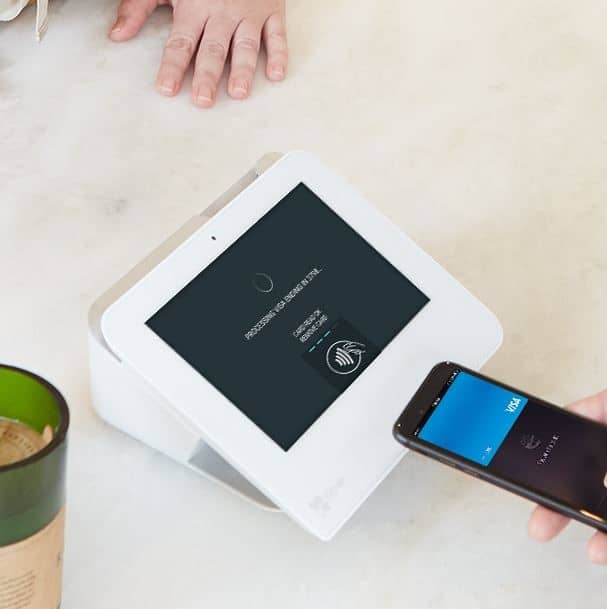
You can also use Clover POS systems to accept wireless or contact-free payments. NFC payment options like Apple Pay are very convenient. Clover makes POS setups that can collect NFC payments and other things that don’t require physical cards.

Clover produces systems that meet PCI compliance standards while handling NFC transactions. Clover will encrypt the data you collect and ensure all content goes in a secure database where nothing is stolen. The data transfer process also ensures the transaction is confirmed and secured as soon as possible.

Online Wallets

You can also accept online wallet payments through Clover. People are using online wallet systems like PayPal to complete transactions fast and without having to go into one’s credit lines. You can gather transactions from these accounts and move the money to your account in moments.

Clover can handle PayPal and other similar online transfer systems. It can use a secure online connection that encrypts all financial and wallet data while ensuring no identifying factors will be exposed to outside parties. The extra protection you utilize ensures you’ll have more control over how Clover works for your content.

Don’t Forget to Adjust Your System

You’ll need to adjust your user interface and display to ensure everyone knows what payment options you can support. Clover POS systems come with convenient interfaces and programming setups that let you control how you’re handling your funds. You can use Clover to monitor where your money is going, how people are paying for things, and anything else of interest to your business.

Clover POS systems are perfect for when you’re looking for something of value. You can use these systems to make it easier for you to accept payments that work your needs. Take note of how Clover can work for your business and how it can adapt to whatever payment methods you support when running your operation.

The Clover® name and logo are trademarks owned by Clover Network, Inc., an affiliate of First Data Merchant Services LLC, and registered or used in the U.S. and many foreign countries.

EMV Compliance

Guide to EMV Compliance

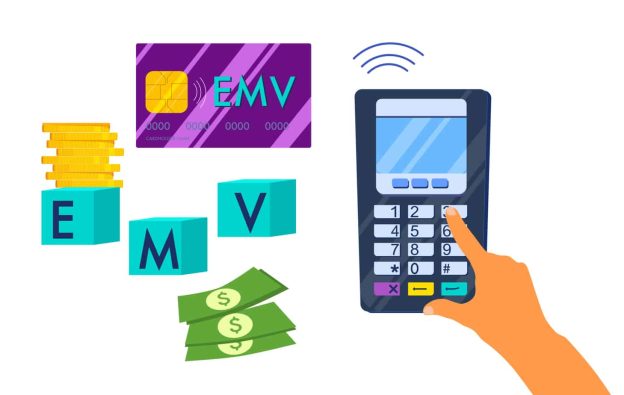
EMV compliance states that a point-of-sale layout can accept EMV-compatible credit cards. The business also has a reader for handling EMV cards. If a customer enters a store and inserts their credit card into a machine slot, that store complies with EMV rules. The store at issue is probably not EMV compliant if it can only accept magstripe payments. 

Compliance with EMV is a global payment technology standard developed by MasterCard and Visa member groups to protect customers against fraudulent transactions. As you might have guessed from the term, EMV stands for Europe, MasterCard, and Visa. The other organizations have also joined in on the EMV standard, which is a more secure choice.

The American Express, Discover, JCB, MasterCard, Union Pay, and Visa member groups in 1993 joined together to create chip technology to protect themselves from the frequent breaches of the 2010s. With the use of Magstripe technology, more people lost their data, and fraudsters became adept. Since magstripe data could work in multiple transactions, theft only required taking the data of a person for a long time before it was discovered. Chip technology addresses such data leakage.

Technology Chip

By assigning separate, anonymous tokens for every transaction through a computer chip, EMV chip technology overpowers the magstripe technology, rendering any data taken virtually useless. The transaction content cannot be utilized at another time.

For numerous transactions, Magstripe data is lucrative to thieves. EMV compliance will not prevent anyone from stealing data, but it will make selling and using that data much tougher than before. That is why the EMV compliance statistics are so outstanding.

Steps to EMV Compliance

EMV compliance for merchants entails upgrading current chip technology hardware. This change must work throughout your entire firm if a transaction that does not employ EMV does not conform to your work. While non-EMV transactions can still be accepted, they are exposed to risk and subject to the same legislation as non-EMV transactions. Note that this applies only to transactions involving the use of a genuine card. For online transactions, the old limits still apply.

You should not only be concerned about obligations. Customers do not like firms with which they are dangerous. It is a terrible experience for customers, and when there is fraud, they generally lose faith in the organization.

The EMV Chip Specification aims to strengthen face-to-face payment transaction security by incorporating components that minimize fraud caused by fake, lost, or stolen cards. The characteristics described in the EMV Chip Specifications are as follows:

  • The chip card system checks that the card is genuine to safeguard both online and offline transactions from counterfeit fraud.
  • Risk management parameters will set the conditions through which the issuer allows an offline transaction and the conditions that compel on-line transactions for authorization, such as exceeding offline limitations.
  • Digital signature of payment data for completeness of transactions.
  • More comprehensive verification mechanisms for cardholder protection against card fraud, plus verification for cases where a card is lost or stolen.

Steps to EMV Compliance

It’s now easier than ever to become EMV compliant. All you have to do now is get a POS system that accepts EMV cards and mobile readers for chip cards.

Steps to EMV Compliance

One of the main advantages of changing to EMV is the ability to combat remittances and avoid paying for both the services provided and the customer’s loss.

If you haven’t already done so, switching to EMV will be the most beneficial, but there are other tactics you can do to support it.

How to Stop Chargebacks

  • Make the switch to EMV right away.
  • Keep a record of all receipts and orders of purchase
  • Prevent fraud with the newest 3DSecure technology from internet technologies, including AVS, card verification, and VISA.
  • Include a tracking number for shipments.
  • Confirm the delivery for the customer.
  • Record information about the customer and previous orders that the person has made.
How to Stop Chargebacks

You Can Upgrade EMV In Moments

You may have postponed EMV updates due to the associated hardware and software costs, but we are pleased to report that switching is easier today. And, regardless of the amount you spend on switching, you’re going to save money in the long term because you can protect chargebacks and avoid further physical transaction fraud.

Why Compliance Is Critical

It’s always an essential subject, but compliance has a direct influence on small and medium-sized enterprises.

In the past, if someone had stolen a credit card and completed a fraudulent purchase, the issuer of the credit card was held accountable. It’s been like this for years until compliance with EMV became a factor.

When a fraudulent transaction is conducted, it works less on the card and more on your failure to use the chip as intended. As a result, liability moves from the issuer of the credit card to the company concerned.

As of October 2018, if you only accept magnetic credit card payments, all fraud-related charges and end-of-story costs will be blamed on you. But EMV compliance ensures you’ll avoid these liability-related issues. The move will probably cover more than the upgrade cost, depending on the business you are running and the average dollar amount for each transaction.

Can EMV Influence Your PCI Compliance Work?

The EMV chip does not comply with PCI compliance rules, nor does it reduce the vendor’s PCI coverage. Whether or not EMV is implemented, compliance with PCI is necessary. To fully protect client information in card transactions, all merchants and service providers must comply with EMV and PCI requirements. Even in combination, these guidelines are not 100% effective against fraud. But the cardholder and the vendor have better protection here than if they were battling alone. EMV and PCI collaborate to enable safe and secure card transactions for traders, customers, and issuers.

clover blog

Clover’s Point of Sale System Offers a Convenient Reporting System

Clover point of sale systems are popular for being easy to use and customizable. Clover makes various desktop and mobile POS devices that accept various payment methods. Clover’s Android-based operating system also provides support for various needs, as you can download different apps that meet your work demands.

One popular part of what Clover offers entails how you can get full business reports. You can use your Clover point of sale setup to review how you’re collecting credit card payments and other transactions.

Clover provides a complete analytics system that reports on everything happening in your business. You can add details on your operations and inventory, and the Clover POS setup will keep track of sales based on what happens throughout the day.

The Clover reporting platform will help you check on many features:

  • Sales – Check on your gross sales and net sales based on expenses and other factors.
  • Item Sales – Clover will review your sales versus your reporting inventory data. You can check how many items you have left in your business through this feature.
  • Tender Types – You might conduct more business with credit cards than other payment methods. You can use the Clover POS reporting system to see which cards people use the most, plus how much they spend with them on average.
  • Employees – You can review what your POS employees are doing through your reports. You can see which employees complete the most sales and who does well with certain things.
  • Timeframe – You might sell more items at specific times of the day or week. Clover can report on when you’re selling more things, including specifics on when certain products or services are more popular.

Clover provides quick access to all these features to help you see what’s happening in your workplace. There are many other benefits to explore surrounding your Clover point of sale system:

  • You can check on sales data across multiple locations. This feature works if you operate on multiple sites.
  • You can access your reports from anywhere. Log into your Clover dashboard from any device, including a laptop computer or mobile phone, and check on how your business is running.
  • The platform lets you compare how you are doing right now versus another time. You can use this to track possible trends in your business, including whether your business is at risk of a downturn.
  • All data will remain encrypted. Clover uses strict security standards to ensure your financial data and analytics reports will not be lost for any reason.

The reporting features you can get from your Clover point of sale system will help you review what is happening in your business and what you should do to keep things running. You’ll need to know what’s happening with your business at all times, so having the Clover platform on hand will help keep you in the know about what’s happening. Check on how well a Clover system can work for your business needs and how you can use its reports today.

Mobile Payments vs. Credit Card Payments

Mobile Payments vs. Credit Card Payments

Mobile payments have never been more popular. People are using mobile payments these days to complete quick transactions through their mobile devices. You’ll notice a few distinct differences when looking at mobile payments vs. credit card payments. Many of these entail the technologies used and how people may find mobile payments to be more useful for their needs.

The Concept of Mobile Payments

Payment Orchestration is an Important Piece of the Global Commerce Puzzle

A mobile payment entails a transaction made through a mobile device. The customer can use a smartphone, smartwatch, or even a wristband. 

The user will pay for something with a mobile payment solution like Apple Pay or Google Pay. The system incorporates credit card or bank data in one platform. The user will transmit one’s payment information from that account to the retailer to complete the purchase.

Each mobile payment comes from a digital wallet. The wallet will link to an appropriate interface or platform. The wallet will include the bank or card info. The mobile payment system takes the payment info from the digital wallet and uses it to cover the transaction. Some digital wallets, like what PayPal uses, can include specific amounts of money someone withdraws from a bank or credit line before spending that total.

The system simplifies how people can pay for their purchases. Customers don’t have to get a physical credit card out to complete a transaction. The buyer will have more control over the purchase experience, especially as that person can handle the payment in less time. The customer may also feel more comfortable with the transaction process when using a mobile payment system.

Mobile Payments vs. Credit Card Payments – A Safer Solution

One difference between mobile payments and credit card deals is that mobile transactions are safer. A mobile payment can help the customer send data from a digital wallet to the retailer, completing the transaction without providing any cards. The mobile payment system ensures full security over a deal.

Mobile Payments vs. Credit Card Payments

You won’t see that same security with a credit card. Although credit cards have evolved to feature a chip-based system that is harder to hack, there is always the potential for someone to steal a card. A person can always steal a card or its identifying numbers and use it to commit fraud.

But with a mobile transaction, the thief would have to use a thumbprint scan or other system to confirm one’s identity. It would be tough for that person to try and duplicate that thumbprint in this process. Many mobile devices are also locked through PINs or other biometric features, so that adds extra security to the deal.

How People Get These Systems

People will apply for credit cards by filling out the proper forms to get them ready. People will submit credit info to highlight their ability to pay their balances. Some people may be rejected for cards if they have poor credit ratings. The ones that do get accepted may be subject to high-interest rates and restrictive charges.

A mobile payment is different, as a customer will require a suitable payment app on one’s device. Google Pay and Apple Pay are the most prominent apps, although Samsung Pay is available on many Samsung devices. The user will link one’s existing bank or card info to the app. The system is simple and gives the customer more power over how one will pay for items.

Since people don’t need credit to get a mobile payment account, you can expect these payments to be more common. People prefer payment choices that don’t require lots of effort or risk. Some of these payments will entail direct bank transfers, making the transaction process easier to follow.

Convenience For the Customer

Customers also use mobile transactions because they are more convenient:

  • There’s no need for the customer to keep lots of cards on hand. The customer’s payment info is all on the same mobile payment app.
  • It takes less time to complete a mobile payment than it does to run a credit card.
  • It is easier to track a phone or other smart device if it gets lost than if one’s credit card is lost.
  • Mobile payment platforms can inform customers of whatever coupons or other discounts they have stored with them. They will not forget about these like they would if they had traditional coupons they would use with a credit card.

What Systems Accept These?

One difference between mobile payments and credit cards entails the point of sale or POS systems that can accept these choices. Most POS setups can accept credit cards, with the technology being so common.

However, not all platforms can accept mobile payments. A POS system must support a system like Google Pay or Apple Pay to complete mobile payments. A POS setup can also work with different integrations with systems like PayPal, Venmo, or anything else a customer wants to use.

The extra effort necessary to accept mobile payments makes it tough for some retailers to support them. As more people start using mobile payments and the technology becomes more commonplace, you can expect to find more POS solutions that can support mobile deals.

Will Mobile Payments Take Over?

Mobile payments may become more popular than credit cards after a while. It will take a long time before anyone can figure out what will happen.

The problem with mobile payments is that many people are uncertain about how they work. They also might not have the mobile devices necessary to complete these payments. Some are also comfortable with credit cards, especially since chip-based ones are more secure than older magstripe models.

Will Mobile Payments Take Over

You can expect mobile payments to become more prominent, especially as mobile devices become more accessible. Potential advances in payment technology will also help increase the chances for these payments to be popular and useful among people. Whatever happens, it will be exciting for people to see as they look at how payment trends change, and people start to see what’s more efficient and effective.

FAQ