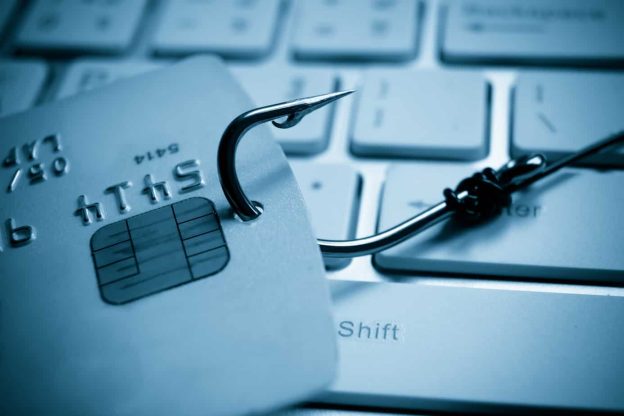
Phishing is a dangerous threat to every ecommerce business that no one should ignore. Phishing can entail people sending emails that claim to be from legitimate companies. It could also involve people getting links through text messages telling them to do something. There might even be emails or messages promoting unique things that you aren’t offering.
Those emails and links will ask customers and other readers to send sensitive bits of data to them, including credit card numbers, tax identification numbers, passwords, and other things. Phishers can use these things to steal customer data and to make unauthorized purchases in their names. The effort can be risky and potentially harmful to anyone.
Your ecommerce business could experience a phishing attack. You can use a few points to help you identify phishing attacks and to keep them and the possible damage to your business’ reputation from becoming worse.
Review Your Communications
Phishing often comes from hackers and thieves using your identity to communicate with people. Thieves can create unique emails, texts, phone calls, and other forms of communication to try and reach others.
Check on the messages people are receiving and how you’re creating something unique and distinct. You can tell you’re dealing with phishing attacks if someone tries to create different messages that are different from what people might expect to find where you are.
Look At Your Checkout Page
Phishing attacks also entail hackers adding questionable JavaScript pieces to your website. They can add new JavaScript data to a WooCommerce or Magento page, for example. The extra data can move people towards a malicious website. Check how your checkout page is working and that the code here is the same as what you have been using for a while to ensure there are no threats.
You can also check on how often people access your checkout page. Sometimes you might experience less traffic than usual. The regular traffic you get might be going to a phisher’s checkout page. There might also be links on your current page that move people away from whatever you’re trying to support.
Your PayPal Account Is Suspended
PayPal is one of the most popular online payment platforms ecommerce businesses can use today. PayPal’s security measures are part of why it is popular. PayPal can temporarily suspend accounts if it notices unusual activities. These include cases where an outside party might get access to funds.
A phisher can collect enough data from your customers to where they can get access to their financial contents in moments. They can use those details to do illegitimate business with you, including making purchases that might be extremely expensive.
PayPal can temporarily shut off your account if it sees too many questionable things happening with your account. This problem is a sign you’re dealing with a phishing attack, as multiple users’ accounts will have been compromised.
What Are Other Parties Reporting?
You can also spot phishing attacks based on what other parties you work with are reporting surrounding your business. A delivery service or ordering platform might report it is receiving unusual amounts of data surrounding your business. But that data could be from a phishing attack as a party impersonates your business. The partner you work with might suspend your access to something, making it harder for you to get online and do business with others.
Check with your work partners to see how much business you’re getting at a time. Watch for sudden spikes or changes in your business efforts, and check why these things are happening. Anything unusual in your business could be a sign of a phishing attack.
Watch For URL Copycats
One trick that phishers use when stealing data is to copy your URL and make slight alterations to the content. They can use a slight change in spelling or a different extension to look legitimate. People often fall for these shifts because the URLs look similar to what you hold.
Check online to see if there are any URLs out there that are similar to what you utilize. Anything that looks too similar and is active could be a sign of a phishing scam.
Review the Tone of Messages
Sometimes people might contact your business and say they received harsh messages from you. These include messages that might feature aggressive wording and suggest that someone should do something or else face significant consequences. The note may also feel cold and emotionless to where it isn’t suggesting much of anything.
Look at what your customers are saying about whatever messages you are supposedly saying. Any situations where people say your messages aren’t like what you normally send could suggest you’re dealing with a phishing attack.
Account Numbers Aren’t Matching Together
The last tip to see when identifying phishing attacks is to look at how the account numbers on your invoices work. You’ll need a master list of all your account numbers. The list will include legitimate customers you routinely contact and how much they are spending with you. The numbers can be predictable after a while, as some people will use specific amounts of money or pay for things at particular times.
Sometimes the seller data and their sales totals aren’t adding up to whatever you are reporting. The totals could be dramatically higher than what you are showing. The point suggests these people are sending their funds to phishers instead of your business. You are not only losing money from people, but you are also losing their trust. They may wrongfully think you are handling their business the wrong way.
Be cautious when looking for phishers while online. Watch how your ecommerce business is running and that you have an idea of what people might do when engaging in phishing attacks while online. Be aware of any sudden changes in how your business is running, especially when it comes to how you’re taking in payments and receiving messages from other people.