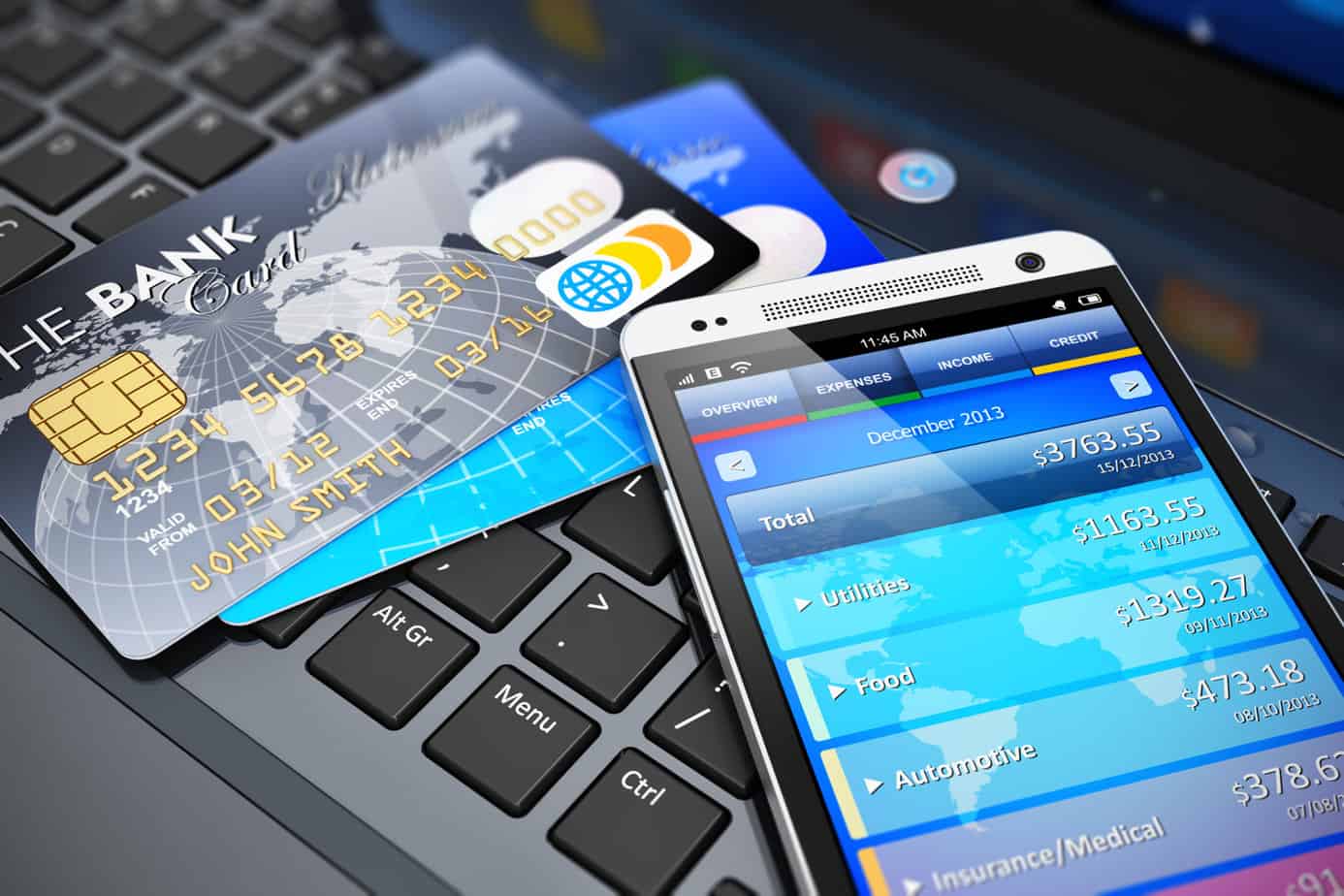
Today the Official Merchant Services Blog will examine the PCI Security Standards Council’s most recent guidelines, and their slow crawl towards comprehensive security requirements for mobile devices.
On Thursday, the PCI Security Standards Council released a set of best practices geared toward software developers of mobile devices. These guidelines come four months after they released some guidance about mobile payments for small businesses.
The PCI Council, based in Wakefield Massachusetts administers the Payment Card Industry data-security standard and affiliated standards for secure payments software and also PIN-based transaction devices. The guidelines were released during the Council’s annual North American meeting in Orlando, Florida on Thursday, after hinting at a possible PCI clarification in early September. Present at the gathering were security assessors, merchants, processors and vendors, all preparing for the update of the main PCI standard next year.
The Council announced that it is starting to approve hardware for mobile payments such as card readers that plug into smart phones or tablet computers. The Council has not delved into the approval of software for mobile payments and have they made it clear when that will happen. They have however, announced that more guidance for merchants will come next year and that they will continue to take input from the payments industry on the serious task of protecting card holder data when payments originate from mobile devices.
Correcting software vulnerabilities is the most important aim of the Council’s new guidelines, as app developers crank out new programs for processing payments on smart phones and tablets everyday. The guidance covers everything from the payment transaction, access protection, and remote disablement of a missing device.
The last point is arguably the most important aspect of a new mobile PCI security system. Since mobile payments are true to their name, mobile, the chance of someone running away with your credit card terminal is an increasingly possible risk. The same applies for any tablets acting as POS systems in a store. An unlucky shopkeeper may open up in the morning only to find part of his or her POS system missing, and all cardholder data inside compromised. This is what the PCI Security Standards Council seeks to avoid.
Today The Official Merchant Services Blog gets extra visual with a step by step breakdown of how Credit Card Processing works.
This is the latest installment in The Official Merchant Services Blog’sKnowledge Base effort. We want to make the payment processing industry’s terms and buzzwords clear. We want to remove any and all confusion merchants might have about how the industry works. Host Merchant Services promises: the company delivers personal service and clarity. So we’re going to take some time to explain how everything works. This ongoing series is where we define industry related terms and slowly build up a knowledge base and as we get more and more of these completed, we’ll collect them in our resource archive for quick and easy access. Today we build off of our previous knowledge base entry on just credit cards. We noticed that we’ve been adding to this database for months now and kind of skipped over some of the most basic elements of the industry. So now that we’ve defined credit cards, we want to take you on a journey through credit card processing, detailing exactly how it happens.
CREDIT CARD PROCESSING
Host Merchant Services is able to guarantee its customers savings and the lowest rates possible. By understanding how credit card processing works, where the money gets made off of the transactions themselves and where those hidden fees actually are, you can gain some valuable insight into how Host Merchant Services is able to make its guarantee. Here’s a step-by-step breakdown that sheds light on where the fees from each transaction come from:
How Does Credit Card Processing Work?
The way credit card processing companies make money for themselves can sometimes be a confusing labyrinth where fees are hidden, percentages are tied to things not listed on statements and the deal you think you are getting isn’t the best deal you can actually get. Host Merchant Services is dedicated to giving its merchants the lowest price guaranteed, and the company strives to maintain transparency with no hidden fees. So take a walk with us and see behind the curtain as you learn exactly where the money is being made when you swipe a customer’s credit card.
Step One: A customer visits a store.
Step Two: Customer purchases $10 worth of merchandise.
Step Three: The customer swipes his credit card through a payment processing terminal such as a Hypercom T4205 from Equinox Payments to pay for the merchandise.
Step Four: The card reader recognizes who the customer is and contacts the bank that issued the credit card.
Step Five: The customer’s bank sends $10 to the merchant’s bank.
Step Six: Then the merchant’s bank deposits $9.80 to the merchant’s bank account.
Step Seven: That remaining 20 cents, a 2% fee, is taken from the $10 and given to the customer’s bank.
Step Eight: The customer’s bank then splits the 20 cents with the credit card company.*
* Depending on the specific company, country and merchant, the percentage can range from 1% to 6%. The amount the bank gets and the amount Visa gets is a negotiated deal. Also, Visa and MasterCard charge the banks an annual fee to be a part of their network in the first place.
Where The Money Gets Made
Credit Card Companies make money in a variety of ways. Here are the four most common:
One: The most common way credit card companies make money is through fees, such as the annual fee, overlimit fee and past due fees.
Two: Another way credit card companies make money is through interest on revolving loans if the card balance is not paid in full each month.
Three: As explained above, the card issuer (the bank that issued the card and/or the issuer network, be it Visa, MasterCard, Discover) makes a percentage of each item you purchase from a merchant who accepts your credit card. The rates range from 1% to 6% for each purchase.
Four: The card issuer can also make money through ancillary avenues, such as selling your name to a mailing list or selling advertisements along with your monthly billing statement.
SOURCE: Information for this article was gathered from www.creditscore.net, the movie Superman III, Wikipedia and Authorize.net.
I’m back to once again speak about Mobile Payments and their presence in Delaware. In case you missed my last blog, it’s here. It’s really finally here. Barclaycard Mobile Wallet is an active program that participating merchants at the waterfront in Wilmington, DE, and along Main Street in Newark, are using. Right now you can use your phone to buy stuff!
So that’s exactly what I did. I set out to visit some shops and buy some stuff. To give this test run some authenticity, I decided to try and buy things I actually needed. Let’s see how the process works and how useful it is for real-time shopping!
But first, I needed to update my settings. After downloading the application, and adding a credit card to my account, I had noticed I wasn’t seeing any offers. Kara from Barclaycard saw my blog and reached out to help me.
So I needed to add another step in our process for getting the technology up and running. It may seem like a bit much at first, but trust me, it’s fast and easy to initialize.
Kara noted that I needed to add locations to my account to get the offers to show up. ZIP codes are the easiest way to do that. Wilmington’s ZIP is 19801, and Newark’s is 19711.
The Revised Set of Steps
So now, our updated steps to bring the power of mobile purchases right to your hot hands look like this:
Step 1: Visit this site and register for an account. This is key. You can’t just download the app and go. You need to register online first. Since you’re here online reading this blog, you can take a moment to click that link and get that out of the way.
Step 2: You go through the process of setting up an account. Choose a username, password, give your information.
Step 3: You add the card you want the wallet to charge.
Step 4: You can then download the app from the app store or google play store.
Step 5: Activate the app on your phone, and go through the log in process. You’ll be asked for your passcode, and to log in with your username and password, and even one of the additional security questions.
Step 6: Go to settings — the gear icon — and go to offer locations. Add locations. Use the ZIP code that works best for you (I used both). Then you go to …
Step 7: BOOM! Start buying stuff!
The Buying Stuff Part
Thanks to Kara’s timely advice, I had offers streaming through my phone immediately. Armed with mobile purchasing power and enthusiastic curiosity, I leapt from my centralized blogging and news update headquarters — taking this story live and direct to the macadam of Main Street Newark.
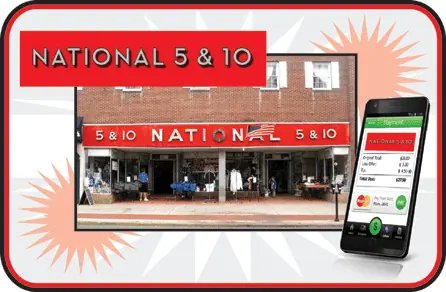
My first target was National 5 and 10, located on 66 E. Main Street. Boasting the world’s largest selection and lowest prices for University of Delaware merchandise, I decided to zero in on … art supplies. I needed a sketch book and a new pencil and eraser set to continue to design and draw projects like this more than I needed a new Blue Hens ball cap.
So I went to work racking up an impressive spree of supplies:
Mechanical Pencil with lead refills, 0.5 mm fine point lead size. For the nitty gritty line work.
Hi-Polymer Pentel white plastic art eraser. Because they take the pencil marks away but leave the ink behind.
5.5 x 8.5″ sketchbook, to help me rough out all my creative ideas.
And to get my purchase up over $10, four 5 x 9″ bubble mailer envelopes, so I can send slick prints of my best portfolio pieces to people interested.
Total: $11.24
I took this stash of artistic loot to the one counter that was open. When it was my turn I happily stepped up and asked if I could purchase these with the Barclaycard app, and flashed my phone at the cashier. This caused quite a stir, as it seems I was the very first customer to utilize this technology. Excitement buzzed in the air. We moved this transaction over to the other side of the area where the Barclaycard Mobile Wallet Terminal was kept. Another cashier took over the transaction, but a crowd began to form. The owner came over to see this landmark purchase of a pencil, eraser, sketchbook and some envelopes take place. Customers took notice. And then it happened.
The cashier rang up the items. I had my phone out and the app open. I was prompted to scan the QR Code on the terminal. The app took over and in a flash my payment was recorded. I approved it with the click of a button. The cashier printed out my receipt and just like that it was over. Payment made. Stuff bought. Once the wow factor wears off, the process will turn out to be very easy. As fast as swiping a credit card, with none of the hassle of keeping a card on you in your wallet. Mobile wallet finally lives up to the hype. I take my phone everywhere, as do most people. I need it for emergencies — but also to keep up with work and friends while on the go. So tucking this payment power into it just consolidates everything, making shopping a seamless part of the package.
But Wait, There’s More
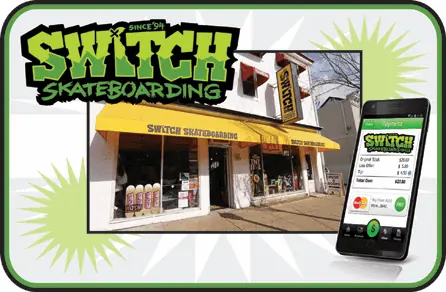
I made the effort to obtain a purchase of $10 or more to take advantage of the offer I saw on my screen. But it didn’t seem to take. Later in the day I found out the offer might not be live yet. So I moved on to my next stop: Switch Skateboarding, located on 54 E. Main Street. No worries here about finding an item over $10 in price, but there were no visible offers for Switch anyways, so I put that out of my mind and focused on finding something I actually needed — wrist guards.
I haven’t been on a skateboard since I was 15 years old. But I’ve needed items that Switch sells almost regularly for the past four years because I’m a roller derby referee. I picked up a pair of Destroyer wrist guards. I chose them primarily because I already have a pair of 187 wrist guards and an old pair of pro-tec, so wanted to see if these fit any more comfortably. They cost $17.
Once again I stepped up to the counter and announced my intention to purchase this item with the Barclaycard app. There was decidedly less of a fuss about it as the staff at Switch seemed to be both more chilled out in general and ready to handle the unusual request. However, just like at National 5 and 10, there was a swapping of cashiers in terms of who handled the transaction. Switch uses a different setup than 5 and 10. The skateboard shop is working a completely virtual system, running transactions through a computer. The payment seemed even more seamless than at 5 and 10. All that was involved was opening up their gateway in their browser, inputting the details of the transaction, scanning the item’s barcode and then it was up to me. Switch has a static, standing QR Code on a card atop its counter. I had my app open and ready. When prompted I clicked the button and my phone scanned the barcode. Once again it was lightning fast. And after clicking my approval of the sale, the transaction ended.
Success. I was now armed with a fully operational mobile payment telephone, a pair of brand new wrist guards and some art supplies that I needed. This took the idea of buying things with a wave of my phone from concept to cold, hard reality. I found myself wanting to do this everywhere.
The Only Downside
As far as I was concerned I came away from this excursion with only one negative — there just wasn’t enough visible presence to let consumers know this existed. At 5 and 10, I created a crowd, but I knew going into the store I could buy things this way. The terminal itself stands out as it is different from other terminals. But I wonder if it’s all that visible since it’s not exactly a place where consumers actually look. I’m reminded of the time I spend standing in line at places like Wawa or 7-11, where I’d really like to just swipe my phone and go. I don’t even look at the terminal until I have to. How do you let people know they can do this now? Do you start to ask them, “Credit, Debit or Mobile?”
Or do you just get the word out there with more and more buzz, like this blog or a demonstration in the store at key high traffic times? Do I just keep telling my friends, “Hey, check out what I can do?”
It’s probably a mixture of all of those ideas. The technology is now here. It works. And it’s very easy to use. The ball is rolling. It just needs to pick up speed and add more snowy mass as it rolls along.
This is the latest installment in The Official Merchant Services Blog’sKnowledge Base effort. We want to make the payment processing industry’s terms and buzzwords clear. We want to remove any and all confusion merchants might have about how the industry works. Host Merchant Services promises: the company delivers personal service and clarity. So we’re going to take some time to explain how everything works. This ongoing series is where we define industry related terms and slowly build up a knowledge base and as we get more and more of these completed, we’ll collect them in our resource archive for quick and easy access. Today’s term is the Address Verification System, or AVS.
The system was designed by card issuers to aid in the detection of suspicious credit card transaction activity, and verify that the cardholder’s address info matches what the banks have on file. The service is provided as part of a credit card authorization for mail order/telephone order transactions (MOTO) or Internet e-commerce transactions. A code is received with an authorization result that determines the level of accuracy of the address match. This verification helps secure the most favorable interchange rates for the merchant.
Visa, MasterCard, Discover, and American Express support this service, and when paired with a CVV confirmation the result is a secure, verified transaction. To verify a customer’s address, a merchant will need the cardholder’s billing ZIP code and the house or apartment number of the billing address. The merchant does not need to enter in the street, city or state of the cardholder. While AVS is not intended for use as absolute protection against suspicious transaction activity, it is an important step in securing non-face-to-face transactions. Host Merchant Services recommends to all merchants that they secure these types of orders with both AVS and CVV.
The Official Merchant Services Blog again looks into the mobile wallet world today, by introducing the new product from Visa, Inc. called V.me. Last week we discussed in detail the BarclayCard mobile wallet system, which has come here to Delaware at participating locations in Newark and Wilmington.
Visa plans to roll out its own version of a mobile wallet solution by the end of this year. Although the Card Issuer is the largest in the world, the entrance seems late in a game filled with tough competitors. Visa has been testing a beta of the program with five large online retailers. Buy.com, Bidz.com, Cooking.com, Modnique and PacSun are the retailers currently offering the e-commerce side of the service on their web sites. Customers have the option when checking out to sign up for the program, set up the account and add a card, all without leaving that merchant’s site. Buy.com went live with V.me first in May; the others followed suit a few months after.
The program will eventually allow mobile device users to pay for goods from participating merchants at physical locations, most likely by the end of 2012. V.me uses a ‘hybrid’ security system of the device’s secure element, as well as cloud servers to store customers’ card credentials. This technique is reportedly more secure than the Isis system of storing card information directly on a device’s SIM card. In August, Google decided to upgrade to a cloud based system of storing card data, however they kept reliance on the phone-based element to house a prepaid virtual card that initiates transactions and identifies users.
Visa will also include a location-based offers service with V.me, that will likely use geo-tagging to identify customers most visited locations, and market offers accordingly. Competitor Google Wallet, while nearly a year old, has struggled due to the reliance on NFC-based technology that is not wide spread enough yet. Other companies such as Apple Inc., and MasterCard have also announced their entrance into the mobile payment game. Apple, with its Passbook wallet feature expected in the new iOS 6 will feature QR code reading technology. MasterCard announced a mobile wallet program in May, called PayPass wallet service that claims to be open to third parties for development and flexible to a wide variety of payment brands.
In summary, Visa’s V.me is one of the mobile wallets that I’ll be eagerly waiting for, however it seems a long way off from implementation now. For Delawareans, Barclays’ Barclay Card Mobile Wallet app seems to be the only one to hit the ground running here in the First State. A watchful eye will be kept on this close race of Banks, Card Issuers and Credit Card Processors to see who will be the one to win Mobile Wallet Dominance.
Barclaycard Mobile Wallet is an active program that participating merchants at the waterfront in Wilmington, DE, and along Main Street in Newark, are using. Right now you can use your phone to buy stuff!
For Me, This is Big
Normally I try to maintain some composure and tact when scribing The Official Merchant Services Blog but I’m a little too excited to keep calm. Mobile Payment Processing– as I noted in my last blog entry about how long it was taking Near Field Communication to get here — is a topic I’ve been fascinated with my entire time working in this industry. And I’ve reported how each new take on the technology has been inching forward, how the pieces are in place for X, Y or Z to finally break through and for U.S. consumers to be able to start waving their phones around like lightsabers, cha-chinging their way through purchases.
Got the Ball Rollin’
For the most part it’s been tiny test markets using the things that are active — test markets nowhere near me or my shopping stomping grounds. And then there’s been other technology riddled with delays. And then there’s been discussions about security issues. It just seemed like this crazy new purchasing power was not going to come to a store near me anytime soon. The Magic 8-Ball Blog I wrote back on October 18, 2011 seemed to have encapsulated the entire issue.
Me: When will Mobile Payments get here?
Magic 8-Ball: Ask Again Later.
And even just the other day I was stuck in the same morass of Mobile Payments taking too long to get going, as I reviewed the status of NFC and looked at Isis getting ready to finally hit test markets — in Utah and Texas.
Then I found out about Barclaycard and their Mobile Wallet. It’s here. It’s live. It’s working in the areas where I shop.
So Let’s Get Started
All I had to do was sign up and start trying this technology out. This blog is as close as I will probably get to real-time reporting on the Credit Card Processing Industry. I’m going through the steps to acquire this purchasing power right now. Here’s what I’m doing:
Step 1: Visit this site and register for an account. This is key. You can’t just download the app and go. You need to register online first. Since you’re here online reading this blog, you can take a moment to click that link and get that out of the way.
Step 2: You go through the process of setting up an account. Choose a username, password, give your information.
Step 3: You add the card you want the wallet to charge.
Step 4: You can then download the app from the app store or google play store.
Step 5: Activate the app on your phone, and go through the log in process. You’ll be asked for your passcode, and to log in with your username and password, and even one of the additional security questions. But then you go to …
Step 6: BOOM! Start buying stuff!
Now Where do I go to Buy Stuff?
I now wanted to witness the firepower of this fully armed and operational battle station … I mean Mobile Wallet. Here’s a list of participating merchants:
Newark
SAS Cupcakes
MainStream Nutrition
Switch Skateboarding
National 5 and 10
Caffe Gelato
Coming Soon to Newark:
Gecko Fashions*
Over Easy*
Moxie Boutique*
Cosi*
Wilmington:
Al’s Sporting Goods
Harry’s Fish Market & Grill
Dryrock Café
Veritas
FireStone
eeffoc’s
Water Street Deli
Olde World Cheese Steak Factory
Cosi
Bella Vista Pizzeria
Zaikka Indian Grill
Riverfront Produce
Harry’s Seafood
Extreme Pizza
But Wait, There’s More!
This is more than just a way to buy things with your phone instead of your wallet. This program is a combination of sales promotion and mobile payment power. Now that I’m signed up and active, I will be able to pay with mobile and receive special offers from local merchants. That’s the added value — merchants who participate in this mobile wallet community will be able to offer me deals and specials. Think of it like this: It’s a mobile wallet with a built in groupon. It’s merging the best aspects of QR-Code technology and consumer convenience.
The app functions off of the QR-Code technology that we’ve discussed multiple times in the past. This technology was already ahead of other options as it had been harnessed for marketing purposes in the previous few years. In fact, it’s the one mobile payment option I’ve already had the good fortune of experiencing back in May through Fandango. These mobile payment solutions are generally pretty straightforward. They usually consist of an application on a merchant’s device that allows them to scan a barcode, or a QR Code. The QR Code scanning is becoming extremely popular, giving companies the ability to run marketing promotions as well as purchases through the use of the QR Code and its ability to capture information. Fandango’s Mobile Ticket program allows you to purchase your movie ticket through their application and then just scan the QR Code they send to your device when you arrive at the theater. This program has been gaining increased success and popularity this summer, and as we reported, set record highs for the company with the release of the blockbuster Avengers Movie.
What Barclaycard is doing is in-line with this description. You will use QR Codes to make purchases with your phone. But the app also seamlessly fuses the marketing power into the experience. As a Barclaycard Mobile Wallet user, I have access to exclusive offers available and redeemable only through the wallet. Offers will update at least once a week. I currently have no offers, but I just signed up 10 minutes ago so I will have to check back.
Today the Official Merchant Services Blog would like to focus on social media advertising, and the recent steps Twitter has taken in order to expand their marketing prowess and outreach.
The social media giant with its 140 million monthly active users is second only to Facebook. As we have previously reported here, Facebook had taken steps to create a realm of e-commerce unseen before in the social media world. By transitioning from the ‘Like’ button for certain pages and products, to the ‘Want’ button, in an attempt to allow users to create personalized wish lists, the move will eventually lead to more purchases through Facebook itself.
The move spurred social media innovation, and Twitter has since come up with its own targeted marketing approach. The new capabilities will allow marketers to identify, advertise and even send direct messages to consumers based on interests and likes. For example, a consumer who has indicated an interest in digital photography would see ads for cameras and other photography related products.
There are two main ways Twitter will attempt to narrow down its user base.
First, Twitter has divided its users into 350 different interest categories. They range from “education” to “investing” to “sports,” and are further divided into subcategories.
The second way involves targeting a more specific set of users, by creating a custom list of usernames that are relevant to what they want to promote. The custom segments would allow marketers to reach users who share similar interests with that username’s followers, however they cannot target that users’ entire following.
Twitter has given the example of an indie band promoter that creates a custom audience by adding the ‘@usernames’ of similar bands, ensuring an audience with a similar taste in music.
Questions still remain about the overall effectiveness of the targeted ads. For example, the click through and conversion rates are still unknown. Twitter has been testing the system using beta advertisers, who can attest that there has been “significantly increased audience reach” as well as high engagement rates.
To bring this all back home, I believe there is outstanding value in Twitters’ targeted advertising system. It will allow marketers to go beyond ‘Promoting’ their tweets, a system that would raise your post to the top of users Twitter feeds for a short time, however there was no targeting involved whatsoever. With this new system, end users see more products that appeal to them or are related to their interests in some way. Thus driving sales for that particular product, if the right target market is reached. This could be especially useful to the average small business owner, who may only rely on social media to promote the company, instead of a dedicated web page.
This could lead to a large boost in mobile commerce, through Twitter users who simply find an advertised product to their specific liking. The push is meant to increase ad dollars to Twitter from eager marketers, as well as more effectively reach its user base with relevant ads and content. It seems logical that the next step would be for Twitter to implement a direct buying feature for their 140 million users, this would further spur innovation and the competitive mobile payments market, as well as open up new E-Commerce solutions for businesses and advertisers.
When I first started writing for this website, and The Official Merchant Services Blog, a topic I was both fascinated with and completely astounded by was Near Field Communication (NFC). It seems fitting that on the eve of the National Football League’s 2012-2013 season debut — a rare Wedensday Night Football game — which features a gridiron battle between the Dallas Cowboys and New York Giants, two mainstays of the National Football Conference (NFC), that I would once again be tackling the topic of NFC. The first time I saw the acronym I thought it was talking about football.
It wasn’t.
It was talking about technology that was poised to revolutionize payment processing and make everyone’s phone their wallet. We were going to be radically transformed from a cashless society relying on plastic cards with magnetic stripes into a cashless society relying on waving around your smartphone at registers and terminals who pick up your signal and magically charge your account. One swipe of the phone, and no hassle whatsoever, as Near Field Communication did all of the talking back and forth between devices while you figured out what you were going to buy next.
But over the past couple of years, the dominance of NFC has pretty much mirrored the Dallas Cowboys own dominance of the NFC in which they play. A lot of hype, but not a lot of tangible financial results. The biggest proponent of NFC has been Google Wallet, but another giant of the NFC industry-in-waiting has been Isis. Just like the NFL season, Isis — the mobile-payment joint venture backed by AT&T Inc., Verizon Wireless and T-Mobile USA Inc. — is poised to get underway in September too.
VeriFone Systems Inc., a maker of payment terminals that Host Merchant Services offers for free to qualifying merchants that sign up with them, is working on the Isis project. Chief Executive Officer Doug Bergeron said in an interview with Bloomberg that VeriFone is preparing to introduce Isis in Salt Lake City and Austin, Texas.
Isis had initially planned to roll out its NFC-based mobile payment service in the first half of 2012. The joint venture tweaked its strategy last year, opting to use credit-card companies to handle transactions rather than the carriers themselves. This shift has taken time to implement because its been focused on ensuring payments can be made securely — the single biggest fear that consumers have voiced about mobile payments.
Are You Ready for some Mobile?
So now that Isis is on the cusp of kicking off NFC-fueled mobile payments in select areas, is this validation for the technology? It doesn’t seem that way. Google Wallet’s NFC-integration still hasn’t come to my local shopping areas. But many other mobile payment options have. I can and have bought movie tickets on my phone. This was done using the QR-Code technology which seems to have had a quicker integration into the U.S. Economy at large. It was something that many companies were already using for their marketing so utilizing the technology to work for payments was faster as it relied on infrastructure already in place, and consumer fears of security were lower since consumers had already opted in with the codes.
Toss Square’s partnership with Starbucks and PayPal’s partnership with Discover into the mix and it seems like the Mobile Payments industry has decided it wants to score an industry-wide touchdown with or without the help of NFC. In fact, Devindra Hardaware suggests in a column for VentureBeat that the industry could still make use of the ideas in NFC, but completely bypass the ground game entirely by going with an aerial assault guaranteed to score big with consumers: “There’s still plenty of room for mobile wallets to disrupt the way we pay — just look at the Pay with Square with app, which lets merchants charge you just based on your name and face. In many cases, you won’t even need to pull your phone out of your pocket.”
Keeping the Official Merchant Services blogs’ focus in the technology and mobile realm, today we take a look at the newest tech to be utilized by the retail giant Wal-Mart, which could potentially make the process of checking out more personal and faster.
Last week, Wal-Mart initiated testing of its new “Scan & Go” iPhone app in a Rogers, Arkansas supercenter near the company’s corporate headquarters. Employees who had Apple Inc. iPhones were among the first to be able to test out the new app and it’s features in store. The app allows customers to scan products as they shop and put them in bags in their carts. When it comes time to check out, the app transfers the scanned items to the self-checkout kiosk and the customer pays with conventional means (cash, check, or credit card).
The app does not allow users to pay on their phones yet. However, we recently reported here that Wal-Mart had joined forces with other large retailers to begin creating a retailer-focused mobile wallet app called Merchant Customer Exchange, or MCX. I expect to see some sort of integration between the “Scan & Go” app and the finished MCX product after it is unveiled.
The new system intends to skirt long lines at the retailers’ checkout counters, a widely held complaint of Wal-Mart shoppers. Customers have even taken to Twitter to vent frustrations at times. The push to eliminate the need for cashiers and baggers could save Wal-Mart millions of dollars, said Chief Financial Officer Charles Holley. The company spends about $12 million dollars in cashier wages every second at its U.S. Wal-Mart stores.
Wal-Mart’s iPhone app already includes functions such as letting shoppers create lists and seeing which items are in stock. Spokesman David Tovar said of the program, “We’re continually testing new and innovative ways to serve customers and enhance the shopping experience in our stores.”
This test comes as many retailers attempt new ways to speed up the checkout process and become innovators. Wal-Mart declined to give details on where the test might lead, but it doesn’t seem a far leap to other mobile phone platforms (Android and Blackberry) as well as mobile payment options in the future.
This is the latest installment in The Official Merchant Services Blog’sKnowledge Base effort. Well we want to make the payment processing industry’s terms and buzzwords clear. We want to remove any and all confusion merchants might have about how the industry works. Host Merchant Services promises: the company delivers personal service and clarity. So we’re going to take some time to explain how everything works. This ongoing series is where we define industry related terms and slowly build up a knowledge base and as we get more and more of these completed, we’ll collect them in our resource archive for quick and easy access. Today’s term is Network Access and Brand Usage (NABU) Fee. We chose this today because of all of the recent changes to Interchange fees released by the major credit card companies.
Network Access and Brand Usage Fee
The Network Access and Brand Usage (NABU) fee was created by MasterCard in 2009, and is fee imposed by MasterCard for all U.S. issued card transactions settled with MasterCard by a U.S. merchant. Effective January 8, 2012 MasterCard’s NABU fee was applied to authorization transactions instead of settlement transactions. MasterCard charges $0.0185 on all settle or refunded credit and signature debit card transactions for its Network Access Brand Usage fee. Revenue generated from the NABU fee goes directly to MasterCard. It is not collected by credit card processors or issuing banks.
MasterCard began charging the NABU fee is April of 2009. Prior to the $0.0185 charge, MasterCard assessed a $0.005 Acquirer Access Fee to transactions run through its network.
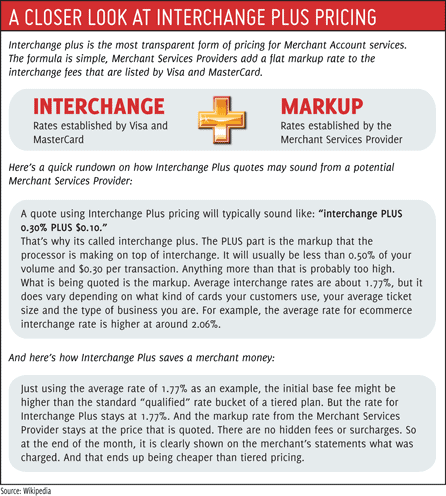
Since revenue from the NABU fee goes directly to MasterCard, most processors assess the fee to businesses at cost. However, in the case of tiered pricing the NABU fee is bundled with a business’s general qualified, mid-qualified and non-qualified rates. Although uncommon, it is possible for processors to markup the NABU fee even for businesses that are billed via more transparent interchange plus pricing.
To avoid confusion, the NABU fee is NOT related to: