Get the payment processing solution that fits your business


FD150 Countertop Card Terminal
Take fast, secure in-person payments with a compact terminal that supports chip, swipe, and contactless tap, with on-device receipt printing.
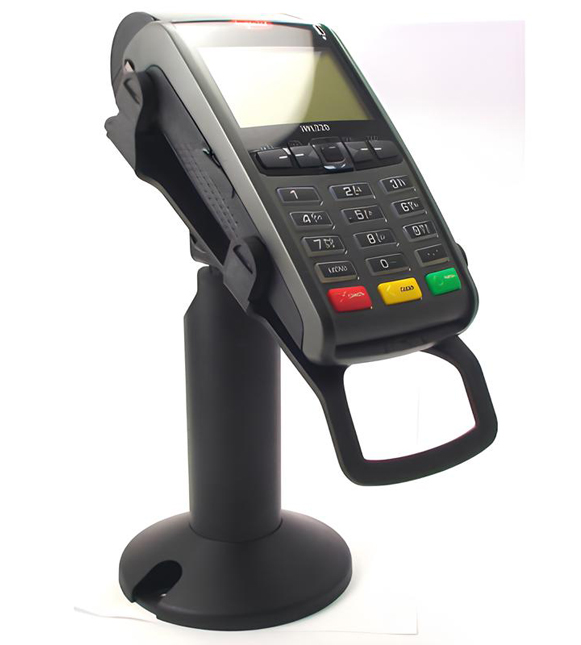
Ingenico Desk 1500 Customer-Facing PIN Pad
Speed up secure, in-person checkout with a compact countertop PIN pad that supports chip, swipe, and contactless tap. Desk 1500 is for you if you want to pair with an Ingenico Desk-series terminal.
Compact PIN Pad Designed for Faster Countertop Checkout
All the Terminal Capabilities Merchants Need in One System
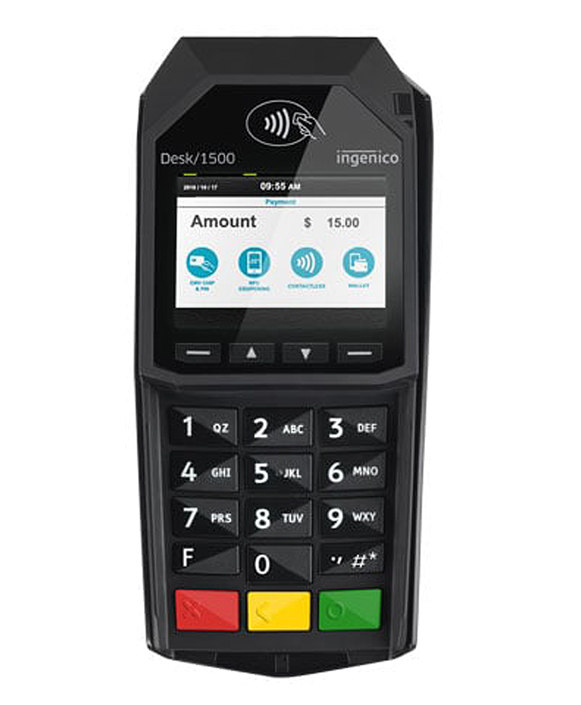
- Customer-Facing Checkout Experience: Keeps cardholder interaction (tap/insert/swipe + PIN entry) on the customer side of the counter to maintain a cleaner flow.
- Accepts Modern Payment Types: Supports EMV chip (chip & PIN where enabled), magstripe swipe, and contactless/NFC tap payments.
- Compact and Counter-Friendly: Built for limited space, with mounting options to keep the checkout area organized.
- USB “Plug-and-Play” Integration: Connects via USB for a straightforward install in many setups, and can be powered through the connected environment (so there’s often no separate power brick at the lane).
- Stronger Security Baseline: PCI PTS 5.x online and offline certified to support modern payment security expectations.
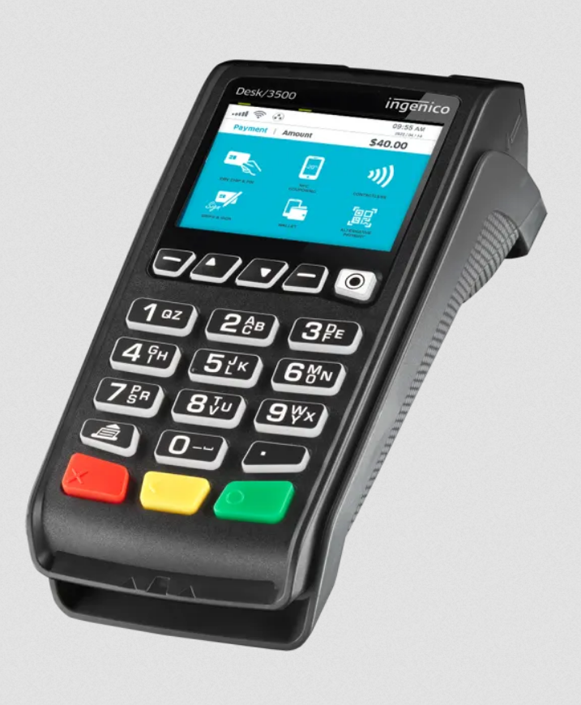
- Simple, Intuitive Interface: 2.8" color screen plus a 15-key keypad (with raised markings) helps guide customers through prompts.
Ingenico Desk 1500 Specifications and Capabilities
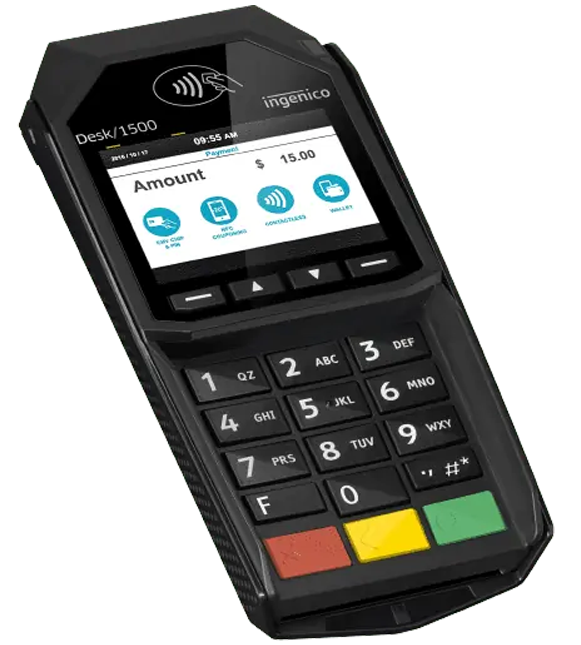
Ingenico Desk 1500 Specifications and Capabilities
- The device supports payment acceptance through magstripe, EMV smart cards, and contactless transactions.
- The system operates on the Telium TETRA OS and is powered by a Cortex-A5 application and cryptographic processor.
- Has 128 MB of Flash memory and 128 MB of RAM.
- It features a 2.8-inch color display with QVGA resolution (320 × 240), a 15-key keypad with raised markings, and four dedicated function keys.
- Connectivity is provided through USB, including one USB Host port, and audio prompts and confirmations are delivered through an integrated buzzer.
- The unit measures 7.08 × 3.26 × 1.69 inches (180 × 83 × 43 mm) and weighs 8.95 ounces (254 g).
- It is designed to operate in temperatures from 32°F to 104°F (0°C to +40°C), with storage supported from -4°F to 131°F (-20°C to +55°C). The device can efficiently function in environments with up to 85 percent non-condensing humidity at 104°F (+40°C).
- For security, the device is certified to PCI PTS 5.x for both online and offline transactions.
Smooth and Guided Sales at the Point of Sale
- Start the sale on your POS/register or on the connected host terminal.
- The Desk 1500 prompts the customer to pay via three ways. Firstly, customers can tap the card/device on the contactless symbol zone. Secondly, you can accept by prompting the customer to insert the chip card into the reader and leaving it in place until you are prompted to remove it. Lastly, customers can swipe the card in a smooth motion when prompted.
- If prompted, the customer enters their PIN on the Desk 1500 keypad (or follows signature/verification prompts based on your configuration).
- When approved, complete the sale and provide the receipt from your host terminal or receipt printer (depending on your setup).
Fast and Reliable End-of-Day Settlement
Because the Desk 1500 is commonly used as the customer-facing payment interface, settlement is typically performed on the connected host terminal or through your POS/back office.
- On your host terminal or POS, open the Batch / Settlement menu.
- Review totals and confirm Close Batch (or End of Day).
- Print or save the batch totals report for reconciliation.
Refund (Return):
Void:
If the transaction is still in the open batch, select Void on your POS/host terminal, locate the transaction, and confirm. If the batch is already closed, you’ll generally run a refund instead.
Refunds and Voids
Ready to Get Started with Clover?
Ready to Get Started with Clover?
Clover systems give you secure, reliable payment processing whether you operate at the counter, take orders at the table, or run your business on the go. Submit the form below and our team will review your requirements, provide a complimentary savings analysis, and recommend the most suitable Clover option for your business.
"*" indicates required fields
Frequently Asked Questions

Is the Desk 1500 a standalone countertop terminal?
Does it support contactless tap payments?
Does the Desk 1500 need its own power supply?
What’s the display size?
Is the Desk 1500 still available?