

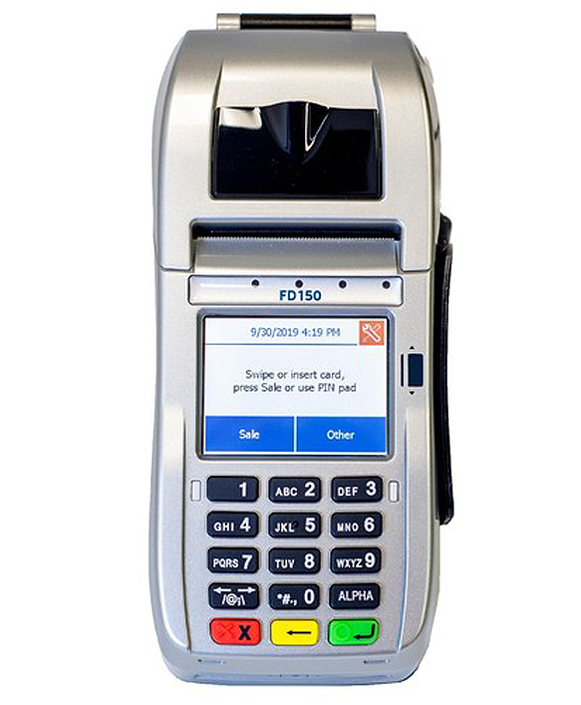
FD150 Countertop Card Terminal
Take fast, secure in-person payments with a compact terminal that supports chip, swipe, and contactless tap, with on-device receipt printing.

FD35 Customer-Facing PIN Pad
Take fast, secure in-person payments with a compact, customer-facing PIN pad that supports chip, swipe, and contactless tap, while keeping the main countertop terminal at the merchant side.
A Consumer-Facing PIN Pad Built for Faster Lines
The First Data FD35 is a customer-facing PIN pad designed to pair with select FD-series countertop terminals. It supports magnetic stripe, contactless, and chip card transactions (on EMV-enabled models). Customers can tap, insert, or swipe and enter their PIN directly on the device.
It’s a good fit for higher-volume, small-ticket environments (such as quick-service restaurants, convenience stores, retail/specialty stores, and grocers) where speed, security, and a smoother checkout experience are critical.
Benefits of the FD35 PIN Pad

- Customer Stays in Control of the Card: The FD35 is designed for cardholder-initiated payments, so customers can complete transactions without handing their card to staff.
- Tap + Chip + Swipe support: Accepts contactless transactions and can support smart card (chip) transactions, along with magstripe swipes.
- Supports Common Tender Types: Built to handle PIN-based and signature debit, major card brands, plus gift and EBT in supported configurations.
- Security-Focused Design: PCI-PED approved device with additional protections such as First Data TransArmor® in product material.
- Simple Countertop Footprint: Connects by USB to compatible terminals and is designed to avoid a separate power supply.
FD35 Device Specifications and Capabilities
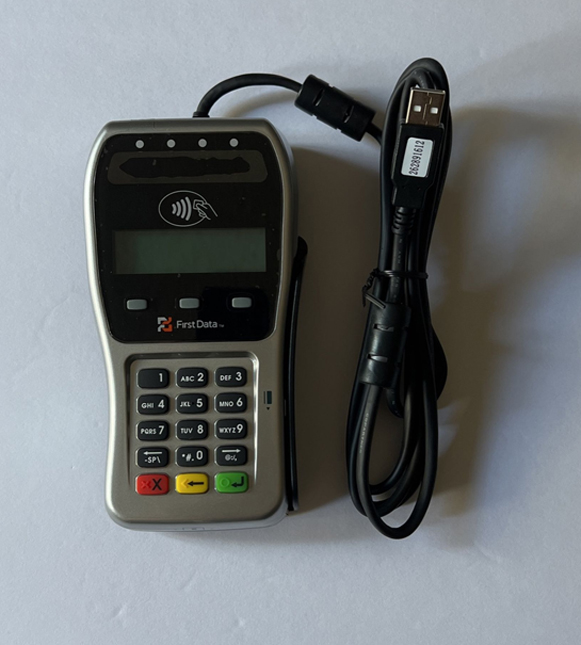
FD35 Device Specifications and Capabilities
- Supports magstripe, contactless (tap), and chip-and-PIN/EMV (enabled on EMV-capable models/configurations), plus support for mobile phone payments and key fobs in supported setups.
- A PCI-PED-approved device and designed for customer-facing PIN entry with optional privacy-shield guidance for safer PIN entry.
- Connects to a host terminal/PC via USB and supports RJ12 offset and multiple cable types (including setups using a mini-DIN-style connector via an adapter).
- 15-key (3×5) rubber keypad (commonly described as backlit).
- Powered via USB with 5V DC/500mA input.
- Rated operating temperature of 0°C to 40°C.
- Uses visual prompts plus lights and audio cues; the contactless reader area lights.
- Includes a real-time clock battery listed as 3V CR2032.
- An attachable privacy shield to help protect PIN entry visibility at checkout.
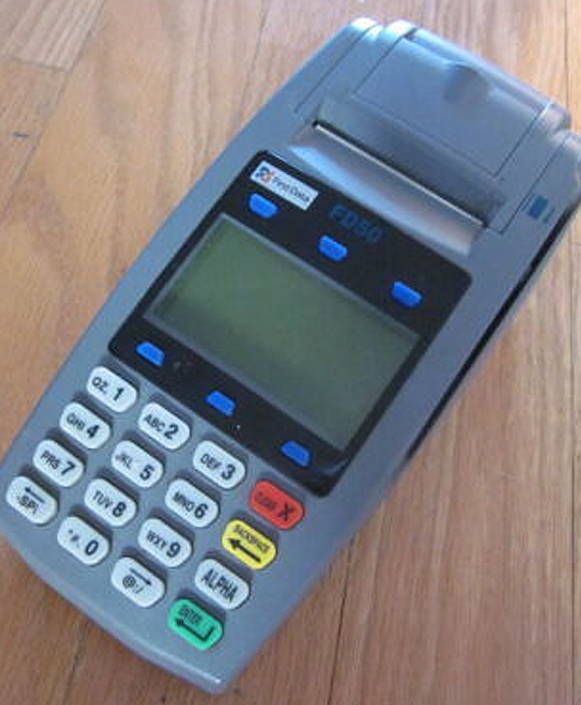
Effortlessly Connect the FD35 PIN Pad to Your Compatible FD Terminal
The FD35 is a USB-connected PIN pad designed to pair smoothly with supported Fiserv countertop terminals. It connects via USB and is compatible with the FD130, FD130 Duo (required for Duo configurations), and FD200Ti, allowing merchants to add a customer-facing PIN pad without changing their core setup.
Most installations are straightforward:
- Power off the countertop terminal.
- Plug the FD35 interconnect cable’s USB into the USB port on the back of the terminal.
- Connect the other end to the FD35’s attached cable (the FD35 uses a hard-wired cable that mates through an adapter connection).
- Power on the terminal; the FD35 will display a status message until initialized.
Taking Contactless Payments Is Straightforward with FD35
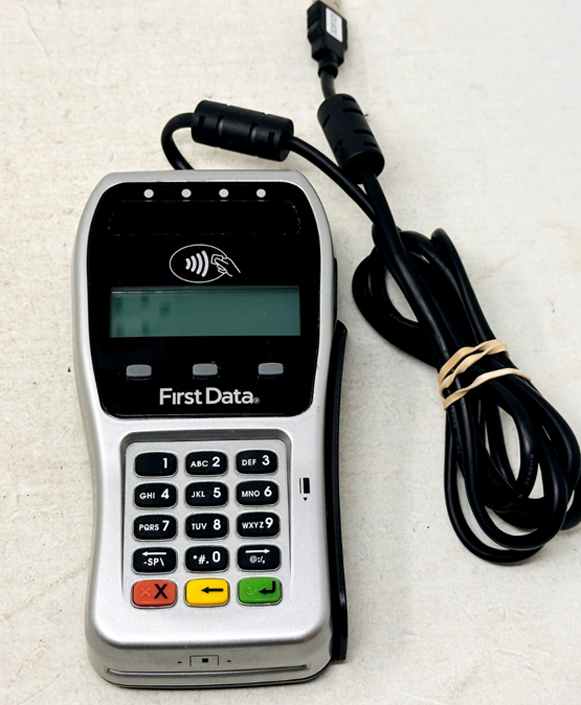
- Start the sale on your paired countertop terminal, then prompt the customer to use the FD35 when it’s ready.
- Have the customer tap a contactless-enabled card or mobile wallet at the contactless icon on the FD35.
- Ask them to keep the card/device in place until the FD35 indicates it has been read (the unit uses lights/beeps/on-screen prompts to show progress).
- If prompted, the customer confirms the amount and/or follows any on-screen instructions to complete the transaction.
- Once approved, the FD35 returns to the idle/ready screen, and the sale completes on the host terminal.
Accept Swipe Payments Easily with the FD35

Accept Swipe Payments Easily with the FD35
- Start the transaction on the host terminal and wait for the FD35 to prompt for card input.
- Have the customer swipe top-to-bottom through the FD35’s magstripe reader.
- Ensure the magstripe is aligned correctly and the card face is outward as the customer swipes. (If reading fails, swipe again with one smooth motion, no stopping mid-swipe.)
- Follow any prompts (debit/credit selection or signature steps happen on the host terminal, depending on your setup).
Process Smart Card Transactions Securely on the FD35
- Initiate the sale on your paired terminal; when prompted, direct the customer to the FD35.
- Have the customer insert the chip card fully into the FD35’s front chip slot (chip end first).
- The customer leaves the card inserted while the device processes (removing early can cancel the read).
- If prompted, the customer follows on-screen steps (some setups may request PIN or confirmation).
- When the FD35 indicates it’s complete, the customer removes the card, and the device returns to idle.
Handle Debit and EBT Payments with PIN Entry on the FD35
- Start the sale on the host terminal and select Debit or EBT when prompted (your menu labels may vary by setup).
- The customer presents the card via tap/insert/swipe on the FD35, depending on what’s enabled.
- When prompted, the customer enters their PIN on the FD35 keypad (privacy shield/hand cover recommended).
- The customer confirms using ENTER and follows any additional prompts (cashback/tender options may appear depending on configuration).
- The FD35 displays processing/approval status, then returns to the ready screen once the transaction completes.
Ready to Get Started with Clover?
Ready to Get Started with Clover?
Clover systems give you secure, reliable payment processing whether you operate at the counter, take orders at the table, or run your business on the go. Submit the form below and our team will review your requirements, provide a complimentary savings analysis, and recommend the most suitable Clover option for your business.
"*" indicates required fields
Frequently Asked Questions

Does the FD35 support tap-to-pay and contactless payments?
Does the FD35 accept chip cards?
Can I run debit and EBT on the FD35?
Does the FD35 need its own power supply?
What terminals work with the FD35?
Can I use an FD35 with an FD150?
What should I do if transactions are declining?
Ready to Get Started with the FD35?
Fill out the form to get pricing and confirm the right setup for your counter, especially which host terminal you’re using (FD130/FD130 Duo/FD200Ti), how you want to accept payments (tap/chip/swipe + debit/EBT), and what you need for installation.