Author Archives: hostmerchantservices

clover blog

Clover’s Point of Sale System Offers a Convenient Reporting System

Clover point of sale systems are popular for being easy to use and customizable. Clover makes various desktop and mobile POS devices that accept various payment methods. Clover’s Android-based operating system also provides support for various needs, as you can download different apps that meet your work demands.

One popular part of what Clover offers entails how you can get full business reports. You can use your Clover point of sale setup to review how you’re collecting credit card payments and other transactions.

Clover provides a complete analytics system that reports on everything happening in your business. You can add details on your operations and inventory, and the Clover POS setup will keep track of sales based on what happens throughout the day.

The Clover reporting platform will help you check on many features:

  • Sales – Check on your gross sales and net sales based on expenses and other factors.
  • Item Sales – Clover will review your sales versus your reporting inventory data. You can check how many items you have left in your business through this feature.
  • Tender Types – You might conduct more business with credit cards than other payment methods. You can use the Clover POS reporting system to see which cards people use the most, plus how much they spend with them on average.
  • Employees – You can review what your POS employees are doing through your reports. You can see which employees complete the most sales and who does well with certain things.
  • Timeframe – You might sell more items at specific times of the day or week. Clover can report on when you’re selling more things, including specifics on when certain products or services are more popular.

Clover provides quick access to all these features to help you see what’s happening in your workplace. There are many other benefits to explore surrounding your Clover point of sale system:

  • You can check on sales data across multiple locations. This feature works if you operate on multiple sites.
  • You can access your reports from anywhere. Log into your Clover dashboard from any device, including a laptop computer or mobile phone, and check on how your business is running.
  • The platform lets you compare how you are doing right now versus another time. You can use this to track possible trends in your business, including whether your business is at risk of a downturn.
  • All data will remain encrypted. Clover uses strict security standards to ensure your financial data and analytics reports will not be lost for any reason.

The reporting features you can get from your Clover point of sale system will help you review what is happening in your business and what you should do to keep things running. You’ll need to know what’s happening with your business at all times, so having the Clover platform on hand will help keep you in the know about what’s happening. Check on how well a Clover system can work for your business needs and how you can use its reports today.

big data disaster recovery concept backup plan data loss prevention on a virtual screen 141875986

What Is Disaster Recovery As a Service? (DRaaS)

Your business and processing data is sensitive and critical to your operation. You must ensure the data you hold stays protected and secure as well as possible. But your data could be lost, exposed, or otherwise at risk from a cyberattack, a natural disaster, or an equipment failure.

You can recover and protect your data through a Disaster Recovery As a Service or DRaaS setup. A DRaaS program will help you back up your data and IT infrastructure in an outside cloud computing setup. A third party will provide the cloud access you require for handling whatever tasks you wish to complete, plus it reduces the risk of your data being permanently lost due to a disaster.

DRaaS provides a simple solution for work that is effective and easy to follow. You won’t have to own the equipment necessary for your recovery needs. You will get access to the equipment through your service provider. The process ensures your data stays safe and that you can recover it as necessary. It also prevents downtime, ensuring you can continue to function.

The Main Steps

DRaaS efforts help you get your physical or virtual servers running once more following a disaster or any other form of disruption in your work environment. The work entails three steps:

  1. Your data is replicated and sent to a disaster recovery service. The group will remotely host your data.
  2. The data goes to a secondary site hosted by your recovery service provider.
  3. The data goes back to the primary site after the data is recovered and the original site can get back to work. The failback process ensures proper protection and operation for as long as necessary, reducing the risk of possible harm or data loss.

Safety For Your Replicated Data

Your data must stay safe while in a replicated environment. A DRaaS provider must include a few points for work:

  • The replication process should include physical and virtual servers to provide regular access to your system. Redundant systems are not required, but they are encouraged.
  • The replication also requires regular data snapshots or backups. These will preserve your data and prevent data loss from occurring in your work.
  • Everything must be online for as long as possible. The data should move to a suitable outside server in less time. Extended downtime periods can harm your business operations and keep you from earning as much business as necessary.

Where Will the Data Go?

The DRaaS process will allow your data to move in the right places to keep it intact. The DRaaS effort requires a production version and two backups for success. There should also be at least two backup formats, including one that is stored off-site. A cloud backup system is desired, as it is easier to recover the data from such a material at any point.

A Protective Effort

DRaaS provides protection to all the data a business may utilize. The DRaaS system can help create new virtual setups for use until you can get a new laptop or another item ready for your use.

DRaaS support also works for all threats in your business, including power outages, hardware failures, network disconnections, and software or IT system errors. The system you hire will ensure you’ll keep your content under control without worry or a risk of losing your work.

Save Your Investments

The greatest part of a DRaaS system is that it prevents your investments from being lost through whatever work you’re trying to complete. You could lose thousands of dollars in business for every hour of downtime when there’s an issue. The totals can add up if you cannot fix the issue sooner, resulting in real threats that may put your business at real harm.

Managed or Assisted?

You can choose from having either a managed or assisted DRaaS system in your business. A managed approach entails an outside party taking over the disaster recovery process. You must stay in regular contact with your provider to see how the process is working and that you have a plan for what you want to do with your work.

An assisted DRaaS platform lets you manage different aspects of your setup yourself. It can also work if you have a custom setup that you might have an easier time managing yourself.

What About Self-Service Platforms?

There’s also the option to use a self-service platform. It costs less money to use this solution, but you are responsible for more things. You must establish your virtual machines in a remote area and test them on occasion to see that they work. You will have access to these virtual features when necessary, but you must check everything well to ensure what you’re operating is handled with care.

Is This the Same As a Backup?

Do not assume that a DRaaS platform is the same as a backup system. A backup only protects your data. The DRaaS system covers your infrastructure, giving you more control over how you manage your data. You will retain access to your items and all the materials you use for reviewing your data. Nothing is lost in the process, giving you the control necessary for whatever bits of work you want to manage.

Backups as a service are best for entities that want to archive their data stores and keep them from being lost. But these should be mixed with other tools and services that can protect your infrastructure. You won’t be capable of reading your data if you don’t have access to the materials needed for storing and securing everything in your space.

DRaaS layouts keep your data online and help you access it in moments. The system works on-demand and offers full control over your assets, reducing the possible risk of harm in your work. Take note of how a DRaaS program can work for your business as you aim to prevent possible data losses and other threats from being a concern in your workplace.

data breach glitchy words 187141456

How Businesses Should Prepare For a Data Breach [2023 Update]

You might not want to think about it, but there is always a potential your business could be hit by a data breach. The info you keep on your customers, your finances, and other sensitive factors could be at risk of being lost. You can prepare for a data breach if you look at how you’re managing your business and how you recognize whatever may work at any moment.

Establish a Relationship With Your IT Department 

what is a data breach

The first way to prepare for a data breach is to look at how your IT department operates. Most businesses assume their IT departments are all about keeping their websites online. But IT is also about reviewing data connections and preventing hostile parties from getting online.

You can produce a better relationship with your IT department to help establish more control over possible threats. You can request many points from your IT department to ensure everyone’s safety and protection while online:

  • Establish parameters for how you’ll use security setups and features for your workplace. These include hardware and software-based firewalls and antivirus programs.
  • Communicate with your IT department on how you’re handling your customers’ data. You can share how your business is complying with CCPA standards.
  • Have a fractional privacy officer on hand to help you review your IT efforts. A privacy officer can identify possible flaws and issues with your security and IT functions and provide guidance on how you can fix any problems you notice.
  • Produce a data mapping platform where you’ll illustrate how the data you collect will travel and where people can find and use it as necessary. The data map should include enough locations surrounding how you’re managing data and making it accessible for multiple situations.

Every system in your workplace needs proper controls to ensure you’re keeping your data secure and protected. Be certain when running your business that you have a plan for how you’re managing your data as necessary and that there’s a plan for where everything goes.

Data Breach – Plan a Response Team

A data breach response team can review whatever threats come with a breach and identify how to resolve the issue sooner. You can establish a response team with multiple positions:

  • Every response team needs a leader that will run the reaction effort.
  • A customer care representative will contact the public and provide info on the breach. The worker should ensure all customers are confident the situation works well.
  • A few members of the IT team should review the compromised data and identify any hacking issues or other threats.
  • The C-Suite team will also plan a response to the breach surrounding how data moves and how it will be preserved and saved. Any backups for whatever is working here will be necessary for everyone’s safety and protection.

All members of your response team should be easily accessible when the time for work comes. Everyone should have a plan for how they’ll manage the data in hand and keep it under control.

Data Breach - Plan a Response Team

Plan a Least Privilege Model

A least privilege model is a platform where your employees will only have access to the smallest amount of data necessary to manage your work. You can incorporate this point into your data protection plan to reduce the risk of employees spreading excess data amounts.

You can also use a tokenization system that disguises identifiable data and keeps the content in a secure space where it cannot be decoded. This point works with a least privilege model to reduce the identifiable data that appears when handling a transaction.

RBAC Also Helps

Another point to plan entails the roles people have when accessing data. An RBAC or role-based access control system will assign permissions to each employee based on their roles. While they can still interact with the least amount of necessary data, you can restrict your employees surrounding who will review the specific data you’re managing in your work. People who have more experience with certain systems may be allowed access to those setups, while those with less experience or work will not handle as many items here.

Data breach  - role based access

Review Your Current System

Check your current data storage system to reduce your risk of possible damage if your data ever becomes lost. Your current review can include a check on a few points to ensure everything you manage stays functional:

  • Look at your current encryption system. The encryption you utilize should be secure and should target payment info and identifiable data on customers.
  • Keep all software current by using the proper installations, patches, and other updates. Proper updates ensure all possible security risks are closed off, reducing the risk or severity of potential hacks or disruptions.
  • Monitor whatever software programs or other solutions you use when controlling data. Any security programs you use should be easy to control and configure.
  • Review the passwords people are using when handling data. All passwords should be kept private and complex to where they are hard for people to predict. You could establish a system where each password must have a specific number of characters or certain types of items.

Be Prepared For Possible Failures

While you should plan to succeed in everything you do, you should never assume you’re going to be successful every time you manage your business’ data. Having a response plan can make a difference, as it helps you contain possible damage and reduce the risk of the harm becoming worse than necessary. Proper control over your situation and how you’re managing your business is ideal to your success.

A data breach can be a scary concern for you to consider when running your business. But it doesn’t have to be a dramatic risk if you look at how you respond to the threat. Be sure you look at how you’re managing your data breaches and that you have a plan for what to do if one occurs. The work should be about ensuring everything stays safe in your business.

chargeback concept cell background 125138191

Address Verification Service (AVS) Prevents Chargebacks

Chargebacks are among the scariest concerns you might come across when running an online business. Chargebacks can keep you from earning the money you deserve. They can hurt your company’s credit rating. The added chargeback fees some merchant service providers might charge will make matters worse. The fact that you don’t have physical access to someone’s credit card is a problem, as anyone could potentially pose as someone else, increasing the risk of a chargeback.  

The good news is that you can use an Address Verification Service or AVS system to reduce the risk of chargebacks. An AVS provides a better approach to work that entails ensuring the customer’s address is the correct one. The effort flags potentially fraudulent transactions and ensures they won’t move forward, reducing the risk of a chargeback.

Understanding the Concerns of Chargebacks

Chargebacks can be dangerous in that you’re losing the funds from a prior transaction due to a cardholder disputing the charge. You will be responsible for a chargeback because your business is supposed to prevent unauthorized card purchases. A customer who feels a purchase isn’t legitimate has the right to dispute the charge with you.

These chargebacks can occur for many reasons. Someone could use a card without the holder’s consent. The customer could also claim the product or service was not delivered or provided as one wished.

You can prevent these issues by using an Address Verification Service setup. An AVS is especially critical if you accept card-not-present or CNP transactions where you cannot access the customer’s physical card. These CNP deals are more likely to produce chargebacks.

The AVS Process

AVS entails reviewing the order’s billing address versus the cardholder’s address that is on file with the card issuer. The analysis ensures the person buying something with a card is sending something to the proper location.

Here’s a look at how the AVS process works:

  1. The cardholder provides an address in the payment gateway. This address is the one that will receive the product or service.
  2. An AVS system compares the numeric parts of the address the customer submitted with what the address on the bank’s file says.

The cardholder’s name, street name, and other non-numerical factors will not be a concern. These features are obscured for security and privacy purposes.

  1. The AVS system then generates a code. The code states if the match is complete or if there are issues.
  2. The merchant can use the code to decide whether the transaction should go forward.

Your payment gateway may set up automatic rules where transactions can go forward if the proper AVS code appears.

What AVS Codes Are There?

You’ll find a distinct AVS code with each transaction that goes through a system. The code will entail one of many points surrounding whatever the system can confirm:

  • Y – The address and the five-digit ZIP match. This point is for Visa, MasterCard, and American Express orders.
  • A – The address matches, but the ZIP does not. This code is not valid for Discover orders.
  • N – Neither the address nor ZIP matches.
  • B – The address matches the report, but the ZIP is not verified. This note is only valid for Visa orders.
  • M – The address and ZIP match for international transactions.
  • F – The address and ZIP match for UK orders.

There are many other AVS codes available, with each card network having different rules for what works. For example, the A code says that the address matches for most card networks. But the A code for the Discover network says that the address and ZIP both match.

Where Does the AVS Work?

The AVS system works throughout the United States, the United Kingdom, and Canada. There’s always a possibility it could move into other markets soon.

Is There Still a Risk?

An AVS will prevent chargebacks by keeping fraudsters from trying to complete a payment. Someone who might have acquired a credit card number might not have access to the customer’s address. Since that person cannot enter that address, it becomes impossible for the order to go through. The AVS will see the fraudster is trying to send something to a place outside whatever the client wants to use.

But there’s always a risk that a chargeback could still happen. A fraudster could use social media to try and piece together details on whoever holds a card, for example. The potential for some retailers to disobey PCI DSS standards and improperly secure credit card data could also be a threat.

Still, the risk of the chargeback will be minimal. The AVS process adds a firm barrier that ensures the transaction isn’t as easy to complete as one might wish.

What Does It Cost?

An AVS process will cost extra for each transaction, although the added cost won’t be worth as much. A credit card network will provide an extra charge of about 5 to 25 cents per deal. But the cost will be minimal when you consider the other charges you might spend in processing your transactions.

Works With Other Methods

Your AVS can work alongside other methods you utilize to prevent chargebacks. These include such methods as:

  • Ensuring you only ship to the billing address
  • Reviewing the CVV alongside the address; the CVV is inaccessible if a person doesn’t have a physical card on hand
  • Provide full terms with your customers surrounding how you can resolve disputes or other issues with these purchases
  • Watch for whether there is something unusual with a transaction; you can plan an automatic flag or stop on high-value transactions to ensure they don’t go forward without a thorough review

It takes time to get these features working. But it won’t be tough to get your business working when you see what fits in any case.

An AVS will be critical for keeping your business up and running. Look at how an AVS will work and how you prevent chargebacks from occurring through this convenient solution for your work needs.

android vs apple ios compared logo characters 142484457

Mobile Credit Card Processing Efforts Require Android or iOS Software Support

You’ll need a quality program that can help you review how your mobile credit card processing operations are running at your business site. You can use an Android or iOS-based platform on your processing materials to help you keep track of everything from sales totals to inventory reports. The platform can also produce a user interface that makes it easy for people to process their transactions.

How Does the Platform Work?

Mobile credit card processing kiosks and devices can work with an Android or iOS-based operating setup. The software will run off one of these mobile operating systems.

Android and iOS are useful for how they are user-intuitive and easy to review. You can display many things through either operating system. Both formats also support an extensive array of apps, including ones that a mobile credit card processing company can develop for your convenience.

These operating systems can help you with everything from entering in data to collecting payments from people. These have been working in many fields for years, and the odds are they will work for your business needs.

These OS choices can also work on various screens. These include smartphone and tablet-sized displays. The apps you download can also function on different screens, although the quality of whatever works will vary surrounding your device.

Apps For All Use

The Google Play store for Android and the App Store for iOS has been producing many high-quality apps for various business needs for years. You can use many apps for your card processing needs and business operations, including:

  • A basic payment collection app, including support for adjusting tips
  • An app for collecting phone numbers, email addresses, and other things from customers
  • A sales tracker that reports on what sales you’re completing
  • Inventory reports highlighting anything you have in your location
  • A virtual menu or other display for customers to review when buying things

The processing program you utilize can work with various apps of value. You can download many apps for free and customize them based on what you need to utilize the most. The system gives you full control over your experience in running your business.

What Can the Software Track?

You can use an Android or iOS platform to help you track many things in your mobile credit card processing efforts. These include things like these:

  • How well you are selling things, including what you are selling the most and when you’re selling items more often
  • How your employees are performing, including who is producing the most sales
  • The types of payments you’re collecting; these include payments through different card networks
  • Whether you are running out of certain things in your inventory

You can correct your business’ operations surrounding whatever the software is reporting. The control system will help you handle your work needs.

Android and iOS-powered systems are necessary for mobile credit card processing systems. Be sure you have a setup that works with one of these popular operating systems to help you manage more functions.

online security technology 40026802

How Federated Identity Solutions Help Merchants Create Convenient Payment Experiences

Federated identity management isn’t something people often think about when looking at how merchants can facilitate payment efforts. But the process is essential, as it is about getting subscribers in a network to access the same identification data surrounding a person.

Identity federation entails getting a user’s identity data out over many security domains. Each domain will support a unique identity management system. Two domains can link together or become federated to where the user can authenticate one’s data on one domain and then reach resources on the other domain.

The process simplifies the customer’s payment experience. The user can access one domain without having to log into something a second time.

The process also allows many groups to work under one application. Their resources become easier to access, plus it is more affordable for these groups to run these features.

A General Process

Traditional federation efforts require digital signatures and encryption. It will use a few steps to make everything work well:

  1. One home node in a federated system will store a user’s identity.
  2. The user provides one’s credentials to the home node to log into a system. The home node is the only one that the user will directly contact.
  3. The home node will spread the trusted and encrypted data through different platforms and other nodes in the federated setup.
  4. The digital signature confirms the person’s identity while ensuring that person doesn’t have to provide further authentication data.
  5. The user can now use the same login data for multiple applications. The user will be permitted to access whatever features are supported by the federated approach.

Every other node in the federated layout connects to the home node. The home node keeps the data protected and encrypted, reducing the risk of anything being stolen in the effort.

An Improved Process

Federated identity solutions are more effective than single sign-on solutions. While a single sign-on setup allows users to access many databases through one login, it doesn’t work with multiple security domains. The federated solution can link one’s login data through many domains that multiple organizations can access at a time.

Easier to Authenticate Payments

The federated approach also helps businesses authenticate their contents in moments. Federation allows the customer to use one password for one setup when getting online. The customer will not have to use the same password through multiple platforms, nor will that person struggle in trying to find missing password data if anything becomes lost.

The trust-based approach of federation entails a person confirming one’s identity once on the same network. Since there are fewer passwords and login attempts throughout a system, it becomes easier for the user to get online without risking one’s identity or data being stolen. The user’s payments are easy to authenticate, as the person can confirm one’s data in moments without having to repeat things in the process.

Does Multi-Factor Authentication Work?

Federated identity practices can also support multi-factor authentication efforts. The authentication process requests the user to provide more than one form of identification when logging into a network. The practice prevents fraud and outside attacks, plus it provides extra protection for each customer’s setup.

A network can use as many multifactor authentication processes as it wishes. It can provide customers an option to add a second factor to their individual accounts based on what they prefer.

The customer will still have to log into an account only once, even if it means incorporating multiple factors for confirming one’s data. The customer can continue to pay for things online with the same account.

Other Advantages of Federated Identity Solutions

There are many other positives surrounding federated identity efforts to see:

  • It is easier for groups working on a project to share and access their payment resources through one platform. Many people can share the same things on a federated setup. The system is ideal for parties that use the same business card linked to one entity.
  • Businesses and groups can also consolidate their resources to make their content easier to manage and navigate. The effort helps them save money.
  • People don’t have to remember individual credentials for all the platforms or domains they will access. They only require one login setup to get access to everything.

Eliminating Passwords

Reducing the number of passwords someone will manage is essential to the success of the federated identity platform. Estimates suggest that most people use the same password for multiple accounts. People often struggle in trying to create new passwords for each login they want to utilize. Others can break into their accounts and steal their data after correctly predicting their passwords.

Password theft is one of the most common causes of payment fraud. A federated identity setup reduces the risk of password theft, what with there being fewer passwords used in the effort. The risk of chargebacks and other losses caused by fraudulent purchases will be minimal, thanks to the work that comes with the setup.

Are There Concerns?

Entities that want to establish federated identity systems will need to watch how much it can cost to produce a new setup. The extra costs for getting these systems ready may be a burden for some groups.

The members in the same federation will also need to produce security requirement policies that every member can utilize. Each enterprise may have different rules and terms for what works here. These groups should use the same PCI DSS safety standards or other comparable rules for how they will safely handle payments.

Even with these concerns, it will still be simple for businesses to handle payments with ease when using a federated identity system. Merchants can make it easier for people to pay for items with one of these setups, as it is easier to access data as necessary through such a system. Customers will appreciate how efficient the system is, as they can get online and safely pay for the things they want in less time.

closer up credit card 44525311

Current Changes To Interchange Rates For 2021

Visa and MasterCard were both planning on changing their interchange rates in 2021. But pandemic-related issues and concerns have prompted them to delay their increases. They will change their interchange rates in April 2022. 

These rate changes reflect various ways how Visa and MasterCard operate. Your business will experience a significant impact, as the higher rates will cut from your profit margins and cash flow. You can keep these changes from being a problem if you plan ahead.

Changes Through Visa

Visa was planning on putting in a few changes to its interchange rates and fees in April 2020, but they were delayed by a year due to the pandemic. They have been delayed another year due to worries about how businesses can recover from the pandemic.

Visa’s first change will entail how it will handle card-not-present or CNP transactions. The fee for a traditional Visa card on transactions of $100 or more will rise from $1.90 to $1.99. For premium cards, the fee will go from $2.50 to $2.60.

Visa also has plans to increase the interchange rates for supermarkets and grocers. But it has not been open about how much of an increase will occur here. Visa has since announced it will delay the increase to 2022.

The highest rates for Visa cards are around 2.95%. The company will likely go past the 3% mark in 2022, although how high the network will go remains unclear.

Visa did make one other move, as the Electronic Interchange Reimbursement Fee or EIRF has been eliminated. The EIRF entails proper reimbursement for some losses in downgraded transactions.

What MasterCard Is Planning

MasterCard has announced it will be increasing the interchange rates for various industries. These include supermarkets, convenience stores, and some physical retailers. These increases will help MasterCard manage its network and handle its reward programs.

MasterCard has not been forthcoming on what it will specifically do with its increases. MasterCard will likely add a few tenths of a percentage point to each rate it offers for these businesses. The company will not go forward with these increases until 2022.

MasterCard offers various protective features for cardholders and offers support for anti-fraud measures. MasterCard often charges slightly higher rates than Visa offers, so you can expect MasterCard’s rates to continue to remain high. But the rates MasterCard charges are nowhere near as significant as what American Express charges to businesses that accept their cards.

What Everything Means

The plans for Visa and MasterCard to increase their rates in 2022 means that businesses may struggle to keep their cash flows under control. The problem with interchange rates is that they have been rising, which is problematic in industries where credit transactions have become more common.

All businesses that accept credit cards will require an analysis of their efforts in how they accept these payments. They must look at how much they are collecting from customers versus what they are losing in interchange charges. Businesses can recognize how their customers are spending money to see what changes they need to consider for their operations.

What Can Your Business Do To Offset These Increases?

The potential increases that Visa and MasterCard will impose will be substantial concerns for businesses to watch. You can offset these increases by using a few measures to help you keep these changes from being as significant:

  1. Use a sensible pricing model for your industry.

Merchant account providers can help you find different pricing models that fit your business. These include providers that will offer an interchange-plus or tiered pricing platform. A tiered program may work if you accept specific card payment types versus others. An interchange-plus platform is best if you accept a variety of cards.

  1. Look at a possible cash discount system.

You can use a cash discount program where you can promote that people will spend less on their orders when they pay with cash. You can adjust the prices at your store to cover the increase in the interchange rate, and then offer a percentage discount for people who pay for something with cash. The effort is useful as it doesn’t entail an additional surcharge that might not be legal in some places. But the cash discount should be promoted well, and any prices you list should be reflective of what people will spend if they pay in cash.

  1. Enter a Level 2 or 3 tier for how you collect credit card payments.

You will qualify for a lower interchange rate if you provide more information on your business. Card networks will assign a specific tier level to your business based on how much information you provide. A Level 1 business will pay the highest rates and only submit its name, the purchase amount, the date, and the billing zip code in each transaction.

A Level 2 business will include these features plus a tax indicator, a customer code, a merchant tax ID, an invoice and order numbers. A Level 3 business will add a product or SKU description, details on each unit price and the quantities available, discount amounts, and any shipping totals and duty charges.

You will pay less in interchange totals if you gather more data on each card payment. The increased info will help a network identify your business transaction and will produce a lower rate. You could save a few tenths of a percentage point on interchange fees if you use the right measures.

  1. Use anti-fraud measures to prevent chargebacks.

Sometimes a high interchange rate may be due to your business being at risk of chargebacks and fraud. You can use a few anti-fraud measures to keep these in check, thus reducing your average rate:

  • Conduct transactions by phone or mail when possible.
  • Use an address verification service to confirm one’s address when processing an order.
  • Settle the purchase authorization within two days of shipping a product.
  • Provide as many details on a product or service to the customer as possible. The customer will be less likely to require a chargeback when one knows what is happening at a time.
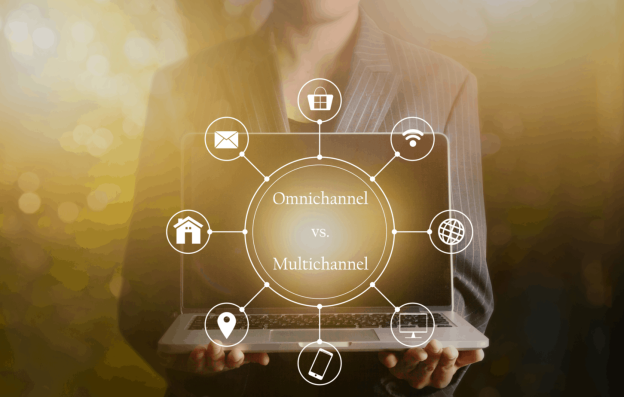
businessman holding laptop multichanel online communication network 93560601

Omnichannel vs. Multichannel Lending: How To Expand Your Customer Base

The terms “omnichannel” and “multichannel” might sound similar, but there are distinct differences between these two points. This aspect is true for lending, as they entail lending funds to people in different ways. The end result always involves people getting the money they need for whatever purposes they hold. But the ways you lend those funds to people will vary over what works in your situation.

People are finding it easier to access many services online or in-person. You can find omnichannel systems that are streamlined, or you can find multichannel setups that include many ways to do business. All customers have unique preferences over what they are comfortable with the most. You can plan your lending work based on whatever you feel is suitable for your work plans.

You can use an omnichannel plan to reach people in multiple ways. But a multichannel system could also work if you want to reach people who prefer a means of doing business with you. You’ve got many solutions of interest out there, so be sure you look at how you’re going to expand your customer base and make it work for your needs.

The Difference Between the Two Terms

To start, let’s look at what makes these two terms different. An omnichannel approach entails “all channels.” Everything you provide is being streamlined in one platform. The customer will experience a singular platform where someone can do everything one wants to in that one place.

A multichannel approach involves “many channels,” or multiple ways how people can do something. A business can use multichannel marketing to promote its work by encouraging people to buy what it has through one’s preferred platform or channel. A business could have its product listed on multiple websites to cover the same channels.

The multichannel process lets people do what they feel when doing business with you. But an omnichannel effort lays out everything you have to provide at once. You can reach people through every method of work you provide in this setup.

How Does This Relate To Marketing?

Omnichannel and multichannel approaches are common in many fields of work, from marketing to production. But these can also work in lending. Here’s a look at how these two forms of lending can work and why each is useful in different ways.

Multichannel Lending

To start, let’s look at how multichannel lending can work. Multichannel lending involves lending through separate transactions. A lender can use these transactions to target multiple people and to offer them support in whatever platforms they prefer to utilize.

A multichannel lending process entails a business using multiple platforms to promote its lending work and to reach its clients:

  • It can use a point of sale platform while online. The POS platform works for personal loan purposes, especially when people need to pay for expensive things.
  • Brick and mortar branches may also be available. These branches are useful for people who might be more comfortable with physical lending locations. People often trust physical sites more than digital ones because they don’t know if their money will be safe when online.
  • Call centers can also provide help for customers. A call center can include specialists who can walk people through different activities. The system is ideal for people who are new to lending and need extra help in getting the finances they deserve.

The multichannel lending approach gives customers various options for handling their funds. The effort is useful and flexible, but it works best when you have a suitable plan for getting it all to run right. Review how well your business operates and what you can expect from the process before going forward with your work in this situation.

Every customer has different needs when contacting you for lending purposes. Some people may be fine with an experience that is completely online. Others may prefer to work with you in person, especially if they need to talk with someone who can direct them through something. Providing multiple channels for how people can reach your lending business can help support whatever you wish to run.

Omnichannel Lending

Omnichannel lending takes all the platforms you use and brings them to the same channel. You’ll link everything you provide in that one channel, meaning you can interact with them whether they are online, on the phone, in a branch, or wherever else you serve them.

The process provides extra flexibility in what you offer. Instead of having people focus on one method of communication, you’re letting them stick with a mix of all choices.

Omnichannel lending is best for when you want to focus on the lender. Multichannel lending entails highlighting the ways you can lend money to people. Omnichannel lending involves giving the customer the power to do things. You’re entrusting the client with whatever you are offering, making your work more interesting to anyone who wants to do business with you.

Omnichannel work also makes whatever you highlight more interesting and worthwhile for your work needs. Take note of what you’re doing when highlighting your business efforts.

Which Is Better?

There’s no answer as to which option is better for your work needs. A multichannel solution works if you have customers who might prefer some methods of doing business. An omnichannel effort may work more for those who want to simplify their lending needs.

Look at the customers you bring in and see how they do business with you. You can plan your work based on whatever people might be interested in the most.

You can use an omnichannel or multichannel plan for your lending needs based on what you prefer. Take note of how these solutions work and what you can expect out of them if you want to get somewhere. The effort should be about giving your customers the support and help they deserve. Customers will feel more confident in your work if they see you are helping them as necessary.