


QuickBooks Product Comparisons the Comprehensive Guide to QuickBooks Versions
Posted: January 11, 2023 | Updated:
QuickBooks is easily one of the best and most feature-rich accounting software options available. However, its wide variety of versions can be intimidating for those choosing software for their business. Do you go with the online version or the desktop version? And which of the different plans do you choose?
In detailed QuickBooks product comparisons, choosing one version from another might seem impossible, but it doesn’t need to be. All you need to simplify your choice is to know how each version differs from the rest and where they excel.
To that end, this article will cover all six versions of QuickBooks and their plans and offer a guide on choosing the best one for you by answering just a few questions.
QuickBooks Product Comparisons – The Six Versions of QuickBooks
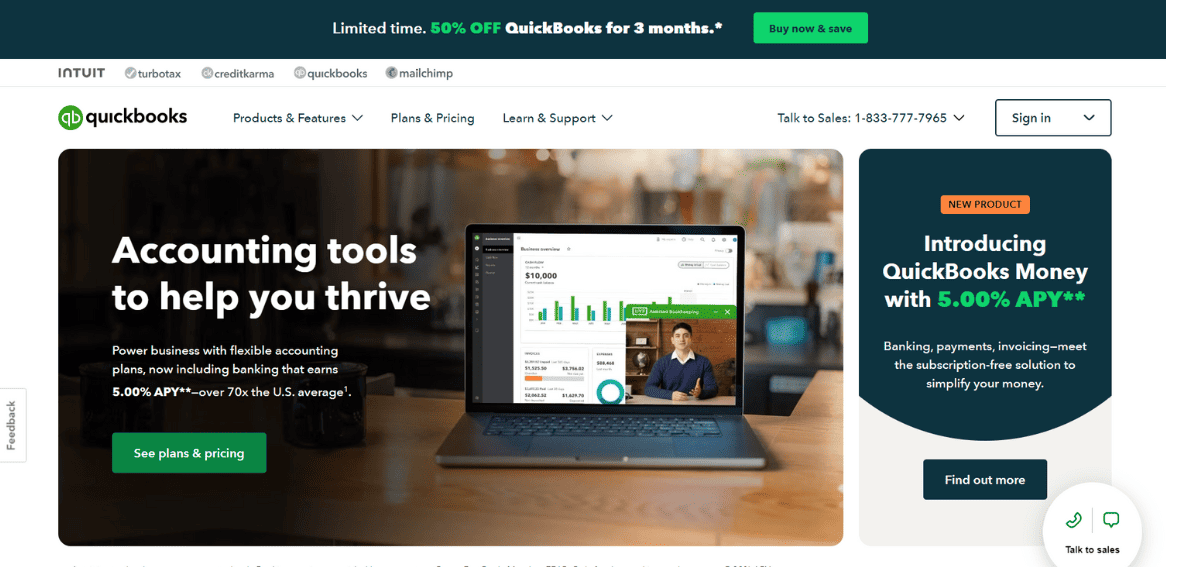
QuickBooks has six different versions, which differ in their features, intended target audience, and price. Furthermore, a few of these versions have their sub-plans, each of which has its best-use scenario. These versions and sub-plans include:
QuickBooks Self-Employed (Best for freelancers)
- Self-Employed Tax Package
- Self-Employed Live Tax Pack
QuickBooks Online (Best for small businesses that need cloud capabilities)
- Simple Start
- Essentials
- Plus
- Advanced
QuickBooks Desktop (For businesses that need fixed retail systems)
- Pro Plus (best for small and medium-sized businesses)
- Premier Plus (Best for specialized industries)
- Accountant Edition
- Contractor Edition
- Manufacturing and Wholesale Edition
- Nonprofit Edition
- Professional Services Edition
- Retail Edition
- Enterprise (Best for major corporations. Also includes industry-specific editions from Premier)
- Silver
- Gold
- Platinum
- Diamond
- QuickBooks Mac Plus (for Mac users only)
Note: The specific-industry editions of QuickBooks Premier and Enterprise come at no additional cost.
Overview of All QuickBooks Self-Employed Versions
QuickBooks Self-Employed is designed exclusively for independent contractors to make their lives easier. QuickBooks Self-Employed is the ideal option if you are filing a Schedule C that includes your taxes. There are three QuickBooks Self-Employed packages to choose from:
Self-Employed QuickBooks
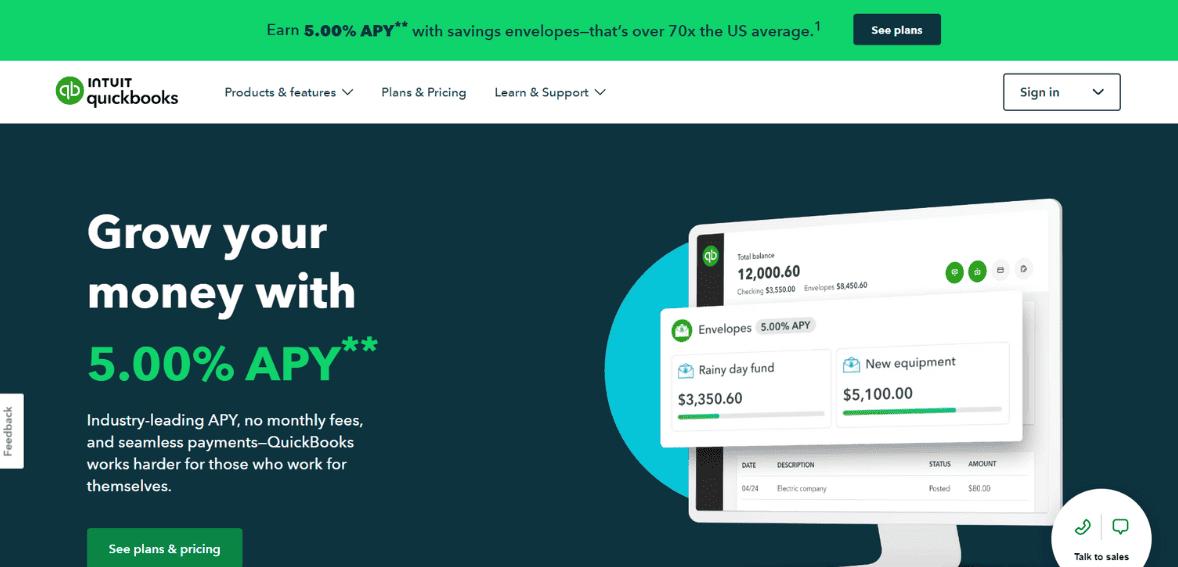
QuickBooks Self-Employed is the most affordable version, which costs roughly $7.50 per month. It offers many features for a truly beneficial and very small cost. Self-employment allows you to handle your business and personal costs independently, track miles manually, send invoices, estimate taxes quarterly, and maximize Schedule C deductions. There will be a possibility to upgrade from the self-employed version to a more expensive version shortly.
So, if you’re looking for a software program to help you run a successful business, it’s not a bad place to start.
Tax Bundle for QuickBooks Self-Employed
The self-employed tax bundle has been updated with new features, as well as those of other online applications. With this package, you can seamlessly transfer tax information from QuickBooks to TurboTax, which starts at $12 per month. Lastly, this may be a viable option if you are looking for federal tax assistance. You should be aware, however, that QuickBooks self-employed does not include state tax reports.
Live Tax Bundle for QuickBooks Self-Employed
The most expensive form of QuickBooks Self-Employed is the self-employed live tax bundle, which starts at $17 per month. It also contains access to additional tax filing features such as technical support at any time and from anywhere and a request for CPA assistance who will file your tax return on your behalf.
Business owners also rely on trusted accountants or high-street tax filing firms to file their taxes. Consider hiring someone to work for an extended period rather than relying on a rotating cast of distant accountants.
Pros
- The software is self-contained
- Invoices can be created and sent in minutes.
- Managing taxes is a simple process.
- Organizes and tracks costs across multiple accounts
- Tax-optimized categories of income and costs have been created.
- A simple method of payment
- Calculate your quarterly tax.
- You can access basic reports.
- Management of mileage
- Integration of apps
Cons
- State tax reports are not included.
- It is difficult to upgrade software. The system cannot be expanded.
- An additional tax filing payment is required.
- Supports only basic bookkeeping and accounting functions.
- Estimates cannot be sent.
Overview of All QuickBooks Online Versions
Cloud-based accounting software, QuickBooks Online, has grown in popularity among SaaS-based enterprises. Most unique about this product is the ability to update, access, and manage data from anywhere and integrate it with any CRM application. However, if you want to access QuickBooks Online, you’ll need an internet connection. You can also create a QuickBooks Online account by logging in via your web browser or app.
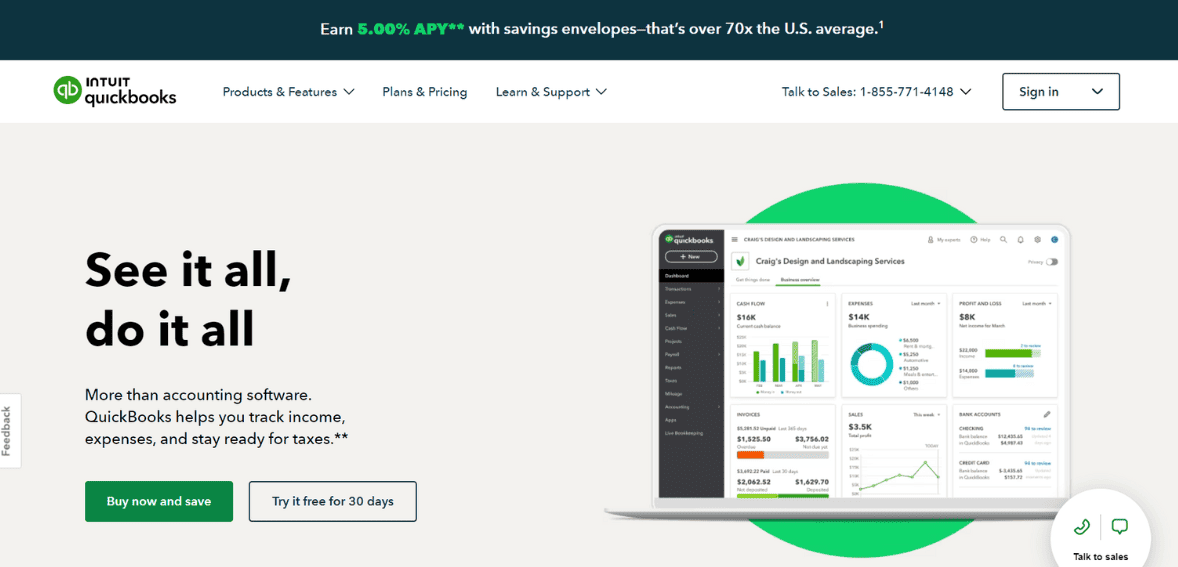
You can also access QBO from your smartphone. There are five versions of QuickBooks Online:
- Self-Employed (which is covered above)
- Simple Start
- Plus
- Essentials
- Advanced
Here is a breakdown of the different QuickBooks Online products:
Simple Start
Freelancers, solo entrepreneurs, and gig workers can benefit greatly from QuickBooks Simple Start. The basic start version is the quickest and easiest way to keep track of incomes and expenses for contractors, freelancers, and new businesses. This edition of QBO allows you to invoice clients, connect credit cards and bank accounts, handle sales tax, and perform basic accounting tasks. Furthermore, you may also speak with your accountant during tax season and sign up for a free 30-day trial, which will give you enough time to decide whether this is the right solution for you.
Pros
- Take control of your spending.
- Keeping track of check numbers
- You can connect your bank account
- Receipt organization
- You can increase your tax deductions.
- Accept payments and create an invoice
- Management of mileage
- Basic reports are easily accessible.
- Manage 1099 contractors
- Keeping track of sales and sales tax
Cons
- Synchronization issues
- Connection issues between QuickBooks and your bank could lead to missing entries. You might have to add the data manually
- The initial learning curve can be steep.
- Control of inventory is restricted.
- Internet access is required.
QuickBooks Online Essentials
Three users can access QBO essentials, including expanded functionality and capabilities for tracking invoices and payments, paying several vendors at once, and so on. To keep track of bill due dates, you can also obtain accounts payable aging reports with this plan. You may also be able to speak with your accountant when you file your taxes.
Pros
- You can automate your tasks.
- Use precise reporting.
- Eliminates manual effort from bookkeeping
- Keep track of your income and expenses.
- Boost your tax deductions.
- Instantly pay with a credit card or bank transfer from the invoice.
- You can take pictures of receipts with your smartphone.
- A detailed list of receivables and payables is provided.
- Paying multiple vendors at once
- Track miles and send estimates
Cons
- Lack of direct professional support limits the number of users
- The app has crashed for some users.
- Internet access is required.
- The number of transactions is limited.
QuickBooks Online Plus
In addition to accounting, QuickBooks Online Plus allows you to monitor cash flow statements, create invoices, collect payments, and track sales and expenses, among other features. Every organization must have an accurate financial management system; QuickBooks Online Plus does this by linking the company’s tools.
Compared to a simple start, QuickBooks Plus has additional features that make managing a complex small business a breeze. Below are a few of these features:
Pros
- Monitoring and processing on-time payment bill payment
- Provides detailed reporting and saves time on data entry
- Organize receipts.
- Time and bills are tracked.
- Five users are included.
- Manage 1099 contractors
- Estimates based on expert knowledge.
- Track your driving distance with your smartphone’s GPS.
Cons
- The number of users is limited.
- Upgrade your features for a fee.
- CSV files are not fully supported.
- Backups are not available.
- It can be challenging to learn at times.
QuickBooks Online Advanced
QuickBooks Online Advanced allows up to 25 users and is geared more toward enterprises than small businesses. With a subscription, you will have access to business statistics, the option to import and send batch invoices, and a dedicated account manager, which can be particularly valuable for large businesses. A subscription to the advanced version costs $75 per month.
Pros
- Several states’ taxes are reported.
- Consolidation of banks
- Billing in advance
- Permissions for individual users
- Reporting tools
- You can combine checks and costs.
- Automation of workflows
- Various sources of income
- Roles tailored to your needs
- Google Sheets can be used to export reports.
Cons
- This is not for beginners.
- File size issues
- The number of users is limited.
- Videos on user training are hard to find.
- Users have reported issues connecting their credit card accounts, particularly
Overview of All QuickBooks Desktop Versions
Among the features of QuickBooks Desktop are advanced billing and payment, inventory management, payroll management, and reports. QuickBooks Desktop requires manual setup and management. You may find that QuickBooks Desktop is the best option if you run a product-based business with complex inventory management requirements. Because QuickBooks Desktop is installed on your computer, you do not need an internet connection to use it. Additionally, each business can access industry-specific features, such as specialized products, services, and a chart of accounts. Managing accounting for multiple organizations at the same time can be beneficial to you.
QuickBooks desktop is now available in four versions, as follows:
- QuickBooks Pro
- QuickBooks Premier
- QuickBooks Enterprise
- QuickBooks Mac Plus
Here is a breakdown of all four options:
QuickBooks Pro
Designed for small to medium-sized organizations with three or fewer users who need robust accounting software.
QuickBooks Desktop Pro is an updated and extended form of QuickBooks accounting software designed for numerous small and medium-sized businesses. If you are new to QuickBooks and don’t know how to use it, don’t worry; the desktop pro is easy to set up and use. Accounting experience is not required to run reports, keep track of invoices, file taxes for the first time, and import data from a spreadsheet. Furthermore, it allows you to organize your business funds simultaneously, enabling you to be more productive. You can also alert consumers when their payments are due so they can pay faster.
Pros
- Advanced features
- Potentially cheaper
- Over 200 integrations
- Spending and revenue monitoring
- Creating a profit and loss statement
- Automating the payment schedule
- Performance evaluation of a business
- Automated reminders for customer payments
- Combine multiple invoices into a single statement.
Cons
- Learning curves are steep.
- The number of users is limited.
- Mobile apps are not available.
- There is a lack of support.
QuickBooks Premier
This edition is appropriate for organizations with five or fewer users who require robust accounting and industry-specific accounting tools.
QuickBooks Premier allows you to easily manage your company’s finances while learning how to manage QB files. QuickBooks Premier can accomplish various tasks related to specific industry sectors such as retail, contractors, manufacturing and wholesale, professional services, retail, or nonprofit organizations. It includes all QuickBooks Pro features and tools as well. When you subscribe to QuickBooks Premier, you can record your receipt data using a mobile device.
Pros
- Accounting of the highest quality
- Over 200 integrations
- Advanced features
- Features and reporting tailored for specific industries
- Capacity to forecast revenue from customer projects or products
- Industry-specific reports
- Review your PDF attachments
- A single administration tool is used to install all items.
- Establish customer groups based on rules.
Cons
- It has a steep learning curve.
- Mobile apps are not available.
- There is a lack of integration for inventory management.
- Data loss probability
QuickBooks Enterprise
QuickBooks Enterprise is ideal for large enterprises with up to 40 users who need industry-specific accounting and sophisticated accounting.
The QuickBooks Enterprise solution is primarily aimed at mid-sized businesses in industries like construction, wholesale, and, most significantly, manufacturing. The easy-to-use interface, predecessor navigation tools, and simplified terminology make it an ideal solution for non-accountants. You can receive advanced capabilities in QB desktop enterprise as an all-in-one solution based on your industry. In addition, end-to-end accounting software does not require implementing ERP requirements. QuickBooks Desktop Enterprise includes the following four plans:
- Silver: The most basic version. Improved reporting is the main feature of the silver plan.
- Gold: This plan includes advanced payroll and all of silver’s features.
- Platinum: It has sophisticated pricing and inventory management tools and all of the features of silver and gold.
- Diamond: Includes all the platinum features plus QuickBooks Time Elite, Salesforce with CRM connector, Assisted Payroll, and VIP Support.
Pros
- Advanced features
- An excellent accounting system
- In-depth inventory management
- Industry-specific characteristics
- Service to customers is a priority
- Easily accessible from any device, at any time.
- Keeping control of your data is possible with custom user permissions.
- Payroll enhancements at the gold level
- KPIs
- With Platinum, you have superior inventory and pricing abilities
Cons
- Costly
- Learning curves are steep.
- Only for PCs
- Inconsistent reporting filters
- Financial reporting permissions are locked out
QuickBooks Mac Plus
QuickBooks for Mac is accounting software installed locally and designed exclusively for Mac users. The software includes invoicing, contact management, cost monitoring, inventory management, and other features. QuickBooks for Mac is a perfect mix between QuickBooks Online and QuickBooks Pro in that it combines the usability of QBO and the advanced functionality and accounting of QuickBooks desktop.
QuickBooks Mac Plus subscriptions cost $349.99 per year. Additional users are charged extra, so this is a small business accounting solution. You can only have one to three users at a time.
QuickBooks for Mac has the major disadvantage of not being integrated with one accounting system. QuickBooks for Mac doesn’t appear to receive the same level of attention as other QuickBooks products regarding new features and updates.
Pros
- Easy to use
- Multiple features
- Excellent accounting
- Designed specifically for Macs
Cons
- No integrations exist.
- A lack of assistance
- The number of users is limited.
- There are no mobile apps available.
How Do You Select the Best QuickBooks Version for Your Company?
You may determine which edition is best for your small business after reading the overview of each QuickBooks package. You can narrow your search and find what you’re looking for by asking these five questions.
Do You Prefer Cloud-Based or On-Premises Software?
It is important to decide whether you want cloud-based or locally installed applications.
Locally installed software is downloaded and installed on a single, on-premises server, whereas cloud-based software is entirely hosted in the cloud (on the internet).
Most small businesses prefer cloud-based software because it is less expensive, easier to use, and conforms to today’s mobile lifestyle. In contrast, locally installed software is more secure and offers greater functionality than the cloud.
Selecting the right software for your business model will make your QuickBooks selection much easier. QuickBooks Online and QuickBooks Self-Employed are both cloud-based accounting programs. Locally installed software options include QuickBooks Pro, QuickBooks Premier, and QuickBooks Enterprise.
What Kind of Company Do You Own?
QuickBooks is heavily influenced by the type of business you run when it comes to which product is best for you. Freelancers should choose QuickBooks Self-Employed.
If you own a small business, you’ll have to choose between QuickBooks Online and QuickBooks Pro.
Larger companies may opt for QuickBooks Premier, QuickBooks Enterprise, or the new QuickBooks Online Advanced package, depending on the number of users.
How Many Users Are Required?
It is also important to consider the number of users you will need when choosing software for your company. Find out which product is right for your company based on this list:
- QuickBooks Self-Employed: 1 user
- QuickBooks Online: 1-25
- QuickBooks Pro: 1-3
- QuickBooks Premier: 1-5
- QuickBooks Enterprise: 1-40
This list illustrates the maximum number of users managed by each QuickBooks version. The user allowance varies by plan and may be subject to additional charges.
How Much Accounting Experience Do You Have?
If you’re unfamiliar with accounting, you should avoid QuickBooks Pro, Premier, or Enterprise unless you’re willing to learn. QuickBooks Online and QuickBooks Self-Employed are far more user-friendly.
You might prefer QuickBooks desktop alternatives that follow traditional accounting procedures if you’re an accountant.
QuickBooks for Mac is a nice compromise if you want a happy medium between power and ease-of-use.
Are You a Windows or Mac User?
All QuickBooks Pro, Premier, and Enterprise are Windows-based applications. Mac users have three options: QuickBooks Online, QuickBooks Self-Employed, and QuickBooks for Mac.
Freelancers should use QuickBooks Self-Employed. If you own a small business, choosing between cloud-based and locally installed software will come down to what works best for you.
Comparing the features of QuickBooks Pro, QuickBooks Premier, and QuickBooks Enterprise will help you decide which model is best for you if you’re a PC user.
Do you need industry-specific features and reporting? Select QuickBooks Premier or Enterprise.
Do you need a sophisticated inventory? Choose QuickBooks Enterprise.
Are you in need of more users? QuickBooks Pro only supports 3, Premier only 5, and Enterprise only 40.
Conclusion
With six main versions to choose from and even more plans, QuickBooks offers an unparalleled level of choice when it comes to your accounting software. If you feel overwhelmed by the number of options, features, and pricing, keep it simple by limiting your choices to your business needs. Your choice will become clear if you ask yourself questions such as how many users you need, whether you want to work online or in-person, and your accounting experience level. Regardless of your choice, you’ll find all QuickBooks options have remarkable functionality.