


QuickBooks Point-of-Sale 2023: Why it Was Discontinued and Modern Alternatives
Posted: November 20, 2024 | Updated:
Intuit has announced that it will sunset QuickBooks Point of Sale (POS) 19.0 on October 3, 2023. This means that after that date, QuickBooks POS will no longer receive support, updates, or integrated services (such as built-in payments and gift card processing). Existing QuickBooks POS customers can continue to run the software on their own, but without security patches or vendor support. Intuit immediately steered retailers toward a new solution, partnering with Shopify to provide a modern, cloud-based POS that integrates with QuickBooks Desktop. This discontinuation is rooted in both technical and strategic reasons.
In Intuit’s words, the QuickBooks POS platform “was introduced over 20 years ago,” and its aging architecture is complex to maintain or extend. Industry analysts agree: QuickBooks POS was “super old – it was commercially operational effectively before the Internet”. With few users left (one study estimated just ~2.1% market share), Intuit likely decided it was no longer worth the investment to keep this legacy product alive. At the same time, the payments and retail landscape has shifted dramatically toward cloud and mobile POS systems.
Modern POS platforms (from Square to Toast to Shopify) offer far more features (omnichannel selling, mobile payments, analytics, etc.) than the old desktop POS could. Meanwhile, Intuit has refocused on its cloud accounting and payments services. By discontinuing POS and referring users to Shopify, Intuit can redeploy resources toward higher-growth areas (QuickBooks Online and QuickBooks Payments) and still capture some merchant business via referrals.
Why Intuit Discontinued QuickBooks Point-of-Sale?
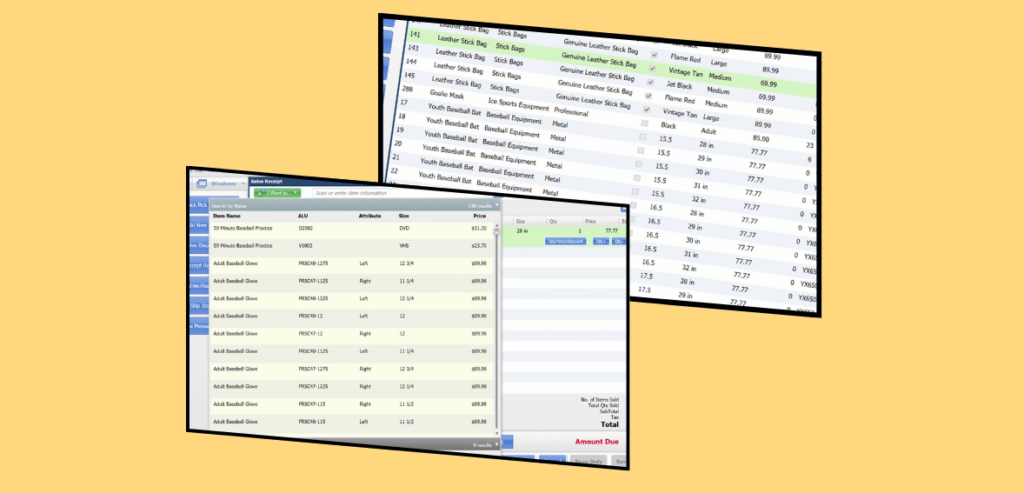
The POS platform’s age and maintenance costs were the top reasons for its tiny market share and feature gaps.
Reason 1: Legacy Platform Challenges
QuickBooks Desktop POS dates back around 20 years. Its codebase and hardware dependencies became burdensome. As Intuit noted, the underlying POS platform is “unique” and increasingly complex to upgrade. Developing new features or fixing bugs can be challenging, especially when compared to newer cloud architectures.
Whereas modern POS solutions utilize current technologies (such as cloud servers and iOS/Android devices) that are easier to update and secure. Running an unsupported, on-premise system also raises security concerns (no more patches), so Intuit warned merchants of “potential risks” if they continue past Oct. 2023.
Reason 2: Shifted Strategy
Intuit’s core strategy has shifted toward cloud accounting (QuickBooks Online) and integrated merchant services. In that strategy, maintaining a niche desktop POS made less sense. QuickBooks Online already has many built-in or partner payment options. Intuit saw an opportunity to move POS merchants onto a platform that better aligns with its ecosystem. In practice, this meant partnering with Shopify: Intuit now “recommends” Shopify as the modern replacement for QuickBooks POS. (Intuit even co-hosted webinars on migrating to Shopify POS).
By steering users to Shopify, Intuit leverages Shopify’s advanced retail tools while still potentially earning referral revenue. As one consultant observed, Intuit may remain the ISO behind the scenes, even if Shopify is the front-end POS.
Reason 3: Competitive Pressures
Retail and restaurant customers are increasingly expecting mobile, cloud-based POS features, such as real-time inventory, online ordering, integrated e-commerce, and analytics. These offerings outclassed QuickBooks POS. Today’s market leaders – Square (Block), Toast, Clover, Shopify, Lightspeed, and others – invest heavily in R&D and user experience.
Many of these systems came with free or low-cost entry plans (Square POS has a free plan) and sophisticated integration with modern tools. By contrast, QuickBooks POS was tied to desktop Windows PCs and older hardware, and could not easily support features like mobile apps, omnichannel selling, or advanced analytics.
Reason 4: Payment Industry Shifts
The payments world itself is also changing. Contactless/mobile payments, integrated gift cards and loyalty, and instant cloud-based reporting are now table stakes. Intuit, having built a large merchant processing business ($58 billion volume, nearly 1 million merchants last year), now supports payments through more modern channels (QuickBooks Payments, Shopify Pay, etc.).
Maintaining an old POS to capture a shrinking corner of the market was becoming “long overdue,” according to an industry analyst. Reallocating focus to services that leverage Intuit’s processing scale made strategic sense.
For all these reasons, Intuit closed QuickBooks Desktop POS and began helping customers migrate to newer systems (notably Shopify) in late 2023.
Impact on Businesses, Accountants, and IT Consultants
The discontinuation of QuickBooks POS affects stakeholders differently:
Small business owners (retailers and restaurants):
These merchants must migrate to a new POS before or soon after Oct. 2023. Since QuickBooks POS will lose support and payment services, continuing to use it could expose them to security risks. Owners will need to evaluate replacements – ideally, systems that fit their industry (e.g., retail vs. restaurant), budget, and technical expertise. Key concerns include preserving data (customers, inventory), minimizing downtime, retraining staff, and handling new hardware (cloud POS often uses tablets/mobile devices instead of cash-drawer PCs).
For example, inventory and customer lists can often be exported and imported into a new system, but transaction history usually cannot. Merchants who were using QuickBooks POS’s integrated gift cards or payments will also have to find new vendors. Out-of-the-box solutions like Shopify POS often handle payments differently and may require new equipment (e.g., Shopify’s card reader). In short, owners face a time-sensitive project to pick a replacement and switch over – a significant change for many small shops.
- Accountants and bookkeepers:
These professionals often helped set up QuickBooks POS initially and now need to advise clients on the transition. Key concerns include accounting continuity and integration. For example, if a client moves to Square or Shopify, the accountant must ensure that sales data flows correctly into QuickBooks (Online or Desktop) going forward. They may also need to migrate existing QuickBooks Desktop files to QuickBooks Online to match the new POS solution.
Accountants will guide clients on mapping accounts, importing customer lists, and verifying beginning balances. Because many alternatives integrate with QuickBooks Online (QBO) rather than QuickBooks Desktop, accountants might recommend moving clients from QuickBooks Desktop to QBO or QuickBooks Desktop 2023 or later (Intuit still supports these versions) to maintain synchronization. They will also warn clients about potential pitfalls: as Intuit noted, transactional history (receipts, orders) cannot be migrated, so those records will need to be archived in the old system for future reference.
- IT consultants and POS integrators:
For consultants who manage POS systems or provide IT services to retailers/restaurants, this change means new projects. They will be responsible for handling data export/import, hardware setup, network configuration, and user training for the new POS. Key tasks include connecting the new POS with existing POS hardware if possible (some new systems work with generic iPads or Android tablets), setting up printers, and ensuring payment terminals (e.g., Stripe, Square readers) operate correctly.
Consultants must also ensure robust data backup and security during the transition. Some clients may seek custom solutions or need help with specialized software integration (for inventory or kitchen display systems). Overall, IT professionals will likely see increased demand as former QuickBooks POS users scramble to modernize their systems by the end of 2023.
- Payment industry players (ISOs, software vendors):
The End-of-Life announcement created a rush among payment processors and software vendors to capture those customers. As one report noted, “ISOs and software companies are looking to land QuickBooks POS users before support ends”. Some merchant acquirers launched targeted campaigns, highlighting their POS offerings (e.g., ARBA Retail Systems touted its solutions to QuickBooks users).
This can be a disruptive opportunity: payments industry experts viewed QuickBooks POS merchants as a captive audience, although it was challenging since these businesses often have complex inventory needs. Nonetheless, sellers are touting their POS replacements with integration to QuickBooks or promises of easy migration. In practice, the Intuit-Shopify referral deal (details undisclosed) suggests that Intuit is focusing on the webhook to Shopify POS, while other providers (Clover, Square, Lightspeed, Toast, etc.) attempt to offer conversions.
Key thing to note: Users of QuickBooks POS should not delay. The discontinuation was scheduled for Oct. 3, 2023. After that date, the software will continue to run, but without updates and QuickBooks Payments support.
Merchants should choose a replacement POS well in advance, export their data, and plan a migration. Intuit’s own FAQ emphasizes that existing customers can buy add-on licenses or hardware up until the deadline, but beyond that date, they must be on a new system. Many industry blogs urged users to switch ASAP.
Modern QuickBooks POS Alternatives (2025)
Fortunately, many modern POS platforms have emerged, especially cloud-based, mobile-ready systems. Below, we highlight leading alternatives in the US market:
| POS System | Integration with QB | Suitable For | Pricing (software) | Payment / Processing |
| Square POS | QBO via Commerce Sync; free QBD connector (glitchy) | Retail stores with an online presence | Free plan; paid plans ~$30–$90/mo | 2.6–2.9% + fees in-person; 2.9%+30¢ online |
| Shopify POS | Native sync with QuickBooks Desktop; QBO via apps | Retail stores with online presence | E-commerce plans $29–$299/mo (POS Lite included); POS Pro +$89/mo | 2.4–2.6% +10¢ in-person (on paid plans); 2.5–2.9% online |
| Toast POS | Syncs to QBO via xtraCHEF (requires QBO Essentials+) | Restaurants and bars | “Point of Sale” plan starts ~$69/terminal/mo; custom for larger setups | ~2.49%+15¢ in-person (with hardware buy) / 3.09–3.69% pay-as-you-go |
| Lightspeed | QB Online via Amaka or CSV (no direct free QB link) | Retail stores (multi-location), hospitality | Plans from ~$69–$109/mo (Retail) | Can use any processor (interchange-plus recommended) |
| Clover POS | QB Online via Commerce Sync app | Retail, QSR, services | Plans $0–$84.95/mo depending on type | 2.3–2.6% (card-present) / 3.5% (card-not-present) |
| TouchBistro | QBO via Shogo ($35+/mo) or MarginEdge | Restaurants (hybrid offline/cloud) | Base plan ~$69+/month per terminal | Works offline (uses own payment); local processor |
| Revel Systems | Direct QuickBooks integration (sales, payroll, inventory) | Enterprise-scale restaurants/retail | Quote-based (expensive, multi-year) | Small retail, services, and mobile sales |
1. Square (Block) POS – Best for Small Businesses
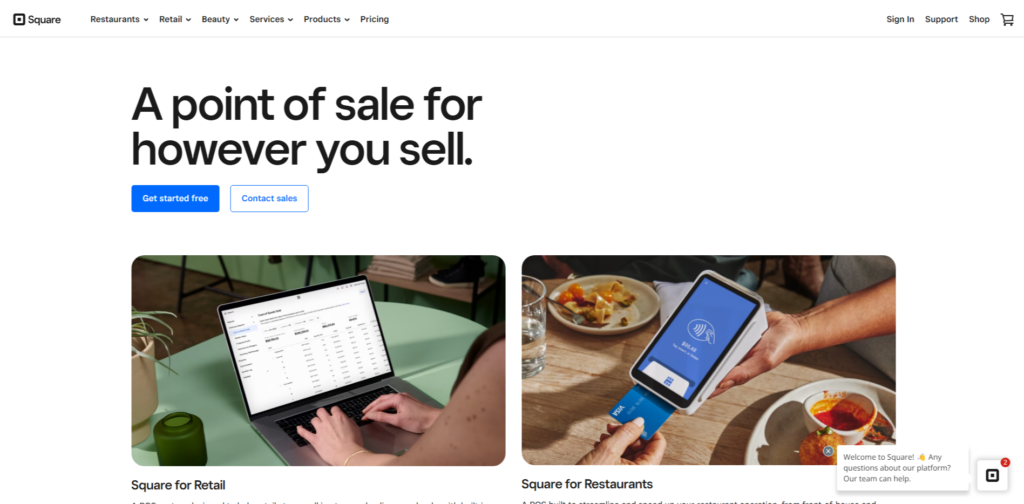
Image source
Pros
- Free starter plan
- No long-term contract
- Easy hardware financing
- Strong basic features
- Massive app marketplace
Cons
- Requires extra apps or fees (the free option can be unreliable)
- Higher-tier plans are expensive
- Offline mode is limited
- Flat-rate fees are higher than interchange-plus options for large volume
Square is a mobile-first POS from Block (formerly Square, Inc.), very popular among small retailers, service businesses, and restaurants. It offers a free basic software plan and a variety of affordable hardware (card readers, stands). Square POS is compatible with iOS, Android, and the web, offering apps for in-person payments and online store features. It’s known for ease of use.
Square’s interface is generally very user-friendly. The basic plan requires no contract or PCI fees. Support is available, although 24/7 support is only included with higher-tier plans. Square’s ecosystem includes payroll, marketing, and analytics add-ons, making it a simple all-in-one for small merchants.
Square integrates with QuickBooks through third‑party apps. Intuit notes that the Square by Commerce Sync app can connect Square to QuickBooks (Online or Desktop) for a monthly fee (about $18/mo for QBO, $42/mo for Desktop). The free “QuickBooks Connect to Square” app also exists but is reported to be glitchy. In practice, many businesses utilize Square’s data export or a paid connector to integrate sales data into QuickBooks.
Pricing of Square:
Square’s POS software offers a free tier (with no monthly fees), along with optional paid plans (e.g., Square for Retail Plus at $89/mo) that provide advanced features. Hardware ranges from $10 for a magstripe reader up to $799 for the all-in-one Square Register. Payment processing fees are competitive, ranging from ~2.6% to 2.9% per swipe and 2.9% plus 30¢ online.
2. Shopify POS – Best for Retail/E-Commerce Integration
Pros
- Seamless integration with QuickBooks Desktop (no 3rd-party app needed)
- Strong omnichannel inventory management
- Month-to-month subscriptions and 24/7 support on all plans
- Free $5 “Starter” plan to share buy links (for very small sellers)
- Suitable for growth (Shopify Plus for big stores)
Cons
- Requires a paid Shopify ecommerce plan to use the POS (Lite/POS Pro are add-ons)
- Transaction fees can be high if you do not use Shopify Payments
- Inventory sync with QuickBooks may only update once daily (per SoftwareConnect report), so financial data isn’t real-time unless manually synced
- Plus, Shopify hardware is proprietary (needs Shopify chip readers/terminals)
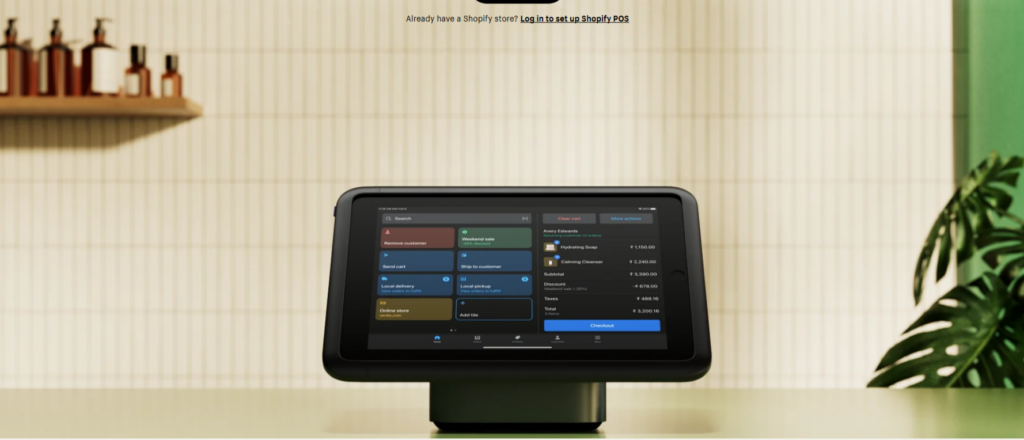
Shopify is primarily an e-commerce leader, but it also offers a POS system for in-person sales. Shopify POS is included with all Shopify online store plans, plus a POS Pro add-on for $89 per month per location. It supports iPads and iPhones, retail accessories (barcode scanners, cash drawers), and has offline-mode options (Shopify can function offline and sync later).
Shopify is well-regarded for its polished interface. All plans include 24/7 support. It is a cloud system, so updates and backups are automatic. Being cloud-based, it can sync inventory across online and offline channels.
Intuit explicitly endorses Shopify as a QuickBooks solution – Intuit’s discontinuation FAQ directs users to switch to Shopify. Shopify integrates natively with QuickBooks Desktop using the free “QuickBooks Desktop Connector” app (no third-party needed). It also integrates with QuickBooks Online via various apps or tools.
Pricing:
Shopify’s basic e-commerce plans start at $29 per month (billed annually), which include POS Lite for one store. Upgrading to POS Pro is $89 per month per location. Hardware consists of a $49 tap & chip reader, a $219 countertop kit, or a full POS terminal (~$459+). Payment fees vary: 2.6–2.9% + 10¢ in-person (depending on the plan) and 2.5–2.9% + 30¢ online.
3. Toast POS – Best for Restaurants
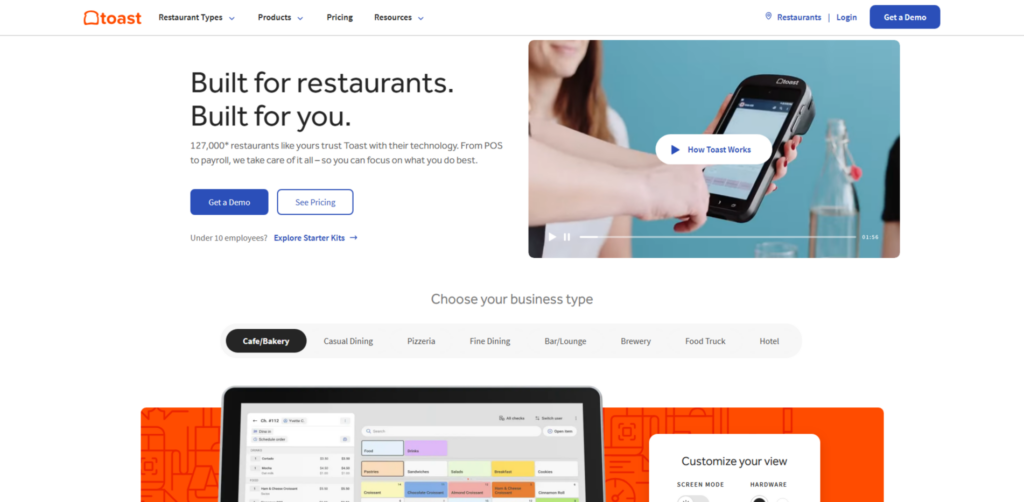
Image source
Pros
- Extremely feature-rich for restaurants (online ordering, kiosks, contactless payments, loyalty programs)
- Robust back-of-house tools (recipe costing, waste tracking)
- Integrates well with QuickBooks Online via xtraCHEF. High reliability and specialized hardware
Cons
- Long-term hardware contracts (Toast’s hardware financing or lease) may lock in restaurants.
- The entry cost is high for small eateries (hardware kits in the thousands)
- The system runs only on Android hardware
- Integration requires QBO Essentials/Plus (no free integration), and some users report needing technical help.
- The software is overkill for retail; it’s specifically tailored to the foodservice industry.
Toast is a cloud-based POS system specifically designed for restaurants and bars. It offers kitchen display systems, menu management, table mapping, and even integrated online ordering/delivery. Its hardware includes rugged, spill-resistant terminals and handhelds. Toast’s software is fully Android-based and SaaS.
Toast provides 24/7 phone/email/chat support on all plans. Its interface is highly customized for restaurant workflows, which may require staff training but is generally intuitive for service environments.
Toast acquired xtraCHEF (restaurant accounting tool) and uses it to integrate with QuickBooks Online. The integration sends sales and payroll data from Toast into QBO for automatic journal entries. Reviews note that setting up Toast-QuickBooks syncing requires a Premium QBO subscription (a premium feature). (Unlike retail POS above, Toast does not integrate with QuickBooks Desktop directly.)
Pricing:
Toast’s pricing is not publicly listed; it typically sells hardware bundles with multi-year contracts. (They offer finance deals, e.g. 0% interest). Software plans start around $69 per terminal per month, but competitive quotes vary widely. Toast charges around 2.49% +15¢ per card-present transaction (if hardware is purchased upfront) or ~3.09–3.69% with pay-as-you-go hardware deals.
4. Lightspeed POS – Powerful Retail (and Restaurants)
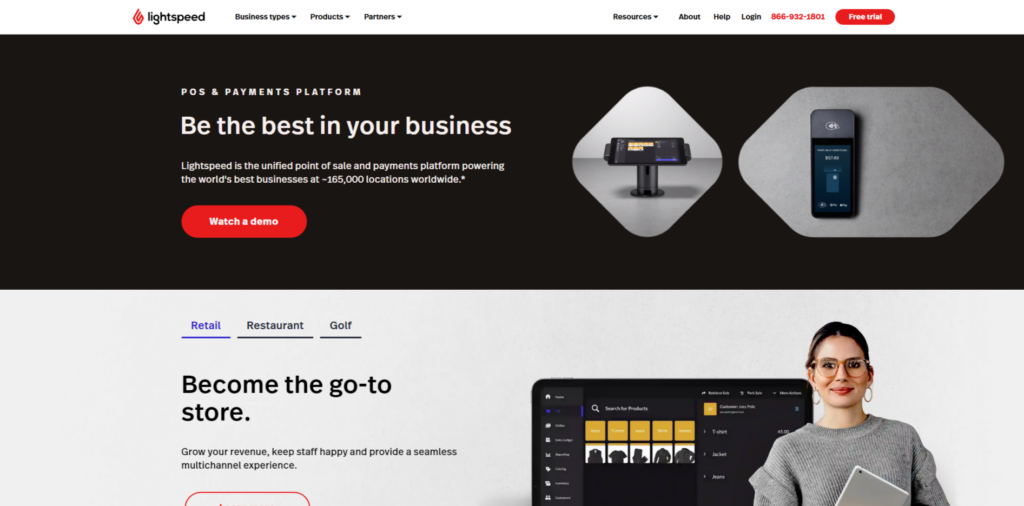
Image source
Pros
- Best-in-class inventory and multi-store management
- Customizable loyalty program. Good reporting and analytics
- Can use iPads as kitchen displays (Restaurant version)
- Thousands of third-party integrations available
- Scales well to multi-location chains
Cons
- Starting subscriptions can be much higher than simpler systems (some plans $100+ per month)
- QuickBooks integration: Requires a paid connector (like Amaka)
- Often annual or longer terms with early-termination fees
- With so many features, small businesses might find it overkill
Lightspeed is a versatile cloud POS with separate modules for Retail, Restaurant, and Golf/Hospitality. For general retail, Lightspeed is known for advanced inventory management (multi-location stock, purchase orders, variant SKU management). Lightspeed for Restaurants (formerly Upserve) offers a range of features specifically designed for restaurants. Lightspeed is widely used by medium-sized retailers (apparel, electronics, sporting goods, etc.).
Lightspeed is feature-dense, so there is a learning curve. Support is generally good (email/phone chat). It operates entirely in the cloud (browser or iPad app), so software updates roll out continuously.
Lightspeed integrates with QuickBooks Online via third-party connectors (e.g., Amaka, Zapier). It does not have a native free QB Desktop link; even for QuickBooks Online, an app/plugin is needed. (One connector can sync Lightspeed sales to QuickBooks on a schedule.) MerchantMaverick notes that Lightspeed “must use a third-party platform for QuickBooks integration”. In practice, Lightspeed partners with accounting integrators or provides CSV export.
Pricing:
Lightspeed is subscription-based. Plans start around $69–$109 per month (Retail) with 14-day trials available. It is more expensive than Square or Shopify. Because Lightspeed emphasizes features, it can be pricey for small shops.
5. Clover POS – General-Purpose with Lots of Apps
Pros
- Easy hardware setup
- Extensive hardware lineup (station, handheld, kiosk)
- 24/7 support
- An extensive app market for customization
- Many ISVs and resellers distribute Clover, so payment plan options vary
Cons
- Needs a paid 3rd-party app for QuickBooks integration
- Hardware lock-in: Can only run on Clover-approved devices
- Monthly fees can add up (and many features require higher plans).
- Does not work with non-Clover (e.g., non-Fiserv) payment processors unless you pay extra
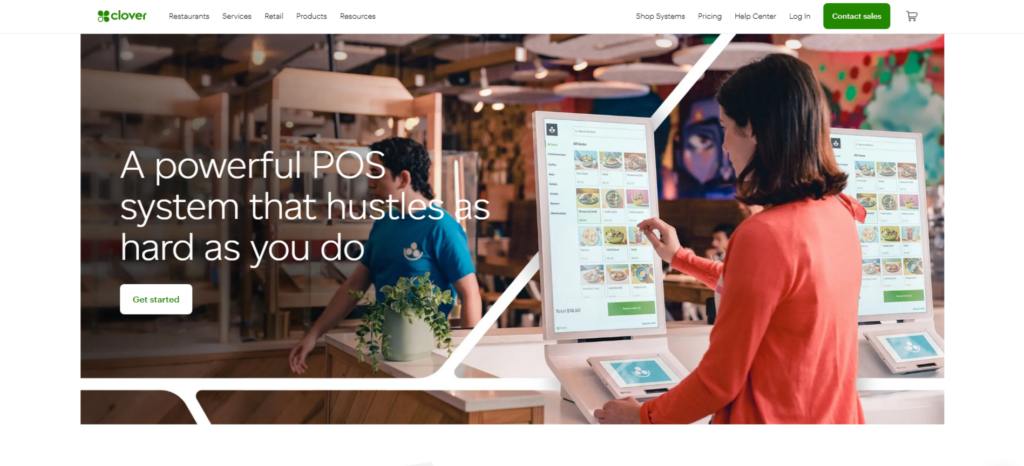
Image source
Clover (by Fiserv) is a widely distributed POS platform that includes a range of hardware (Clover Go reader, Clover Station, Flex handheld, etc.). It combines a simple touchscreen register with an app marketplace. Merchant services providers often sell Clover as a turnkey solution.
Clover devices are plug-and-play and come with 24/7 support. It is known for ease of deployment. However, devices are locked to Clover OS – you cannot load other software on a Clover device (which some businesses dislike). Like Square, Clover has a cloud dashboard.
Clover integrates with QuickBooks through third-party apps. Notably, the Clover by Commerce Sync app can push Clover sales data into QuickBooks Online. (There is no free direct integration; Clover’s app market has options for accounting sync.) The reviews on NerdWallet were “positive” for the Commerce Sync integration.
Pricing:
Clover’s software has multiple plans (some free for basic features, others $15–$85+ per location). The hardware is mid-range, with prices ranging from $349 for the Clover Mini to $1,799 for the Station Solo. Processing: Clover’s built-in plans charge 2.3–2.6% per in-person swipe, with online transactions at 3.5% plus 10¢.
6. TouchBistro – Hybrid Offline-Cloud for Restaurants
Pros
- Excellent offline capability – the POS keeps running with local data even if the internet drops
- Customizable and rich restaurant features
- Good support with quick troubleshooting tools (they can see your device remotely)
- After-hours or slow internet doesn’t disrupt service
Cons
- Requires a separate integration app for QuickBooks (no direct sync)
- Monthly costs (including connectors) can be high for multi-location restaurants
- Runs only on iPads and specialized iOS hardware
- TouchBistro contracts auto-renew, requiring a 30-day notice to cancel
TouchBistro is an iPad-based POS built for restaurants of all types (cafés, quick-service, table-service, food trucks). Notably, it is a hybrid system: the leading software runs locally on iPads (allowing it to function offline) but syncs data to the cloud. It offers table layouts, kitchen display integration, and off-line resilience.
The TouchBistro interface is designed for restaurant workflows. Since it works offline, it remains reliable even during connectivity issues. TouchBistro offers 24/7 support on all plans. It also includes remote diagnostics.
TouchBistro does not directly integrate with QuickBooks. Instead, it relies on connectors like MarginEdge or Shogo (both restaurant accounting tools) to push data into QuickBooks. Shogo starts at $35/month (with multi-location discounts), while MarginEdge is $300/mo/ location (with additional features like invoice processing). Both sync sales and purchase data into QuickBooks Online. Reviewers report positive experiences with these integrations, though they incur additional costs.
Pricing:
TouchBistro pricing is also quote-based (often around $69/mo for basic, plus hardware). It runs on leased iPads or one-time licenses.
7. Revel Systems – Enterprise-Class (Bigger Restaurants & Retail)
Pros
- Direct QuickBooks link (uncommon) means automated sync of nearly all business data
- Highly configurable and scalable
- Supports complex setups (multi-store, inventory at item and ingredient level)
- Drive-thru and kiosk features give it edge in large establishments
Cons
- High cost and long contracts (not for budget businesses)
- Complex for small operators
- Hardware flexibility is limited (mostly iPads)
- Implementation usually requires specialist integrators (so more transition effort)
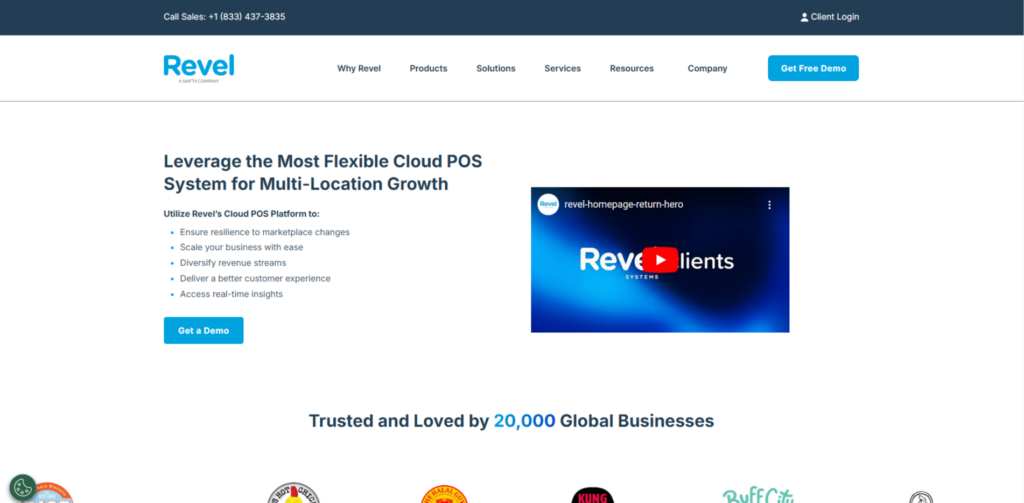
Image source
Revel is a robust, iPad-based POS system designed for larger restaurants, retailers, and hybrid operations (combining food and retail). It offers advanced inventory, employee scheduling, CRM, and even drive-through or kiosk features. Revel utilizes a “hybrid” architecture, combining local servers for speed with cloud sync for data.
Revel is powerful but has a steeper learning curve. It offers strong analytics and multi-location management. Support is available (online and phone), but some smaller users report that initial setup can be involved.
Unlike most POS, Revel has a direct QuickBooks integration. This native link can sync inventory receipts, purchase orders, payroll (time tracking), customer accounts, and payments into QuickBooks (class mapping by location/account is supported). In other words, Revel automatically pushes its data straight into QuickBooks for comprehensive accounting.
Pricing:
Revel’s pricing is complex. It typically requires a 3-year contract for the lowest rates. Systems are pricey (often starting at $199-299 per terminal monthly with hardware fees). It is significantly more expensive than SMB solutions.
Weighing Your POS Options After QuickBooks POS Ends

Each alternative has trade-offs. For example, Square is the simplest and cheapest to start, but lacks built-in accounting integration (you pay extra for it). Shopify offers a seamless transition from online store to physical sales, benefiting retailers who sell both online and offline. Toast and TouchBistro offer deep restaurant capabilities but lock in hardware and higher fees. Lightspeed and Revel offer enterprise-grade features at a high price. Clover is a middle-of-the-road generalist with numerous add-ons, but it requires its ecosystem. One key trend is the shift toward cloud and omnichannel solutions.
Modern POS platforms generally sync inventory and customer data across in-person, online, and mobile sales. They also often bundle analytics, loyalty, and marketing. Any replacement should fit the business’s model: a retail boutique might prioritize an e-commerce integration (making Shopify or Lightspeed attractive), whereas a café needs kitchen displays and offline resilience (favoring Toast or TouchBistro). Finally, support and continuity matter. All of the above options provide customer support and ongoing updates, unlike the retired QuickBooks POS. Businesses should look for 24/7 support (important for restaurants) and a provider with a proven track record. Transition assistance can also be valuable – for example, Intuit is offering migration help to Shopify users, and many payment processors will assist with the switch.
Other Notable Options
- NCR Silver: A legacy POS provider now in the cloud, with robust features for small retail and food. It integrates with QuickBooks via third-party tools. Used often by franchises and breweries.
- Upserve: Owned by Lightspeed, a restaurant POS with built-in payments. Integrates with QBO through Shogo or other connectors.
- ShopKeep: Now part of Shopify. (Essentially replaced by Shopify POS.)
- Helcim: A payment processor that offers a basic integrated POS; maybe too niche.
- Revel, Toast, Cake, etc.: Several specialized systems are prominent in their verticals (Cake POS for bakeries/pizza shops, KORONA for high-risk like cannabis, etc.). We have highlighted the mainstream with the most significant US footprints.
How to Compare and Choose
When selecting a new POS, businesses should weigh:
- Integration with Accounting: If you’re using QuickBooks, ensure the POS can sync sales/inventory data into your accounting system. Many POS systems focus on QBO integration; QuickBooks Desktop often requires a connector (Shopify is a notable exception with a direct connector to Desktop).
- Key Features: Match your needs with our features. Do you need advanced inventory, e-commerce, employee management, and loyalty programs? For example, Toast and TouchBistro have restaurant-specific features (online ordering, kitchen modes), while Square and Shopify excel for simple retail and online retail. Lightspeed is top-tier for inventory tracking, while Clover offers many built-in hardware options.
- Pricing: Consider total cost (monthly subscriptions + hardware + processing fees). Free or low-cost point-of-sale systems (Square, Clover Go, eHopper) can help small businesses. But growth plans or added modules can raise costs.
- Ease of Use: A steep learning curve can disrupt sales. Many SMBs prefer intuitive cloud systems (Square, Shopify) over complex enterprise software. Training and 24/7 support availability are essential (most modern POS offer help desks).
- Hardware Requirements: If you already have cash drawers or tablets, check which POS systems can utilize them. Some require proprietary hardware (Clover, Toast), while others run on generic iPads or Android devices (Square, Shopify, Revel). Consider card reader compatibility (e.g. magnetic, chip, contactless).
- Vendor Stability and Support: Choose solutions with strong vendor backing. Many small POS startups may not guarantee long-term support. Well-established brands (Square, Shopify, Clover, Toast, Lightspeed) have proven track records.
Conclusion
The discontinuation of QuickBooks Desktop POS in late 2023 reflects broad changes in the POS and payments world. Intuit has transitioned from its legacy desktop system to focus on modern platforms. Affected merchants must now evaluate and adopt new POS solutions. Fortunately, a vibrant market of cloud-based POS systems is available, each with its strengths. Key considerations include industry fit, accounting integration, and total cost. Small business owners, accountants, and IT consultants will need to carefully manage this transition, including exporting data, retraining staff, and ensuring that financial records continue to operate smoothly.
In this new landscape, merchants should aim for a POS that not only replaces the old QuickBooks features but also adds capabilities (multi-channel sales, mobile payments, analytics) that QuickBooks POS never had. By selecting a solution tailored to their operations and leveraging the available integrations (for example, QuickBooks–Shopify or QuickBooks–Square sync), businesses can transform this mandatory change into an opportunity for modernization.
Frequently Asked Questions
-
Why did Intuit discontinue QuickBooks Desktop Point of Sale in 2023?
QuickBooks POS was built on a legacy codebase dating back over 20 years, making it increasingly costly and complex to maintain or extend. At the same time, the market shifted decisively toward cloud-based, mobile POS platforms with richer features, and QuickBooks POS held only a small share of the market. Intuit chose to sunset the product so it could refocus on its faster-growing cloud accounting (QuickBooks Online) and payment services.
-
What happens once support ends on October 3, 2023?
After that date, QuickBooks POS 19.0 will continue to run on your systems, but it will no longer receive security patches, bug fixes, or access to integrated services, such as Intuit-powered payments and gift-card processing. Running an unsupported POS exposes you to potential security risks and hardware or software incompatibilities over time. Intuit strongly recommends migrating to a modern, supported solution before critical failures occur.
-
How can I preserve and migrate my existing POS data?
You can export core data—such as customer lists, inventory, and product catalogs—from QuickBooks POS into CSV files, which most modern POS systems will import. Transaction history (receipts, orders) usually can’t be migrated directly, so you should archive those records separately (PDFs or database exports) for future reference. Plan the migration in advance to minimize downtime: export data, validate imports, and train staff on the new system.
-
Which replacement solutions does Intuit recommend?
Intuit has partnered with Shopify to offer a cloud-based POS that integrates natively with QuickBooks Desktop and QuickBooks Online, providing omnichannel selling, mobile payments, and automatic updates. Beyond Shopify, many retailers also choose Square, Lightspeed, Clover, Toast (for restaurants), or others, each with its integration apps for syncing sales into QuickBooks. Evaluate features, pricing, hardware requirements, and accounting connectors when selecting the right fit for your business.
-
How do I keep QuickBooks accounting in sync with a new POS?
Most cloud POS platforms offer native or third-party connector apps (e.g., Commerce Sync, Amaka, xtraCHEF, Shogo) that automatically post your sales, taxes, tips, and payment fees into QuickBooks Online or Desktop at scheduled intervals. After installing and configuring the connector, verify that accounts, tax codes, and items are mapped correctly, and test transactions to ensure data flows as expected. Regularly reconcile your POS batches with QuickBooks to identify and resolve any discrepancies promptly.