



PAX AirViewer: A Comprehensive Guide
Posted: October 26, 2023 | Updated:
PAX AirViewer serves as an assistance tool, allowing you to control POS terminals through the PAXSTORE cloud platform at any given time. This tool is instrumental in enhancing support for merchants while effectively reducing associated costs.
In cases of critical issues with a customer’s terminal, the PAX AirViewer enables administrators to assume control, offering a robust solution for addressing emergencies.
Two modes of access are available with this: the first mode is the view-only, facilitating remote observation. The second is the full control mode, enabling comprehensive control over the terminal.
Controls And Functionalities
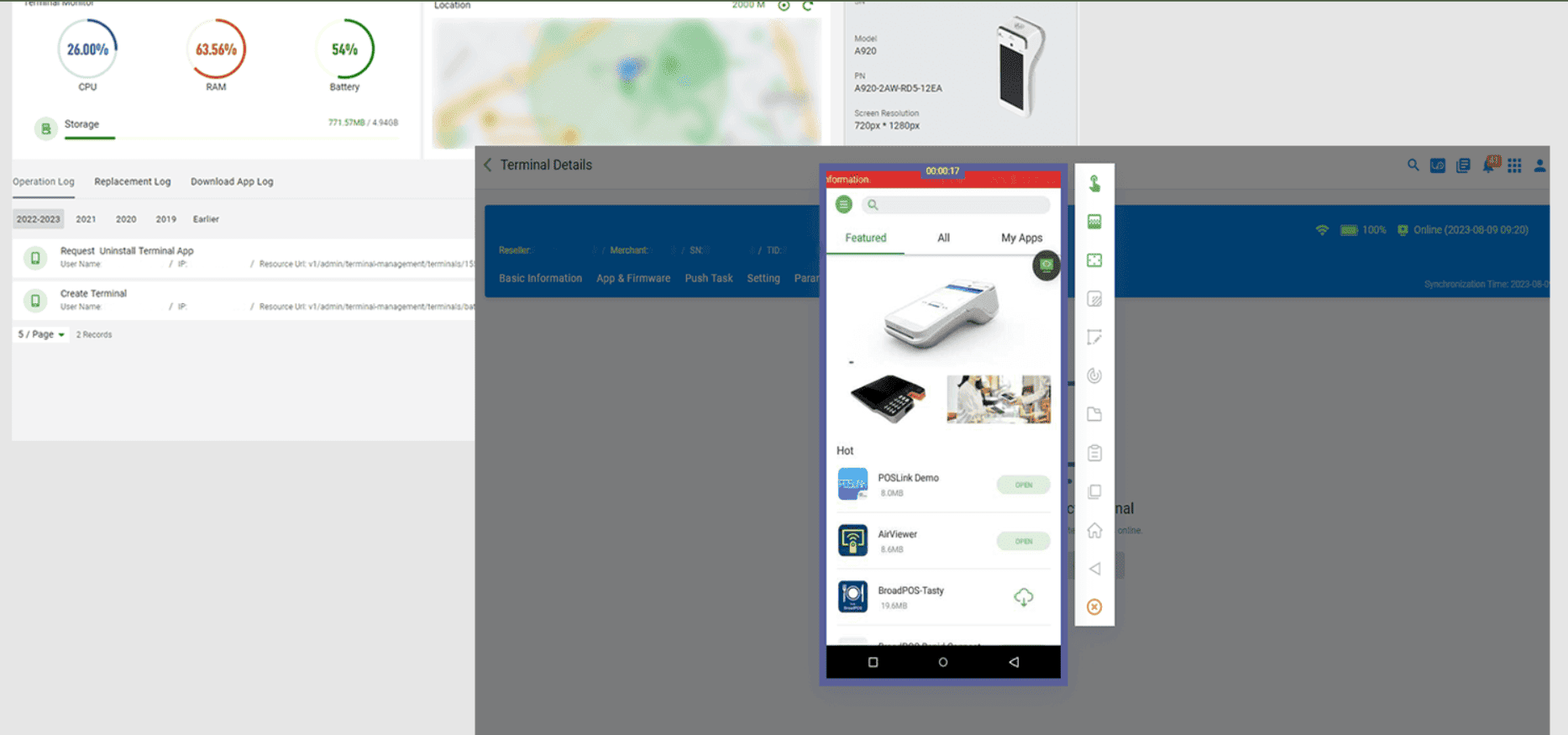
Image source: Pax Airveiwer
With the user’s permission, you can assume complete control of the device, allowing you to:
- Navigate the pointer
- Initiate and terminate applications
- Access menus and control panels
- Particularly for mPOS, taking control through your Paxstore account doesn’t require any user intervention.
Advanced Functions:
- Adjusting display quality based on the connection strength
- Concealing sensitive input fields
- Transferring files to Android devices
- Using shortcuts to access control panels
What Are The Terminal Requirements?
Verify compatibility with Android-powered terminals from Pax Technologies in order to use the AirViewer’s remote help function. Before starting the PAX AirViewer procedure, activate the terminal profile of PAXSTORE. The terminal should be powered on with the AirViewer once the application is installed and enabled. Also, ensure that the terminal is connected to the internet.
What Is The Usage Scenario For AirViewer?
PAX AirViewer offers two distinct Remote modes for usage:
- View Only: Provides access from anywhere with the capability to view the terminal screen exclusively.
- Full Control: Allows for access from anywhere with both terminal viewing and control functionalities.
What Are The Supported Terminals?
The PAX AirViewer is accessible through Paxstore and can be directly installed on various Android devices, including:
- Fixed terminals – Pax A80.
- Portable terminals – Pax A920Pro, A920, A50, and A77.
- Mini terminals – Pax E700, E600, E66, and E800.
- Self-service Terminals – PAX IM30
Key Features And Benefits Of PAX AirViewer
Remote Installation:
Streamlining the installation process from a distance for enhanced efficiency.
Enhanced Security:
AirViewer ensures top-tier security, utilizing SSL-encrypted channels for all connections, guaranteeing complete data protection.
Seamless Integration:
Integrated seamlessly with PAXSTORE, AirViewer simplifies the process. Once activated, you can effortlessly request terminal viewing and control directly from the PAXSTORE management center without any additional learning costs.
Real-Time Efficiency:
Enjoy real-time communication and direct terminal operation, allowing administrators to gather firsthand information swiftly. This method proves to be more efficient than traditional means such as phone calls, emails, or media files.
Cost-Effective Solution:
Compared to conventional modes of operation, PAX AirViewer significantly reduces operational costs. It intelligently manages traffic, adjusting resolutions based on network conditions, thereby optimizing traffic consumption efficiently.
Fleet Visualization and Inventory:
Easily visualize and manage your fleet, with the ability to categorize them into groups and apply distinct markers for streamlined organization.
Machine Activation and Deactivation:
Seamlessly activate or deactivate machines as needed, providing greater control and management.
Monitor Connectivity:
Keep track of connected and disconnected terminals, ensuring seamless operation across the network.
Secure Live Screen Viewing:
Gain secure access to the live screen after user validation, enabling efficient guidance for customers regarding device operations and business applications.
Why Choose Airviewer?
AirViewer is a professional tool designed to facilitate seamless remote sharing and control of a fleet of terminals, regardless of location or time. This remote desktop solution allows customers to share their SmartPOS desktop while enabling administrators to remotely manage the terminal, ensuring that the POS functions as an independent device in full compliance with PCI regulations. Its ability to enhance workplace efficiency makes it an ideal choice for your company.
Key capabilities of AirViewer include:
- Configuring business applications.
- Streamlining help desk management with swift and cost-effective solutions. Operators can offer prompt assistance and support to merchants by assuming complete control of the terminal remotely, thereby reducing operational costs and eliminating the need for on-site interventions.
- Conducting comprehensive online training sessions for both the application and terminal operations.