


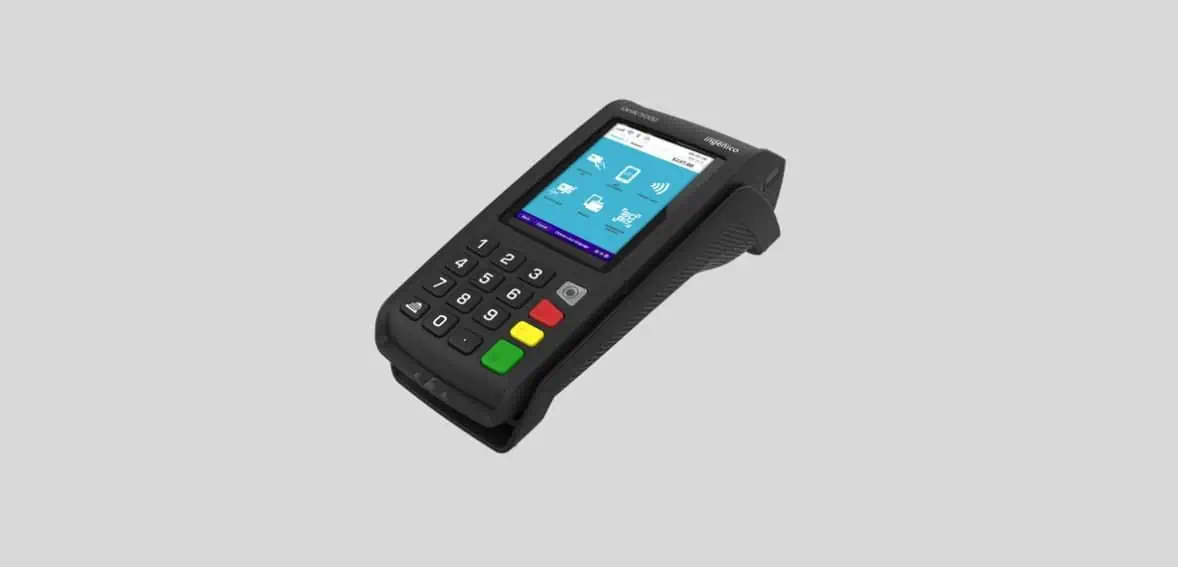
Ingenico Desk 5000 Quick Reference Guide
Posted: February 01, 2024 | Updated:
The Ingenico Desk 5000 is the go-to choice for a robust, reliable, and seamlessly functional payment terminal tailored for fixed-location point-of-sale setups. This terminal is designed to deliver dependable payment processing effortlessly.
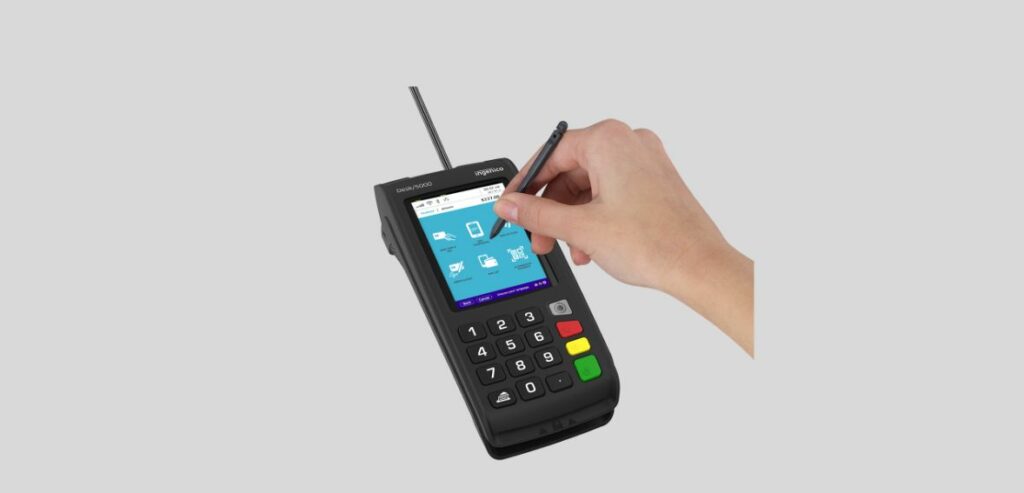
Simply plug the Ingenico Desk 5000 into a power outlet and connect it to the internet using an ethernet cable. Boasting an ergonomic design and a vibrant 3.5-inch touchscreen, it supports a comprehensive range of payment methods, including EMV chip and PIN, magstripe, chip and sign, and NFC-enabled contactless payment with a signature capture option too.
For any transaction directly at the cash register, the stand-alone Desk 5000 offers a compact size, saving valuable space at your POS. The responsive keypad ensures an improved PIN entry experience, while the advanced outer casing enhances protection against drops and spills. Additionally, the Desk 5000 is optimized for space efficiency and seamlessly connects to the Desk 1500 series PIN pads, providing a streamlined and efficient payment solution throughout.
Features Of Ingenico Desk 5000
- Adaptable Networking and Safe Payment Choices
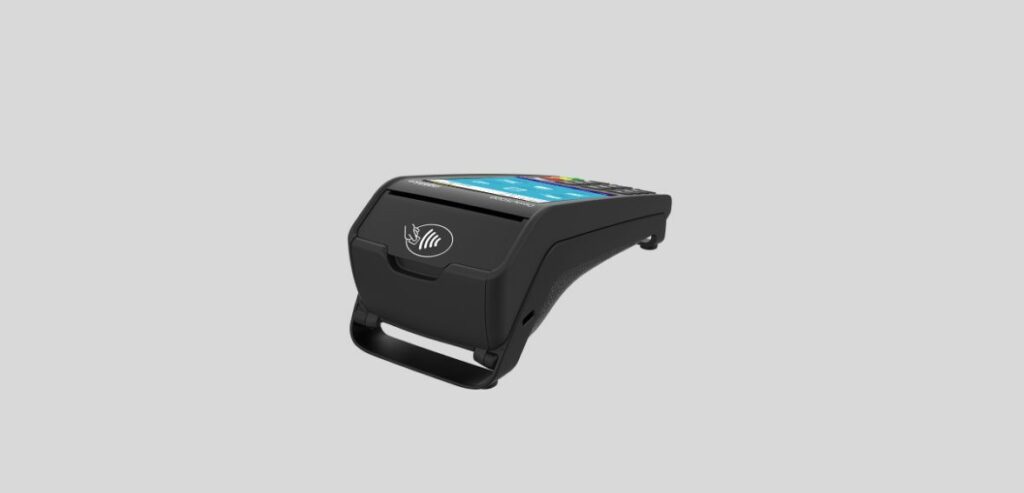
Equipped with a wide array of payment choices, the Desk 5000 ensures seamless transactions, supporting EMV chip and PIN, magnetic stripe, sign & pay, and contactless payments.
Its diverse connectivity options enable connections to modem support, wireless networks through GPRS, 3G, Bluetooth, Dual SIM, and Wi-Fi, and Ethernet. Businesses aiming to provide customers with various payment alternatives find the Desk 5000 an ideal solution.
- Prioritizing Security
Certified and fully compliant with the latest global and local PCI regulations, Desk 5000 prioritizes the security of customer data. Ingenico’s state-of-the-art peer-to-peer encryption technology ensures that sensitive information remains safe and protected.
Additionally, the Desk 5000 offers optional security features, including a PCI-compliant privacy shield and a Kensington lock, providing businesses with added layers of protection and peace of mind.
- Better User Experience:
Elevate your business transactions with the Ingenico terminal’s exceptional user interface, ensuring an unparalleled customer experience. With a substantial 3.5-inch color touchscreen and powerful multimedia capabilities, this terminal sets the standard for user-friendly interactions.
- Sustainable Packaging and Design:
Ingenico Desk 5000 offers sustainability without compromising functionality. The cutting-edge manufacturing techniques in this terminal range prioritize recyclability, aligning with environmental consciousness.
Notably, the Desk 5000 model takes a step further by reducing paper consumption. This achievement is attributed to innovative digital receipt solutions and the digitization of product documentation.
- Compatible with Ingenico’s Other Products:
The Desk 5000 ensures a cohesive and connected experience by seamlessly integrating with Ingenico’s suite of services. Merchants benefit from various business services, including back-office reporting and e-receipt management.
This interconnectedness streamlines day-to-day operations and provides access to essential services. Hassle-free software updates and continuous support contribute to an innovative and efficient solution for merchants utilizing this advanced range.
- Handy in Busy Environments:
The Desk 5000 is engineered for resilience, particularly in demanding environments. The responsive keypad enhances PIN entry, and the advanced outer casing adds an extra layer of durability. Whether facing high-traffic situations or challenging conditions, this terminal stands strong, ensuring reliability and longevity in its performance.
- Integrate with PIN Pad Series:
Elevate your check-out experience with the optimized Desk 1000 series PIN pad, seamlessly connecting to the Desk 5000 terminal. This strategic integration saves valuable worktop space and expedites the check-out process.
The compact design, coupled with the efficient connection between these series, ensures a streamlined and space-saving solution for businesses, enhancing efficiency at the point of sale.
How Do You Make A Transaction On An Ingenico Desk 5000?
- Powering Up the Terminal:
To initiate a transaction using the Ingenico Desk 5000, start by pressing the green ‘Ok’ button.
- Accessing the Main Menu:
Once the terminal is on, pressing the same green ‘Ok’ button opens the main menu. This user-friendly interface serves as the hub for various functions.
- Navigating to Transaction Menu:
From the main menu, press <Transaction> to access the dedicated transaction menu.
- Initiating the Purchase:
Within the transaction menu, push the <Purchase> button to activate the purchase mode. This step signifies the intent to make a transaction.
- Entering Amount and Card Interaction:
With the purchase mode activated, enter the transaction amount and confirm by pressing ‘Ok’. Depending on the card type, the user interacts with the chip, contactless, or magnetic swipe reader.
Additionally:
- Customers enter the PIN code and confirm with ‘Ok’ for cards with a PIN.
- For cards without a PIN, only the amount confirmation is required.
- Contactless payments for small amounts often require no further action from customers.
How Do You Run A Cancellation On An Ingenico Desk 5000?
Image source
- Turn on the Terminal:
Start by pressing the green <OK> button to power up the terminal. This is the initial step to initiate any transaction reversal.
- Access the Main Menu:
Once the terminal is on, open the main menu by using the designated button. This menu serves as the central hub for various terminal functions.
- Navigate to Transactions:
Within the main menu, locate and select the <Transactions> option. This step is crucial as it directs you to the menu specifically designed for handling transactions.
- Initiate Reversal:
In the transaction menu, find and press the <Reversal> button. This action activates the reversal function, signaling to the system that you intend to cancel the last transaction.
- Enter Password for Confirmation:
Confirm your identity and authorization by entering the terminal’s password as specified in the configuration sheet. Validate the entry by pressing <OK>. Security is paramount in this step.
- Confirm Transaction Details:
The terminal displays the amount of the previous transaction. Verify this information and confirm the reversal by pressing <OK>. This step ensures accuracy in the cancellation process.
By following these steps, you successfully reverse the last transaction, ensuring that the reversal is processed, authorized online, and a receipt is printed. Remember, you have the option to print a copy or skip it, and if no choice is made, a copy is automatically printed after 10 seconds.
How Do You Run A Refund On An Ingenico Desk 5000?
- Power Up the Terminal:
Begin by pressing the green <OK> button to turn on the terminal.
- Access the Main Menu:
Once the terminal is active, open the main menu using the designated button.
- Navigate to Transactions:
Within the main menu, locate and select the <Transactions> option. This directs you to the transaction menu, where you can choose the specific transaction type you need.
- Activate Credit Function:
In the transaction menu, find and press the <Credit> button. This action activates the “Credit” function, indicating that you are initiating a credit process for a transaction that can no longer be canceled.
- Enter Details and Confirm:
Enter the terminal’s password as specified in the configuration sheet and confirm by pressing <OK>. Then, enter the refund amount using the appropriate format (e.g., euros/cents separated by a period) and validate the entry by pressing <OK>.
If the DCC function is activated, input the date of the original transaction and confirm with <OK>. Depending on the card type, follow the specific reader instructions (chip, contactless, or magnetic swipe). Finally, have the cashier sign the receipt as a confirmation of the credit transaction.
Conclusion
The Ingenico Desk 5000 stands as a reliable and efficient choice for fixed-location point-of-sale setups. Its straightforward setup process, ergonomic design, and vibrant touchscreen contribute to a seamless payment experience. Supporting diverse payment methods and prioritizing security with PCI compliance and encryption technology, the Desk 5000 offers adaptability without compromising safety.
The terminal’s sustainability features, compatibility with other Ingenico products, and resilience in demanding environments further enhance its appeal. The step-by-step guides for transactions, including purchases, cancellations, and refunds, highlight the terminal’s user-friendly interface and functionality. Altogether, the Ingenico Desk 5000 emerges as a robust solution, delivering dependable payment processing for businesses seeking a reliable and streamlined point-of-sale experience.