


Ingenico Desk 1600 Quick Reference Guide
Posted: February 02, 2024 | Updated:
Desk 1600 is made with contactless validation in mind, yet it can accept any kind of payment. Because of its small size, it may be placed on a busy tabletop and is resistant to being tapped by contactless cards and NFC cellphones, as well as intense sanitization.
Desk 1600 links to any Desk series device easily thanks to its USB connection and plug-and-play installation, offering a quick and cohesive solution.
Adhering to the most recent standards, this intelligent customer-facing PIN pad speeds up transactions for Desk series terminals, streamlines the self-checkout process, and effectively handles the consumer interface for every form of payment.
Features Of The Ingenico Desk 1600
- Intuitive Operation for Swift Transactions: Experience optimized checkout times with Desk 1600 as it facilitates efficient payment validation through its user-friendly design. The intuitive interface ensures a seamless transaction process, while the marked contactless zone contributes to significantly reduced transaction times, enhancing the overall checkout experience.
- Compact and Versatile Counter Fit: The compact nature of the Desk 1600 makes it a perfect fit for counters with limited space. Whether you opt for a mounted or unmounted terminal, the Desk 1600 effortlessly adapts to the available desktop space. This versatility in placement options ensures convenience without compromising on performance.
- PCI Compliance for Long-Term Security: Rest assured with the highest security standards as the Desk/1600 is certified and fully compliant with the latest global and local PCI regulations. This commitment to compliance ensures long-term payment security, safeguarding customers’ data for years to come.
- Plug-and-Play Simplicity: The Desk 1600 boasts a plug-and-play installation with USB connectivity, ensuring a fast and unified integration with any Desk/series device. This seamless connection delivers a swift solution, minimizing complexities in setup and operation.
- Comprehensive Support Ecosystem: The Desk 1600 seamlessly integrates with Ingenico’s suite of services, providing merchants access to essential business services such as back-office reporting. From software updates to day-to-day support, this collaborative approach ensures a hassle-free experience for merchants relying on the Desk 1600.
- Technical Specifications: The Desk 1600 features a 2.8” color display with QVGA resolution (320×240 pixels) and a glass lens. It is Equipped with an Application & Crypto processor – Cortex 32bit, running at 160 Mhz with an internal memory of 2 MB Flash and 700 KB RAM. The Desk 1600 operates on the powerful Telium TETRA operating system, ensuring a robust and reliable performance.
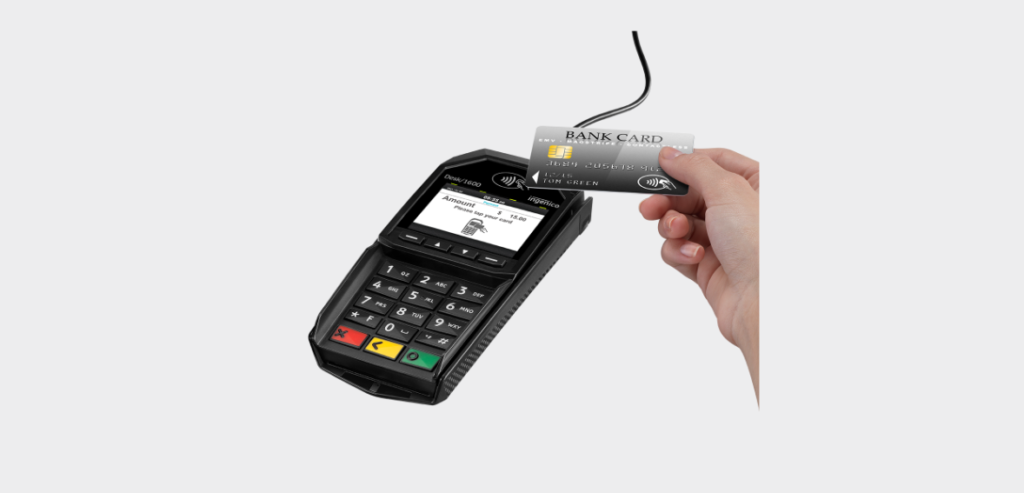
Image source
How Do You Run A Card On An Ingenico Desk 1600?
Efficiently reading different types of cards is fundamental for seamless transactions on the Ingenico Desk 1600. Follow these comprehensive steps to ensure optimal card reading performance:
1. Swiping a Card:
When inserting a card manually, ensure the magnetic stripe faces the terminal’s main body. Slide the card smoothly from the rear to the front continuously for the best results. This method enhances the terminal’s ability to read the card accurately.
For cards that require swiping, maintain a constant speed—neither too slow nor too fast—to maximize reading efficiency and prevent repeated attempts. This technique contributes to a smoother transaction process.
2. Inserting a Smart Card:
Smart cards with chips should be inserted into the terminal with the chip facing upward and toward the card reader. This specific orientation ensures proper communication between the card and the terminal.
3. Reading a Contactless Card:
To read a contactless card, bring the card within approximately 1cm of the active zone above the contactless logo. Keep the card near the logo throughout the transaction for optimal results.
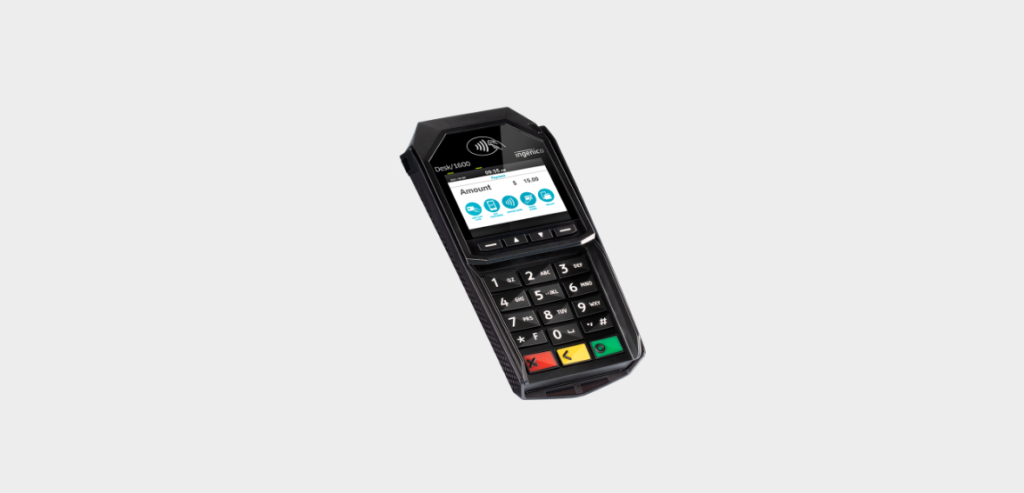
Note: Your contactless terminal features four status lights displayed on the screen. Understand their indications: The first (left-hand) status light remains steady when a contactless transaction starts, indicating that contactless is active, but a card is not being read.
During a contactless transaction, present the card to the active zone. The second, third, and fourth status lights will illuminate sequentially. A successful card read is confirmed when all four lights are lit, accompanied by a confirmation tone.
Ensuring Safety And Security With Ingenico Ingenico Desk 1600
To guarantee a smooth and secure operation of your Ingenico Ingenico Desk 1600, adhere to these comprehensive tips covering safety, security, and proper product usage:
1. Safety Precautions:
Always connect or disconnect the power supply from the electric outlet when powering the terminal on or off. The terminal should exclusively be powered using an Ingenico device equipped with a USB 5VDC power supply. Following these safety measures is crucial to prevent accidents or potential damage to the terminal.
2. Security Measures (Tampering Attempt Detection):
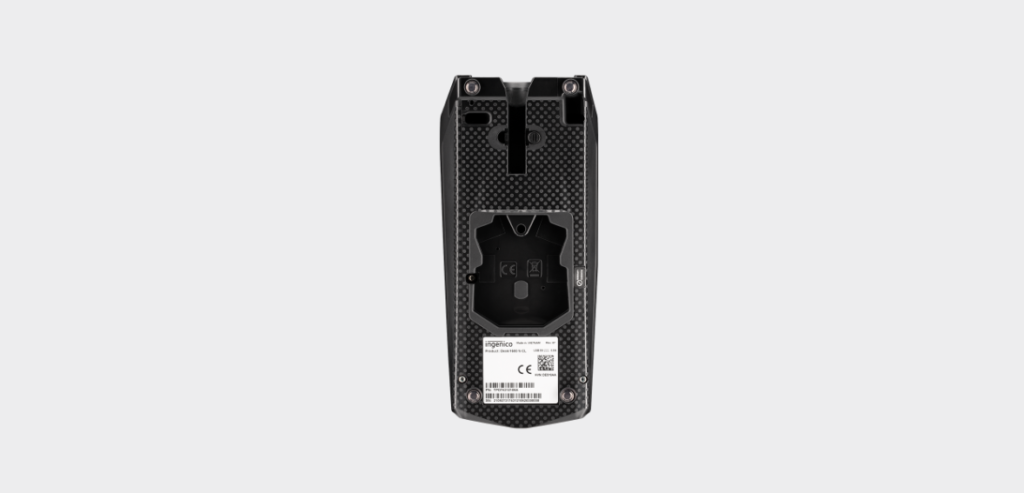
The terminal has a warranty label on the bottom side. This label serves as a tampering attempt detection mechanism, ensuring the security and integrity of the terminal. Monitor this label for any signs of interference or unauthorized access.
3. Product Usage Instructions:
Conduct a thorough check to ensure all necessary items are included in the packaging box when unpacking the product. Depending on your working configuration, the box may include:
- The terminal itself
- A safety guide
- Optional accessories such as cables
Only use the provided power supply unit with your equipment. Using any other power supply may lead to damage to the terminal. Safeguard the packaging for potential future use when shipping the terminal.
4. Maintenance Guidelines:
Regularly clean the terminal using a soft cloth or a non-abrasive cleaning agent to maintain optimal performance and longevity. Proper maintenance contributes to the overall durability and functionality of the terminal.
5. Transport and Storage Recommendations:
Exercise caution to prevent any physical damage when transporting or storing the terminal. Adhere to proper packaging guidelines to safeguard the terminal during transit, ensuring it arrives at its destination in pristine condition.
6. Troubleshooting:
For terminal issues, consult the user manual’s troubleshooting section. This resource guides resolving common problems, allowing users to address issues efficiently and maintain uninterrupted operations.
By following these comprehensive guidelines, users can enhance the safety, security, and overall performance of the Ingenico Desk 1600 terminal, ensuring a reliable and trouble-free user experience.
Conclusion
The Ingenico Desk 1600 is a reliable and versatile solution for businesses aiming to streamline their payment processes. Its compact design, contactless validation focus, and seamless integration with Desk series devices contribute to an efficient and user-friendly payment experience. The intuitive operation, PCI compliance, plug-and-play simplicity, and comprehensive support ecosystem underscore its commitment to security, convenience, and ongoing merchant support.
The technical specifications showcase the device’s robust performance, further solidifying it as a dependable choice for businesses. Users can follow the detailed steps to optimize card reading on Desk 1600. The emphasis on safety, security, and proper product usage ensures a smooth and secure operation, enhancing the overall reliability of the Ingenico Desk 1600 in various business settings.