



FreshBooks vs QuickBooks Online: A Complete Comparison
Posted: July 06, 2022 | Updated:
Two of the best small business accounting software packages are FreshBooks and QuickBooks Online, which offer cloud-based accounting solutions to millions of users.
Both software contains several features, but they differ significantly from one another and are designed for different types of businesses. For instance, FreshBooks best suits businesses and freelancers who require invoicing and time-tracking tools. In contrast, QuickBooks Online is an all-purpose accounting tool that can support practically all business needs.
The goal of this article is to assist you in deciding which accounting software, if any, is best for your company by comparing FreshBooks vs QuickBooks Online.
FreshBooks vs QuickBooks Online: Brief Summary
QuickBooks is a well-known accounting software package with a long history. For decades, it has assisted companies of various industries in keeping their accounting organized and accurate. Many small business owners adore its extensive features and versatility in integrating with just about everything.
However, due to its focus on a far more niche segment of the business market, FreshBooks hasn’t historically enjoyed the same popularity. The software is well-liked for its simple user interface and features. Small businesses and freelancers who don’t require all of QuickBooks’ features will find it ideal. It is also better than QuickBooks if you only need invoicing features.
When Should You Choose FreshBooks?

Both FreshBooks and QuickBooks offer reliable time tracking and invoicing features, but FreshBooks is more cost-effective if you only require a few users to access your accounting software. Numerous small businesses also favor it due to its exceptional customer service.
Some of the situations where you ought to choose FreshBooks are:
- If you’re a freelancer
Small business owners, particularly freelancers, are the target market for FreshBooks. You may have heard their advertisements and recognized their brand if you often listen to podcasts about entrepreneurship.
Tracking time spent on each customer or project is simple with FreshBooks. Additionally, when it comes to billing, you can easily convert the hours into an invoice or mark them as paid without actually making an invoice from them.
Other benefits of FreshBooks include its integration with Stripe for online payment processing, simple project management, and automated and manual invoice reminders for past-due invoices.
- If you’re starting a business
You might not want to fully commit to fancy accounting software if you’re working on a side hustle or just starting a small business plan. In terms of simplicity, FreshBooks beats QuickBooks Online.
- If you want software that is easy to use and quick to install
The most significant advantage of FreshBooks is how user-friendly it is. Compared to QuickBook, it receives a 9.2/10 on the G2 scale for ease of use. Admin and setup are two other areas where FreshBooks usually receives positive feedback. FreshBooks is an excellent option if you’re trying to simplify your accounting processes as much as you can.
- If you prioritize quick customer service responses
The FreshBooks support staff is highly commended. They provide:
- Toll-free phone numbers
- An actual email address run by people
- A contact form on their website.
By providing the FreshBooks staff with your personal support key, you can securely grant them access to your account so they may make any necessary fixes or assist you with setup. Additionally, FreshBooks is renowned for having an excellent return policy, thus simplifying upgrades and downgrades.
When Should You Choose QuickBooks Online?
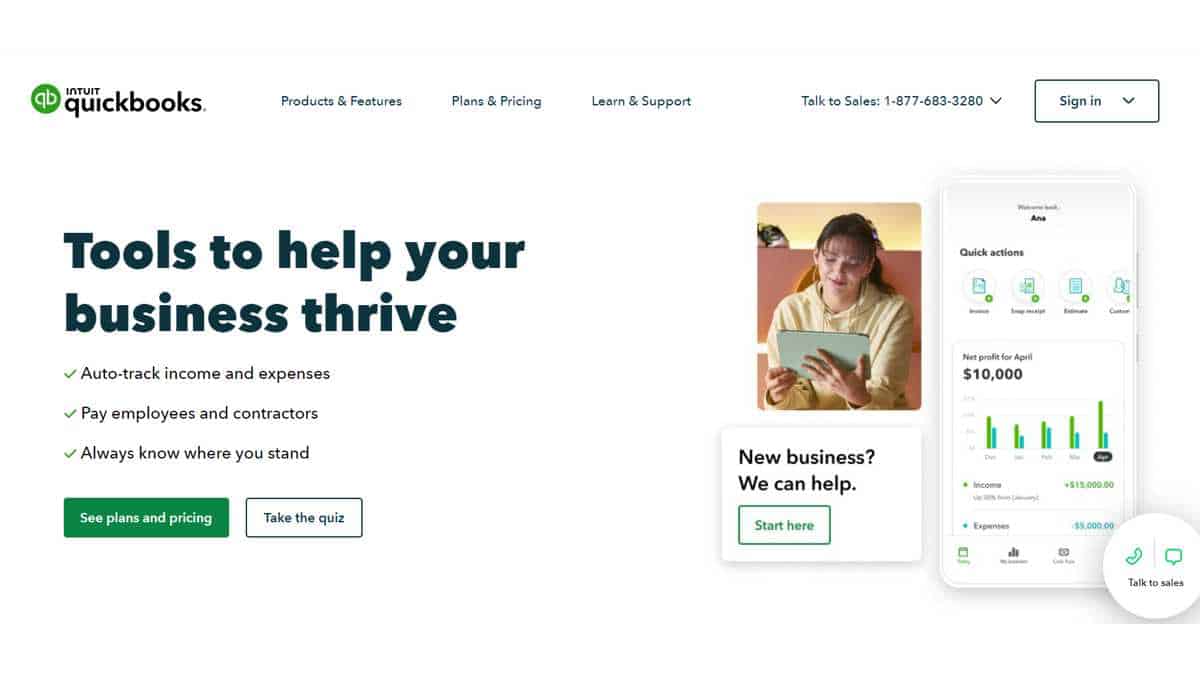
The needs of small to midsize businesses can be met by the efficient, all-inclusive accounting software known as QuickBooks Online. Some of the situations where you ought to choose QuickBooks are:
- If your business sells products or retail goods
Using QuickBooks as your accounting software is a standout choice for selling products or retail goods. You can track your daily sales from all channels with QuickBooks and sync payment systems like Shopify, PayPal, and Square.
- If you need a full-fledge accounting software
QuickBooks provides comprehensive accounting software that is designed to scale. It offers a far more extensive feature set than FreshBooks and is built for a wider range of business sizes and types.
- If you seek just one accounting software
You can meet all of your accounting and invoicing needs with QuickBooks. On the other hand, FreshBooks focuses on a more specific client base: small enterprises, freelancers, and solopreneurs seeking simple and hassle-free software. FreshBooks avoids complexity; therefore, if you want to get some specific results, you’ll probably need to integrate it with other programs.
- If your accountant prefers QuickBooks Online
Although your accountant’s preferences aren’t the most crucial aspect, having similar preferences for the programs you use might make your work more efficient.
In the US, QuickBooks is usually the accounting software of choice. Over the past few years, it has rapidly gained popularity worldwide. It now offers a variety of features for tax compliance, integration, and bank feeds specific to various countries.
FreshBooks vs QuickBooks: General Features
Although both FreshBooks and QuickBooks Online are targeted at small businesses, FreshBooks’ features are far more suitable for consultants and sole proprietors. At the same time, Quickbooks Online is a better option for a growing company.
What FreshBooks Offers
FreshBooks has introduced many new features in the past few years. One of the new features is the acceptance of ACH payments, and another is the Retainers option, which is perfect for self-employed professionals like lawyers and accountants.
FreshBooks’ dashboard provides a nice overview of your company’s operations, showing outstanding revenue, overall earnings, expenditures, and a chart that shows exactly how much money is gone. The process of creating an invoice with FreshBooks is straightforward, and you can add a new client at the same time.
The most significant change is that FreshBooks now uses double-entry accounting, meaning that every financial transaction input will also result in a corresponding transaction. FreshBooks is now a far more formidable competition than other online accounting software because of this innovation.
In addition to adding a vendor and creating an expense, FreshBooks lets you make the expense recurring and even mark an invoice as billable if it may be refunded to a client. Unfortunately, FreshBooks does not support invoice check payments because it is designed to import banking transactions, including expenses, automatically.
What QuickBooks Online Offers
Many of the capabilities found in FreshBooks are also available in QuickBooks Online, including the ability to create recurring invoices, quick invoice creation, and direct invoice customization. Retainer management is another feature of QuickBooks Online, albeit more data entry is necessary than with FreshBooks.
The features offered by QuickBooks Online vary according to the plan chosen; Simple Start offers the essentials, while other plans include inventory management, time tracking, and bill payment services.
You can share your account with your accountant or CPA using the Accountant option in QuickBooks Online. Each client account also allows you to attach files, including statements, invoices, and other correspondence.
FreshBooks vs QuickBooks Online: Customer Services
Today’s software firms provide their clients with a wide range of support tools, but occasionally you may need to speak to someone about the issue you’re facing with the software. Nonetheless, customers of both accounting software can access live support options.
What FreshBooks Offers
Users of FreshBooks have access to phone and email support throughout the night and day, and subscribers can call a toll-free number. Furthermore, FreshBooks provides the following assistance resources:
- In-product support
- FAQs
- In-product messaging
- Accessible knowledge base
What QuickBooks Online Offers
QuickBooks Online provides its users with a variety of support services, including the following:
- You can call a customer service representative.
- You can contact a customer service representative through messaging. You can contact them by email.
- Featured support
- In-product support
- Accessible knowledge base
- Product training
FreshBooks vs. QuickBooks Online: Usability
When choosing which software application to buy, ease of use can be a key factor. As a business owner juggling many tasks, the last thing you need is an accounting software program that demands extensive training.
The user interfaces of FreshBooks and QuickBooks are both quite friendly. They use simple language throughout the application to make the software usable for those without accounting or bookkeeping backgrounds.
What FreshBooks Offers
The process of creating a company in FreshBooks is quick and easy. You can access your new FreshBooks account after providing information about your business, such as your email address, company name, and phone number. Your total profit, A/R balance, and a left menu bar for simple navigation are all provided on the FreshBooks dashboard.
Another useful feature is the Create New button, which lets you quickly create a bill, invoice, estimate, and other items.
What QuickBooks Online Offers
Although QuickBooks Online isn’t as simple to set up as FreshBooks, once you register an account, the default dashboard is configured to show shortcuts to key features and an overview of your company. You can access all of QuickBooks Online’s essential services, including Expenses, Payroll, Banking, Sales, and Projects, from the left menu bar of your dashboard. You can access the help option from any screen in the application, and data entry screens have reliable look-up options in every field. The “+New” button is a useful tool that makes it easy to record a transaction.
FreshBooks vs QuickBooks: Pricing Levels
There is a price range for every plan offered by both FreshBooks and QuickBooks Online. FreshBooks and QuickBooks Online each have a basic plan that costs $15 and $25, respectively.
FreshBooks Pricing
The three FreshBooks plans differ in terms of the features offered and the number of billable customers allowed. While the custom plan (Select) begins with two users, the first three plans only include one user.
The pricing for FreshBooks is detailed below:
- Lite: $15 per month, including five billable clients and one user.
- Plus: $25 per month covers 50 billable clients and one user.
- Premium: $50 per month, including unlimited clients and one user.
- Select: Customized pricing; two users and unlimited clients are included.
FreshBooks Lite
If your business invoices fewer than five clients monthly, the FreshBooks Lite package is perfect for you. This plan will work if you usually receive money at the same time as services are rendered and rarely grant clients additional time to make payments. However, you will have to keep track of your unpaid bills manually since A/P is not available.
FreshBooks Plus
A firm that only needs to invoice up to 50 clients per month is best served by the FreshBooks Plus subscription. Like the Lite plan, you’ll have to keep a manual record of your unpaid bills.
FreshBooks Premium
A company with a large clientele should use the FreshBooks Premium subscription. You’ll need to keep track of your unpaid invoices separately from FreshBooks, just like with the Lite and Plus versions. Other great features include personalized email signatures and project profitability tracking.
FreshBooks Select
A personal account manager and cheaper credit card transaction fees are features of the Select plan that set it apart from the lower tier plans. Businesses utilizing FreshBooks Select have access to specific tools and can bill an unlimited number of clients.
QuickBooks Online Pricing
The four QuickBooks Online plans differ regarding user count and feature offered. If you wish to manage unpaid invoices, you must at least purchase QuickBooks Online Essentials, and if you need to track inventory, you must at least purchase QuickBooks Online Plus.
The price tiers for QuickBooks Online include:
- Simple Start: The first three months’ price is $12.50 per month, which increases to $25. This plan only supports a single user.
- Essentials: For the first three months, it costs $25 per month; after that, it costs $50 per month. A maximum of three users can use the Essentials plan.
- Plus: The QuickBooks Online Plus plan costs $80 per month. A maximum of five persons may use the Plus plan.
- Advanced: The monthly price of this plan is $180. A maximum of 25 users may use the Advanced plan.
QuickBooks Online Simple Start
A business with just one user will benefit significantly from QuickBooks Online Simple Start. You’ll need to manually track your bills because it doesn’t keep track of unpaid bills.
QuickBooks Online Essentials
QuickBooks Online Essentials is the best option for a business with no more than three users, and bills can be entered as soon as they are received. A report of all your unpaid bills will then be generated, allowing you to select which ones to pay.
QuickBooks Online Plus
QuickBooks Online Plus is the best option for a company that wants to track inventory and has fewer than five users. You can also track income and expenses by location using this plan.
QuickBooks Online Advanced
QuickBooks Online Advanced is required for any business needing up to 25 users. In addition to enabling more users, QuickBooks Online advanced allows you to configure user access to support effective task segregation.
FreshBooks vs QuickBooks Online: App Integrations
Modern online software is streamlined, offers good accounting features, and integrates with many other apps to give you the resources you need.
Both FreshBooks and QuickBooks Online provide solid integration possibilities that can greatly enhance the functionality of a product.
What FreshBooks Offers
More than 200 apps may be integrated with FreshBooks, including Stripe for accepting online payments, Avalara Tax for simple tax management, and Gusto Payroll. There are additional integrations for inventory, CRM, eCommerce, and time-tracking applications. Zapier also allows you to connect to more than 1,500 apps.
What QuickBooks Online Offers
You can link to other apps right from QuickBooks Online. By selecting the Apps feature, you may browse through trending apps, search for specific apps, and see any recommended apps.
Online payment apps like Stripe and PayPal are among the various categories of apps available. Bill Pay for QuickBooks is another option that enables you to pay bills directly from QuickBooks Online. You can easily link to several CRM and time-tracking applications as well.
FreshBooks vs QuickBooks Online: Reports
The value of reporting to your company is something only you know. And both FreshBooks and QuickBooks Online have excellent reporting features.
What FreshBooks Offers
FreshBooks provides a total of 14 reports with limited customization options. But if you’d like to customize them, you can export such reports to Microsoft Excel. Another excellent feature of FreshBooks is its report management screen, where you may bookmark your favorite reports for quick access in the future. However, only financial statements and simple management reports are allowed.
What QuickBooks Online Offers
More than 50 standard reports in various categories are available in QuickBooks Online. With QuickBooks Online, you can generate and save personalized reports, export reports to Excel for more modification, or save any report as a PDF.
FreshBooks vs QuickBooks Online: Inventory Accounting
QuickBooks’ biggest asset against FreshBooks is inventory accounting. Although FreshBooks allows you to add inventory items to bills, there is no way to tell how much inventory you have on hand or how much your inventory cost when it was sold.
Using the inventory management system in QuickBooks Online, you can keep track of your available stock, determine quantities, expenditures, and prices automatically, and monitor which of your products are most profitable.
FreshBooks vs QuickBooks: Mobile Apps
It’s easy to send invoices and accept payments using FreshBooks and QuickBooks Online mobile apps. However, the QuickBooks Online app does not allow the entry of bills or the tracking of time spent on clients or projects. The good news about QuickBooks Online mobile app is that you can analyze reports and categorize expenditures from the bank feed, which you cannot do with the FreshBooks app.
Final Thoughts
Whether you choose FreshBooks vs QuickBooks depends on your required features and the price you are ready to spend. QuickBooks is a superior choice if you require a comprehensive accounting solution. FreshBooks, on the other hand, is for small businesses whose main priorities are strong invoicing and ease of use.