


Different Types of POS Systems
Posted: September 17, 2022 | Updated:
The most important thing that every retailer needs is a reliable POS (Point of Sale) system. It serves as the core of the business and performs a wide range of tasks, including managing sales, inventory, customer relationships, and employee reports. Customers also find POS systems appealing because of certain features merchants can provide like discounts and loyalty programs.
However, remember that there are various POS types, and they all have unique features. Therefore, selecting the ideal POS system for your business is imperative.
This article functions as a guide to the different types of POS systems that are available today.
What Is a POS System?
A POS system is a device that enables companies to take payments and control daily operations. A POS is widely considered to be an internal store terminal. However, online shopping regularly makes use of virtual POS systems. There are different types of POS systems.
The best POS software simplifies transactions and enables customers to make purchases and pay necessary sales tax.
Due to the convenience and simplicity of POS systems, conventional cash registers are being quickly replaced. Mobile POS systems enable customers to make payments wherever they are, for example, at their table in a restaurant.
Elements of a POS System
One of the key elements of a POS system is software. All types of POS systems require a software to run. There is always a front end and a back end to software. Transaction processing takes place on the front end. You may access analytics, inventory, sales data, and other pertinent data on the back end.
Hardware makes up the other half of a POS system because of a transaction processing device. This could be a tablet, smartphone, or computer monitor.
While email receipts are increasingly common, most firms still utilize receipt printers. A barcode scanner might be required as well. Your POS system also needs card readers as essential hardware. Naturally, you’ll also need a way to connect to the internet, which sometimes calls for a router or modem.
Features of POS Systems
The features of each POS system vary based on the kind of business or size the platform is designed for. In some cases, the features are part of the original price; in other cases, you have to pay more money for more sophisticated or additional options. Retail POS systems, for instance, are likely to offer inventory management with product variants, whereas restaurant POS systems will have facilities to monitor customer seating.
The following are some of the key attributes of POS systems:
Inventory Management
Both shops and restaurants need to manage their inventories. Most point-of-sale systems provide features for entering details about specific products, including retail markup, pricing, and quantity available.
Additionally, these systems keep track of merchandise as it is sold to keep stock levels up to date. In short most types of POS systems are connected to inventory management.
Inventory features in POS systems with more detail include automated purchase orders and low-stock alerts. Others provide third-party software integrations for inventory management systems.
Staff Management
If you have a business, managing your employees is an essential function. Creating individual employee login details or profiles with authorization levels is a feature in most POS systems. Some systems provide extra scheduling, time monitoring, and basic communication platforms.
Payment Processing
Finding a POS that accepts various payment methods is the key; all modern POS systems can process payments. Not all types of POS systems can accept payment as an integrated feature. Customers now have more practical options as payment methods, thanks to advancements in payment technology. The onus is on retailers to provide the tools, such as mobile wallets, e-checks, credit and debit cards, and digital currencies, to accommodate all payment choices.
Customer Relationship Management
Thanks to CRM system features, businesses may use email marketing and other methods to build and maintain relationships with clients and prospects. A customer directory with profiles that include purchase histories and contact details can be created using features included in most POS systems. Some POS systems include additional CRM features, such as tools for gathering customer feedback or loyalty programs. Most POS systems also incorporate CRM programs from outside vendors.
Reporting
Almost all types of POS systems offer basic reporting, such as sales reports and data broken down by day, week, month, and even hour of the day. These systems feature basic reports for tracking employee sales and inventory levels.
The more expensive ones include stock reordering reports, inventory valuation, and detailed reporting on product categories or departments. Meanwhile, the most cutting-edge POS systems include analytics features that let organizations build custom reports and analyze more complex projections.
Types of POS Systems
A POS system must be versatile because it controls every aspect of a retailer’s operations. Highlighted below are details on the types of POS systems available today, including their pros and cons.
POS Apps
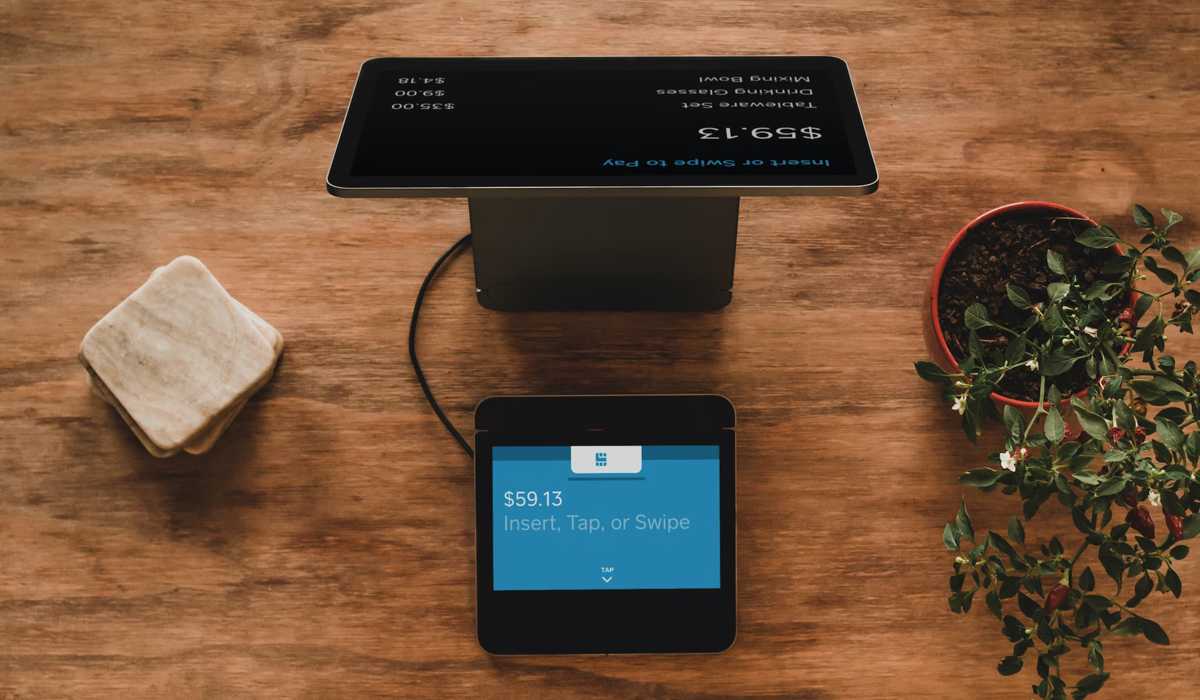
POS applications are cloud-based tools you can install on any mobile device that supports them. Additionally, you can access your POS data from any of these POS devices that are compatible. While some programs are exclusive to Android or iOS, others are accessible across several platforms.
They often have fewer functions than a full-fledged POS terminal, and more features often result in higher costs. In general, POS apps continue to be the most accessible and user-friendly POS options.
Since POS applications typically require less capital than a full system, they are an excellent choice for start-ups and small enterprises with limited resources. They are also suitable for people who frequently participate in event sales or don’t have a fixed location.
For mobile professionals offering services, such as tradesmen, some POS apps offer tools like a calendar. Out of all types of POS systems, POS Apps market is growing the fastest.
POS apps work best when used for:
- Startup firms
- Providers of small-scale services
- Mobile vendors
Pros
- Flexible for making sales while traveling or at events
- Significantly less expensive than a full POS system
- Easy to keep up with software upgrades and technological advancements
Cons
- Cybersecurity is a potential concern
- Fewer features than a full-fledged POS system
- Phones or tablets typically serve as the hardware; they are not as robust as POS hardware
Terminal POS Systems
When it comes to different types of POS systems the Terminal POS system is still very popular.
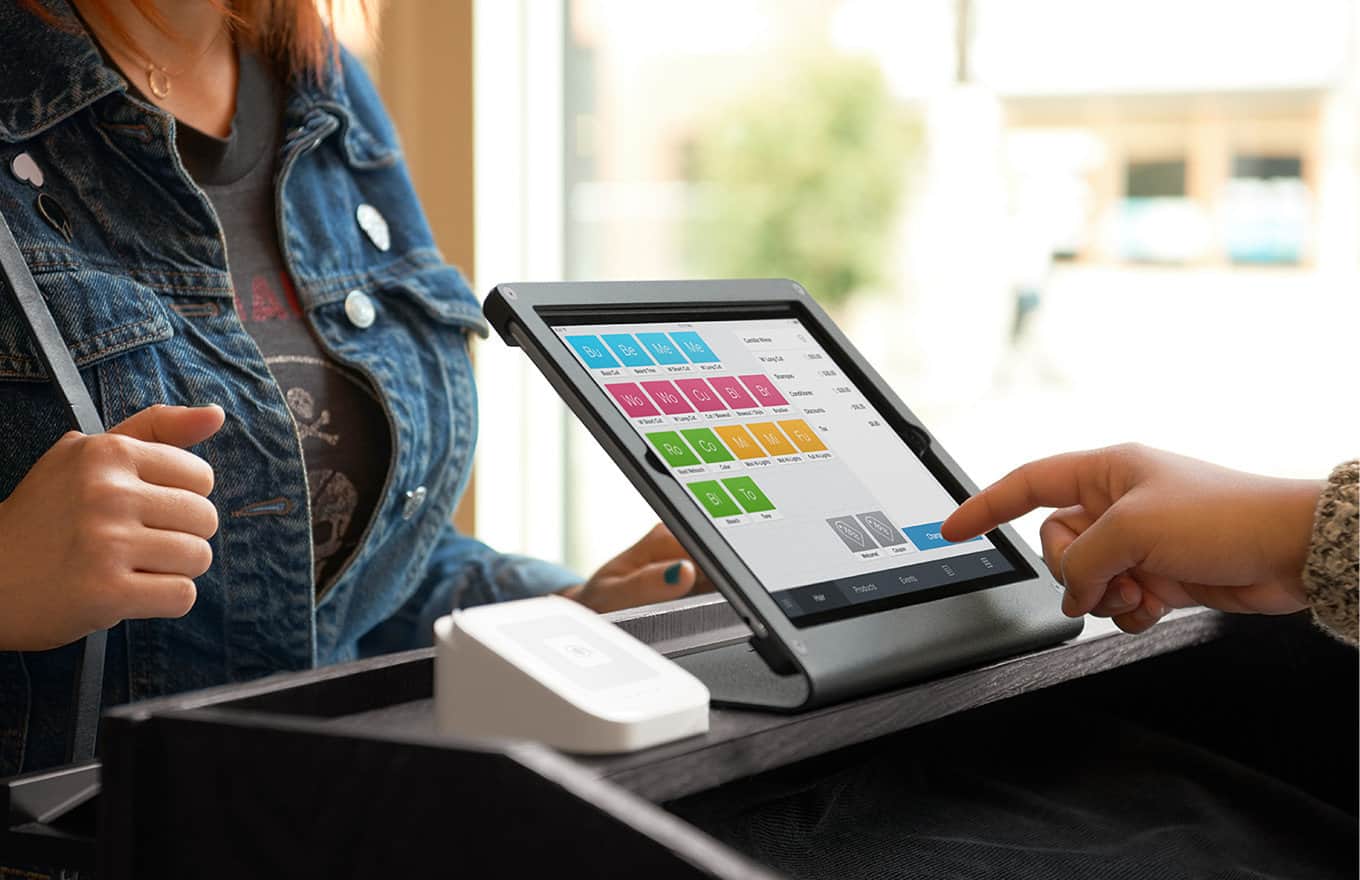
Terminal POS systems are the most popular point-of-sale system that lets company employees track sales and revenue. An employee enters data into the POS program using a display known as a terminal. A cash drawer, a barcode scanner, a customer-facing display with a card reader, and a receipt printer are additional hardware elements.
Due to their ability to be configured to run POS software exclusively, these systems make it simple to restrict employees’ internet access. Restaurant software can integrate tableside Wi-Fi devices, online ordering, and customer tablet ordering. Furthermore, label printing, sophisticated inventory tools, and e-commerce integration are among the features that may be present in the retail versions.
Terminal POS system works best when used at:
- Any size of retail store (grocery, electronics, books, antiques, spas, and salons)
- Fast food restaurants
Pros
- Easy employee restrictions
- Integration with other POS hardware or software
Cons
- Lack of mobility
- Require employee attention at all times
Mobile POS Systems
The ideal retail businesses or restaurants to use a mobile POS system require a system with more features than an app but still need the freedom to conduct transactions from any location. The ideal candidates for a mobile POS system are vendors like service providers, food trucks, or mobile businesses. These platforms are also an excellent choice for businesses that need to handle both in-person and online sales.
Retailers and restaurants can benefit from mobile POS systems since they are cloud-based, increase associate visibility on the sales floor, and improve customer convenience during checkout. Tableside ordering and payment may be possible in restaurants using a mobile POS system. This can increase sales in the retail sector, saving customers from having to wait in lines or find a traditional cash register.
Mobile POS systems are typically most effective for:
- Food trucks
- Retailers who must make sales on the go or in a store
- Marketplaces
- Restaurants looking to improve service by providing servers with a handheld system
Pros
- New hardware can be integrated more easily than with a traditional POS
- With cloud-based storage, you may access business data from any location
- Process payments on the go or in a physical location
Cons
- In comparison to a traditional POS, devices are more susceptible to theft and loss
- Some mobile point-of-sale systems are only compatible with iOS
- It costs more to purchase than a standard POS
Self-Service Kiosk
Self-service kiosk POS systems are created so people can make orders and pay for products and services independently without assistance from a representative. Typically, you may find these as digital touch screens in fast food establishments and restaurants. This system’s primary goal is to increase productivity while saving companies money on the workforce.
Self-service Kiosk POS systems are typically most effective for:
- Hotels seeking to take room charges as payment
- Restaurants
- Airports and other places where customers are in a rush
Pros
- Puts customers in charge of ensuring that their order is accurate and consistent with their expectations
- Reduces the wait time for orders
Cons
- When ordering, there may be few options for customization
- The cost of purchasing the hardware can be expensive
Touch-screen POS Systems
This point-of-sale system is compatible with various touch-screen gadgets like tablets, smartphones, and PCs. Some touch-screen POS systems don’t require a third-party device because they have native touch-screen hardware.
Restaurant staff may take orders at the table and verify the accuracy of orders thanks to touch-screen POS devices. Touch-screen software’s simple interface makes it simple for customers and staff to utilize. Touch screens are generally simple to use, especially when your customers are in the younger demographic that is accustomed to handling tablets and smartphones.
Touch-screen POS systems work best for the following:
- High-volume retail outlets and restaurants
- Any business in need of an employee training system
Pros
- A streamlined user interface to speed up transactions
- The system’s intuitive design makes learning how it’s used very easy
- More flexible than typical POS systems
Cons
- Compared to other POS system types, touch screens are more expensive
- Subscription plans for touch-screen POS systems can be expensive
- Not every touch-screen POS system is compatible with iOS and Android.
Cloud POS Systems
Another POS priority for retailers is moving to a cloud-based system; in fact, about 54% of retail executives plan to use cloud-based POS systems by 2024. Businesses have already started the move. In 2021, the market exceeded $3 billion, and it is anticipated to continue to expand at a CAGR of over 20% through 2028.
A cloud-based POS system is hosted online and doesn’t require any software downloads to use. It is comparable to and often confused with an online POS, even though Online POS can be installed and have an offline mode. It works best for smaller companies who don’t want to blow their budgets by incurring high upfront fees. However, if the internet goes down, there may be a service interruption.
Cloud-based POS systems work best for the following:
- Businesses wishing to have global access to inventory, sales, or reporting data
- Businesses looking to reduce their hardware expenses
- Businesses seeking a flexible setup
Pros
- You can access it whenever you want using any compatible device
- Software updates are simple
- No charges for software installation
Cons
- Subscription fees may be expensive
- It requires a reliable internet connection
Open-source POS Systems
Open-source POS systems are usually free or low-cost investments. The inexpensive price makes them appealing to small and big enterprises with technical and coding expertise. You can customize the functionality of your POS software interface to your exact specifications when using open-source POS solutions.
An open-source POS may appear cost-effective at first look, but its operation takes resources that can mount up. Over time, it also requires upgrades and maintenance. This will require software engineers, and since they usually charge high fees, open-source POS can be expensive. Therefore, open-source POS systems are best suited for big corporations or tech-savvy small firms.
Open-source POS systems work best for the following:
- Those companies that require a highly customized solution
- Large companies with a huge tech budget
Pros
- Open-source point-of-sale systems are considerably less expensive and sometimes even free.
- Easy to modify to specific business needs
Cons
- Technical skills and resources are required
- Payment processing isn’t included in some Open-source POS systems
- No integrated customer support
Multichannel POS Systems
Multichannel POS systems are extremely advantageous for businesses that offer their products in multiple online or physical locations. This POS system integrates all your sales from your online shops, social media pages, and physical stores.
By synchronizing inventory levels across channels, they assist businesses that sell products to prevent stockouts. Maintaining accurate business information is especially crucial at this point because online and offline commerce are becoming more and more entwined.
Multichannel POS systems work best for:
- Retailers and physical stores that sell products online
- Mobile vendors seeking to increase sales through the internet or social media
Pros
- All of your sales channel’s data is accessible and managed in one place
- Provides convenience for customers by increasing their shopping options
Cons
- Since prices occasionally vary between online and in-person sales, pricing models might be confusing.
- It might be difficult for start-ups or small enterprises to manage multichannel sales effectively.
How to Choose the Right POS System
Each business has unique needs that must be taken into account. However, there are some features to consider when selecting the type of POS system you are looking to implement.
Cloud-based Software
Remember that cloud-based software allows you to access it from any internet-connected device, wherever you are, and lets you get regular updates from your POS supplier. If a certain POS system piques your attention, find out from the vendor whether free automatic software updates will be provided anytime the software is upgraded.
Integrated System
An integrated POS system avoids issues caused by poorly integrated technologies by being designed to operate synchronously. Another benefit is that you won’t have to pay different vendors separately for each component. You can save money by buying the system all at once, making operations run more smoothly and streamlining the customer support process.
User-friendly
The terminal screen and any software solutions you want to use should be user-friendly. This means that despite the possibility of some necessary training, using the system should be easy to understand. Employees will be able to use the POS system confidently and make fewer mistakes as a result.
Wrapping Up
Choosing the right POS system is ultimately wise for retail businesses looking to prosper. To assist you in managing your small business, there are various types of POS systems available. Often, you’ll employ two or more POS system types to meet the needs of your business. With the aid of the above guide, you can consider what type of POS system is best for your business.