


Top Point of Sale Systems for Coffee Shops
Posted: May 29, 2025 | Updated:
If you run a coffee shop, you know the value of uninterrupted payment processing and efficient order tracking. With the introduction of modern point-of-sale (POS) hardware options, tasks such as payment processing, order management, menu updates, inventory control, and employee management have become more efficient, positively impacting the bottom line.
Nowadays, POS systems are built for owners who prioritize efficiency and a healthy profit margin. These systems offer various customizable options and additional integrations, suitable for both large, multi-location chains and small businesses. Below, we have reviewed some of the leading POS for coffee shops today to assist your cafe in selecting the best.
10 Leading POS for Coffee Shops
A reliable point of sale for a coffee shop can make all the difference, helping streamline orders, manage inventory, and speed up payment processing. The best POS systems for coffee shops are designed to handle high transaction volumes, support loyalty programs, and offer online ordering, making daily operations smoother and more efficient.
Here’s a look at some top choices for coffee shops looking to improve both speed and service.
1. Clover: Best for Multi-Service Support
Pros
- Provides around-the-clock phone and email support.
- Offers a free plan that includes a mobile card reader.
- All restaurant-specific plans come with no additional cost for online ordering, and retail plans offer integration with existing online stores.
Cons
- Subscription to promotional features is bound to a three-year contract.
- Applies termination fees, which might be waived under specific conditions.
- Higher online payment processing fees compared to other providers.
- Must use third-party applications to access popular accounting integrations.
Clover delivers a cloud-native, all-in-one POS platform purpose-built for coffee shops, combining intuitive software with a family of hardware options—from the compact Clover Mini to the countertop Station Solo, the dual-screen Station Duo, the handheld Flex, and a 24″ self-service Kiosk.
Everything syncs in real time via the Clover Cloud (with offline-first fallback), so orders, payments, inventory levels, employee schedules, and loyalty programs stay up to date across counter service, mobile, kiosk, and delivery channels. Baristas get instant access to menu modifiers, stock alert,s and CRM profiles; managers unlock AI-driven sales and cost dashboards, 200+ App Market integration,s and PCI-compliant security out of the box.
Pricing of Clover
Clover’s Quick Service (ideal for cafés and coffee trucks) bundles software and hardware into three tiers on a 36-month term, with the option to pay upfront plus a reduced monthly software fee:
- Starter – $105 per month for 36 months or $799 upfront + $59.95 per month. Includes the Counter Service software plan and a Clover Mini (built-in receipt printer). Processing fees: 2.6% + $0.10 (card-present), 3.5% + $0.10 (card-not-present).
- Standard – $145 per month for 36 months or $1,799 upfront + $59.95 per month. Adds a Station Duo terminal, customer database, promotions, loyalty and gift-card capabilities. Processing fees: 2.3% + $0.10 (card-present), 3.5% + $0.10 (card-not-present).
- Advanced – $205 per month for 36 months or $2,448 upfront + $79.90 per month. Builds on Standard with a Flex handheld for tableside ordering and line-busting. Processing fees: 2.3% + $0.10 (card-present), 3.5% + $0.10 (card-not-present).
Hardware-Only Options
If you already have software or need extra devices, Clover hardware is available separately:
Self-Service Kiosk – $3,499 upfront + $34.95 per month
Clover Mini – $799 upfront or $105 per month (restaurant plan)
Station Solo – $1,699 upfront + $89.95 per month or $165 per month
Station Duo – $1,799 upfront + $59.95 per month or $145 per month
2. Host Merchant Services: Best Overall, Especially Popular for Transparent Pricing
Pros
- Offers interchange-plus pricing with no hidden fees, providing clear cost structures.
- Provides month-to-month agreements without early termination fees, offering flexibility to businesses.
- Delivers 24/7 customer service, ensuring assistance is available whenever needed.
Cons
- The pricing structure may not be as cost-effective for businesses with low transaction volumes.
- Primarily serves US-based businesses, which may not be suitable for international merchants.
Host Merchant Services is a US-based payment processor and POS provider built for small businesses—cafés, coffee shops and restaurants alike. Host Merchant Services operates on a 100% transparent interchange-plus model with no long-term contracts, hidden fees or early-termination penalties. Over 98% of applicants qualify for its free-equipment program, granting access to leading terminals (Ingenico Desk 1700 PIN Pads, Valor PayTech dual-screen units, Dejavoo P8 Android devices) as well as tablet-based options like Clover Compact and mobile card readers—all without upfront hardware costs.
Every Host Merchant Services’ account includes next-day funding, 24/7/365 US-based support (calls answered within three rings), and integrations with major POS and e-commerce platforms. Whether you’re running an iPad-driven café counter, a branded mobile app, or a web-ordering portal, HMS’s suite of terminals, payment gateway, and virtual-terminal options keeps you up and running with PCI-compliant security and real-time reporting.
Pricing of Host Merchant Services
Host Merchant Services’ base fees are straightforward: a $14.99 monthly account fee, a $24 annual 1099-reporting charge, plus an optional $5 per month gateway fee. Per-batch settlements incur $0.20 each, and voice-authorization calls cost $0.75. There are no fees for PCI compliance, address verification, PIN-debit processing or account closure—everything is laid out clearly on the Host Merchant Services pricing page.
Processing costs follow pure interchange-plus: retail transactions at interchange + 0.25% + $0.10, restaurant transactions at interchange + 0.20% + $0.09, and e-commerce at interchange + 0.35% + $0.10. You pay exactly the card-network cost plus a transparent, fixed markup—nothing more.
3. Square: Best for Simple, Affordable POS for Small Coffee Shops
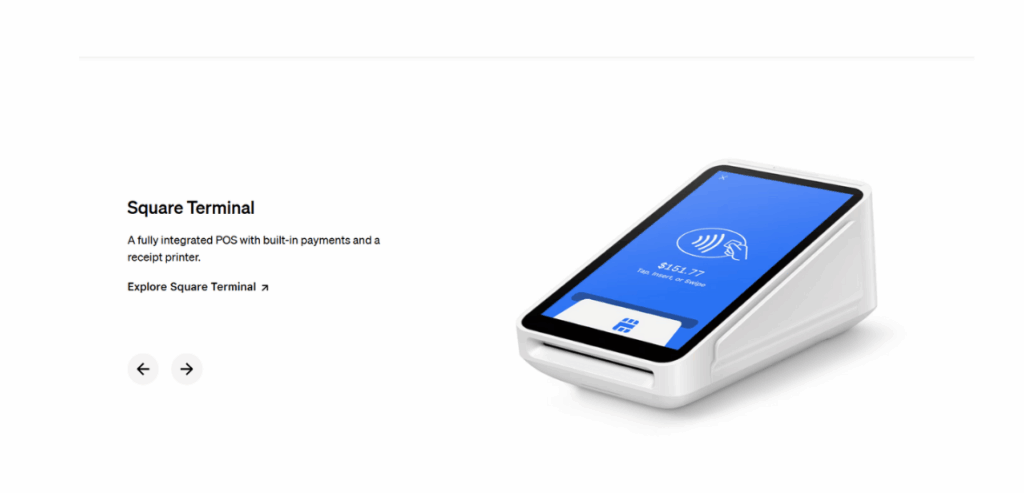
Image source
Pros
Square provides a free plan, making it accessible without any upfront payment.
The app and card readers are compatible with both iOS and Android devices, offering flexibility across different platforms.
Customers can pay for hardware in installments, easing the financial burden.
There are no long-term contracts or installation fees required.
Additionally, Square offers in-house payroll software; every plan has a free online ordering page.
Cons
The main limitation of the free plan is that it does not include 24/7 support.
Regarded as the “best POS for coffee shop,” Square for Restaurants provides a range of food service management tools available in both free and paid versions. The free version includes a robust set of features covering small coffee shops’ essentials. This version supports custom orders, easy menu setup, inventory tracking, online ordering with pickup options, tipping, and gift card transactions. Additionally, it includes staff logins and time tracking, which allow for effective workforce management. The free plan also allows for unlimited countertop checkouts and mobile checkout devices at no extra cost.
For businesses needing more advanced tools, Square offers Square Plus for Restaurants at $60 per month. This version builds on the free features by adding expanded staff tracking, more detailed business reporting, and floor management features. However, for small coffee shops, these extra features may be more than necessary, as the free version often meets the core needs. Both versions also offer optional add-ons for loyalty programs, email and SMS marketing, kitchen display systems, and payroll, each available for an additional monthly fee.
Pricing of Square
- Free – Menu management, offline payments, order-ready SMS, bar tabs, staff time-tracking, Monday–Friday 6 a.m.–6 p.m. PT support, one countertop device.
- Plus – At $69 per month per location, it includes everything in Free, plus seat & course management, floor-plan customization, split checks, close-of-day & live-sales reports, unlimited KDS displays, 24/7 phone support.
- Premium – Prices at $165 per month, includes all Plus features plus unlimited mobile-POS and kiosk software at no extra charge, bespoke payment rates for high-volume merchants
All Square POS plans include one countertop device. For the Free and Plus plans, each additional device costs $50 per month, while the Premium plan allows unlimited device access at no extra charge.
For payment processing, the Free plan charges 2.6% + 15¢ per in-person tap, dip, or swipe. The Plus and Premium plans lower the in-person rate slightly to 2.6% + 10¢ per transaction. Online transactions on these two plans are charged at 2.9% + 30¢, and any keyed-in payments across all plans incur a rate of 3.5% + 15¢ per transaction.
Hardware (iPad kits, Square Stand at $149, Square Register at $799, kiosks at $149) is sold separately or via financing; there are no setup fees and you can bring your own PCI-compliant devices.
4. Lightspeed: Best for Multi-Location Management and Inventory Management
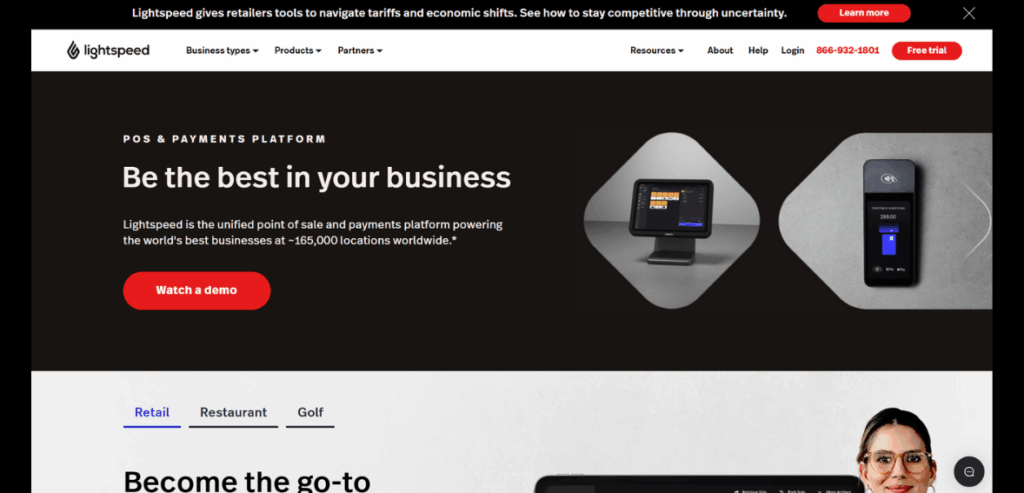
Image source
Pros
Includes various tools suitable for restaurant and general retail operations.
A reliable order platform praised for its effective digital layout.
Offers an extensive free trial, allowing users to test the platform’s capabilities.
Recognized for excellent customer support that resolves issues efficiently
Compatible with iOS and Android devices, it is beneficial for service staff like baristas.
Cons
Lacks clear direction for restaurant and café businesses, affecting functionality.
High startup costs can be a barrier for small businesses (refer to the pricing section).
Frequently adds features aimed more at B2B clients rather than direct retailers.
Focusing on long-term commitments can limit flexibility for dynamic retail environments.
Different service charges for single versus multiple locations, potentially reducing profitability.
Lightspeed Restaurant POS is a full-featured system built for the food service industry, including cafes, coffee shops, and restaurants. It offers tools for order management, ingredient-level inventory tracking, and menu editing—key functions for coffee shops that need to manage stock and update menus regularly. Orders can be sent directly to kitchen display screens or tickets, streamlining communication between staff and the kitchen.
The platform offers multiple pricing tiers. Higher-tier plans include loyalty programs and gift card features, which can support customer retention. However, the cost may be a concern for smaller shops, especially when adding extra terminals or mobile devices. Online ordering is also available but comes at an additional cost, making Lightspeed a higher-priced option for small operations.
One of its strong points is multi-location management. For businesses with more than one site or plans to expand, the centralized dashboard allows owners to track sales, inventory, and staff across locations. The system also supports location-wide features like shared loyalty programs, inventory transfers, and unified gift card management, helping maintain consistency across stores.
Pricing of Lightspeed
Lightspeed Restaurant offers two straightforward subscription tiers plus a bespoke enterprise option:
- Essential – The Essential plan from Lightspeed is priced at $189 per month. It includes the full POS software, which covers features like menu management, floor plans, and offline mode. The plan also comes with Advanced Insights and integrates Lightspeed Payments at a rate of 2.6% + $0.10 per transaction. Additional tools include support for takeout and delivery, customer relationship management (CRM), loyalty programs, online and QR code ordering, and tableside ordering. It also includes the Pulse mobile app for remote monitoring, multi-location management capabilities, ingredient-level inventory tracking, hotel revenue center support, and raw API access for custom integrations. If you need a Kitchen Display System (KDS), it’s available as an add-on for $30 per screen per month.
- Premium – The Premium plan is priced at $399 per month and includes all features from the Essential plan. In addition, it offers custom-negotiated payment processing rates tailored for higher-volume or specialized merchants. This can be beneficial for businesses with larger transaction volumes looking for more favorable processing fees. The Kitchen Display System (KDS) remains an optional add-on at $30 per screen per month.
- Enterprise – The Enterprise plan is available through a custom quote and is designed for complex, multi-unit operations. It includes a tailored software and hardware bundle, unlimited onboarding and concierge services, and access to a dedicated customer success manager. Businesses on this plan also receive priority support, making it suitable for larger operations that require more hands-on service and customized setup.
Every plan includes 24/7 support, automatic updates, and access to Lightspeed’s App Store integrations. Hardware (iPad kits, customer displays, kitchen screens) is available à la carte or via flexible monthly financing.
5. Touchbistro: Best for Tablet-Based Interactivity
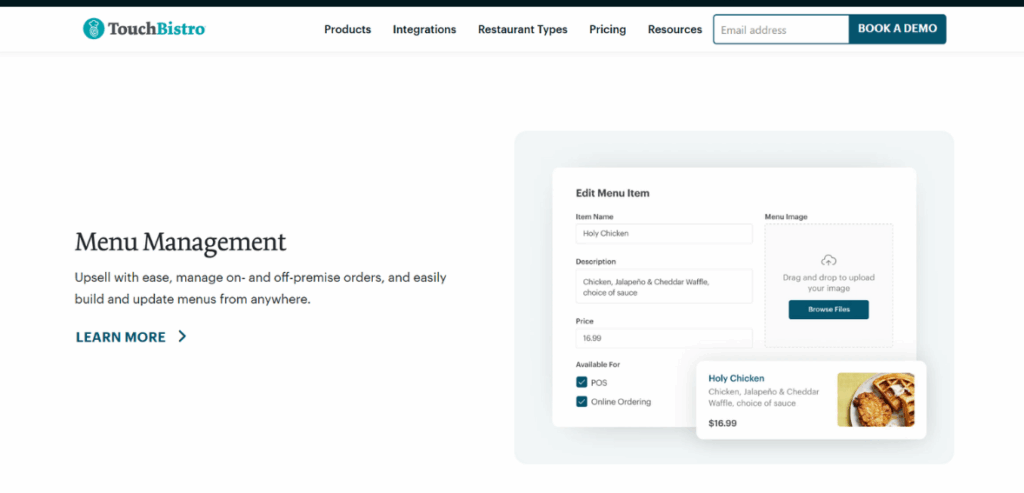
Image source
Pros
Wide selection of customer loyalty options, including gift cards and engagement apps.
Offers restaurant-specific features that benefit baristas and managers.
Varied pricing structures to accommodate different business sizes and types (refer to pricing details).
POS system that scales with growth and is suitable for both independent businesses and chains.
Customer-facing hardware enhances interaction during the order process.
Cons
Integration support is underwhelming and primarily focused on smaller restaurant applications.
Inconsistent pricing structures can complicate the selection of the most suitable plan.
Lacks features tailored explicitly for coffee shops, requiring adaptations to different models.
Customer support quality varies, with no round-the-clock help for immediate in-store issues.
As a relatively new company, its reputation still needs to be fully established, which may affect long-term reliability.
TouchBistro is a well-suited POS system for cafes, especially if you’re familiar with using iPad-based POS systems. Its design and features are specifically crafted to meet the demands of restaurants and cafes, distinguishing it in the competitive POS market. TouchBistro offers a comprehensive suite of tools ideal for cafes, including online ordering for pickup and delivery, which allows cafes to increase their operational scope and flexibility. The software also includes a drag-and-drop table management tool, enabling cafe owners to create and modify custom floor plans to fit their space. Additionally, it provides staff performance tracking features that help monitor and improve employee efficiency.
The user interface of TouchBistro is intuitive and easy to use, simplifying the learning process for new staff members. The system offers extensive customization options, allowing cafe owners to adjust the software’s features to fit their specific operational requirements better. Whether operating a small, intimate cafe or a busy coffee shop, TouchBistro’s adaptable nature aids in daily management and maintaining smooth service.
While TouchBistro has fewer integration options compared to other POS systems, the third-party applications it supports are effective and enhance the system’s functionality. For example, its integration with 7shifts improves scheduling and staff management, critical for cafes with variable schedules and high staff turnover. This feature offers sophisticated tools for managing shift changes and staff availability, supporting coffee shops with changing staffing needs.
TouchBistro also offers a flexible pricing model. Starting at $69 per month, the system uses modular pricing, letting you add features as your business grows or needs change. This pay-as-you-go approach ensures you only pay for the features you use. As your cafe expands, you can incorporate additional functions like online ordering, loyalty programs, and customized marketing campaigns, making it an attractive option for growing cafes that wish to avoid switching POS systems.
Pricing of TouchBistro
TouchBistro offers a Point of Sale plan priced at $69 per month, which includes features such as floor plan and table management, menu management, staff management, reporting and analytics, and tableside ordering. Additionally, there are several add-on options available for further customization. TouchBistro Payments and the Customer-Facing Display can be added for custom-quoted prices, enhancing payment processing and customer interaction capabilities.
The Kitchen Display System, which provides order ticket views to streamline kitchen operations, costs $19 per month. The Profit Management add-on, which includes inventory and financial tools, costs $330 per month and offers more in-depth business management. Online ordering, which offers commission-free ordering to help boost sales, costs $50 per month.
Reservations can be managed for $229 per month, which includes table reservations and status tracking, while the Loyalty add-on, priced at $99 per month, supports customer relationship management and rewards programs. Similarly priced, the Marketing add-on provides tools for promoting the business at $99 per month. Lastly, Gift cards are available for $25 per month, allowing the sale of physical and digital gift cards.
6. Toast POS: Top Choice for Expanding Online Reach
Pros
Provides tools specifically designed for small businesses to aid in their growth.
Offers extensive features for order processing and inventory management.
Established partnerships with leading third-party delivery services (DoorDash, Uber Eats, etc.).
Maintains a strong and respected brand reputation, enhancing client trust and loyalty.
This includes robust offline capabilities, expanding the range, and the adaptability of client services.
Cons
Lacks hardware compatibility, restricting use to mobile devices and proprietary POS tablets.
Limited software integration options beyond delivery apps, constraining certain service functionalities.
Offline mode incurs additional costs to address data synchronization problems.
Exclusively digital storefront setup, which may limit opportunities for revenue diversification.
Uses an unclear quote-based pricing system for custom features, complicating budget transparency.
Toast is a prominent POS system for coffee shops and small eateries, ideal for local cafés, bakeries, and coffee bars. Its extensive online ordering features are tailored for modern coffee shops that want to simplify ordering processes and meet the increasing demand for digital services. Toast offers essential functionalities like order scheduling, curbside pickup, contactless delivery, and dynamic throttling to manage order flow during peak times efficiently.
Additionally, Toast facilitates an on-demand delivery driver network through the Toast TakeOut app, enhancing order fulfillment efficiency. A significant benefit of Toast’s online ordering system is its commission-free structure, which allows coffee shops to manage multiple online orders without extra fees. It provides a cost-effective solution for owners aiming to increase sales via digital channels.
Another key feature of Toast is the Mobile Order & Pay option, which improves customer experiences by allowing them to order and pay from their mobile devices inside the coffee shop. This function is handy for coffee shops with limited staff or during busy times, as it permits customers to order without queuing, promoting a smoother and more efficient in-store experience. Additionally, Toast’s partnership with Google enables customers to place orders directly through Google search results, making the ordering process even simpler and expanding sales channels for coffee shop owners. This Google integration increases visibility and ease of access, potentially boosting order volume and enhancing customer convenience.
Toast also provides extensive customer support, offering 24/7 phone, email, and chat assistance. This support is crucial for coffee shop owners facing technical issues during business hours and requiring prompt solutions to maintain smooth operations. The Toast support team is well-equipped to address software issues and offer relevant guidance, aiding businesses that depend on consistent service functionality.
Pricing of Toast POS
The software’s pricing structure includes various monthly fees—the Starter Kit is available at no cost, the Toast POS system is priced at $69 per month, and a custom quote is provided for those who opt for the Build Your Own plan.
Additionally, there are hardware costs involved. Under the Pay-as-You-Go plans, hardware for up to two terminals is free, although processing rates will apply. A stationary terminal, which includes a router and card reader, can be purchased separately for $719.10.
If you choose to install the system yourself, there is no charge. Still, professional installation services are available at a cost of $75 to $125 per hour or a one-time fee of $400 for integrating a full menu into the POS system. Regarding processing fees, the standard plan includes in-person transaction fees of 2.49% plus $0.15 per transaction, while the Pay-as-You-Go plan charges 3.09% plus $0.15 per transaction.
7. Lavu POS
Pros
Intuitive iPad touchscreen interface with quick-click drink modifiers for complex orders in just a few taps.
Comprehensive cafe-specific toolkit: online ordering, self-service kiosks, ingredient-level inventory, and perishable stock alerts.
Robust reporting and analytics dashboard with real-time sales, category breakdowns, and labor insights.
Built-in loyalty program, dual pricing (cash discounts), and seamless integration with third-party apps via API.
99.99% uptime guarantee and 24/7 US-based support with one-on-one onboarding, menu setup, and staff training.
Cons
The user interface feels a bit dated and can overwhelm first-time users.
No free-tier option and software plans exclude hardware costs.
Offline-mode reliability is limited, risking downtime during network interruptions.
The hardware lineup is primarily iPad-based, offering fewer full-terminal choices for larger operations.
Public pricing lacks transparency on add-ons (e.g., KDS screens, PCI fees) without contacting sales.
Lavu POS is a fully iPad-based point-of-sale system engineered for quick-service environments like coffee shops and cafés. Its touchscreen interface, complete with drink-modifier prompts and photo-driven menus, accelerates order entry and minimizes mistakes. Customers can order online or via self-service kiosks, while baristas benefit from perishable-first inventory alerts and a built-in Kitchen Display System for flawless back-of-house coordination. Embedded loyalty, dual pricing and text-notification tools enrich the guest experience, and an open API lets you plug in accounting, delivery or marketing apps as needed.
On the operational side, Lavu delivers granular reporting—from item-level sales trends to labor-cost analyses—plus role-based permissions and multi-location management. New installations are supported by guided menu setup, real-time training mode and around-the-clock assistance, backed by a 99.99% uptime SLA. That makes Lavu a turnkey solution for café owners who need rapid deployment, data-driven insights, and rock-solid reliability.
Pricing of Lavu
Lavu’s subscription plans start at $99 per month for solo operators, $149 per month for growing cafés, and $279 per month for high-volume or multi-location setups. These prices cover software only—hardware like iPads, KDS screens, and receipt printers are quoted separately.
Transaction fees are 2.6% + $0.10 for in-person card payments and 3.5% + $0.15 for keyed-in transactions. All plans include key POS features like menu and modifier management, offline mode, loyalty tools, kitchen display support, 24/7 customer service, and software updates.
8. CAKE POS
Pros
Intuitive, iPad-based interface requiring minimal staff training and fast onboarding.
Built-in loyalty program with mobile check-in and points tracking to boost repeat visits.
Guest Manager add-on for seamless reservations, waitlist management, and real-time guest messaging.
Includes unlimited 24/7/365 US-based support and access to Cake University’s online training portal.
Offline mode keeps transactions flowing even during internet outages.
Cons
No free trial or free-tier plan, so you can’t test drive before committing.
Hardware costs are extra; pricing for terminals and peripherals is available only via sales inquiry.
Essential plan omits Guest Manager and email marketing—these require the $295 Pro tier.
Card-present processing fee of 3% + $0.15 per transaction is higher than many competitors.
Requires a hardwired internet connection; wireless or mobile-only setups aren’t supported.
CAKE is a cloud-native, iPad-based POS built specifically for quick-service and café environments. Its streamlined interface features photo-driven menus, drink modifiers, and one-touch course controls, speeding up order entry and reducing mistakes. Front-of-house tools include online ordering, self-service kiosks, tableside tablets, and QR-code payments—all synced in real time to your back-of-house Kitchen Display System. An open API lets you integrate accounting, delivery, or marketing apps as needed.
Onboarding is handled by CAKE’s implementation team, with guided menu setup, staff training, and 24/7 support backed by a 99.99% uptime SLA. Embedded loyalty and the Guest Manager add-on let customers earn points via a mobile app check-in and manage reservations or waitlists with automated SMS messaging. Offline mode and Cake University’s training portal ensure your café stays running smoothly, even during outages.
Pricing of CAKE
CAKE offers three monthly plans: Essentials at $69 (POS software, menu tools, offline mode, QR payments), Plus at $125 (adds online ordering and gift cards), and Pro at $295 (adds loyalty, guest management, and email marketing).
Payment processing through CAKE costs 3% + $0.15 per swipe/tap, with no gateway fee. Hardware is sold separately—terminal bundles start at $1,299 (or $1,499 plus a $999 activation fee, depending on the package). All plans are month-to-month and include 24/7 support and automatic software updates.
9. SpotOn
Pros
Intuitive, touchscreen UI that staff learn in minutes.
Fully modular add-ons—loyalty rewards, Teamwork labor management, reservations, marketing—so you pay only for what you need.
Option to use SpotOn’s bundled hardware or integrate your terminals and peripherals.
On-site setup, menu configuration, and 24/7/365 U.S.-based support are included at no extra cost.
Scales from a single café to multi-location operations, with offline-first cloud sync to eliminate downtime.
Cons
No free trial for paid tiers—only the $0 per month Quick Start plan is freely accessible.
Pricing and add-on fees often require a custom demo, making apples-to-apples comparisons difficult.$3 per-employee surcharge on Counter-service and Full-service plans can add up for larger teams.
Hardware bundles ($850–$1,350) may strain cash flow without financing.
A minority of users report occasional software glitches and slow issue resolution.
SpotOn is a cloud-native POS built expressly for counter-service venues—cafés, bakeries, and grab-and-go coffee bars—merging a staff-friendly touchscreen interface with embedded payment processing, CRM, marketing,g and back-of-house tools. Its tiered pricing starts with Quick Start at $0 per month (hardware & software rolled into a higher processing rate of 2.89% + $0.25 per transaction), moving up to Counter-service at $99 per month + $3 per employee (processing 1.99% + $0.25), and Full-service at $135 per month + $3 per employee (processing 1.99% + $0.25). Cafés can choose SpotOn’s purpose-built 10″ Counter or 15″ Station + KDS bundles or bring existing hardware, all backed by PCI-compliant security.
Beyond core transactions, SpotOn’s optional modules—Teamwork labor management, Reserve waitlist/reservations, Loyalty rewards, Marketing campaigns, and custom web ordering—sync in real time through a centralized dashboard, delivering granular sales, labor, and guest insights across single or multiple locations. An offline-first architecture keeps orders flowing during internet outages, while in-person implementation and 24/7 support ensure rapid onboarding and ongoing confidence behind the barista counter.
Pricing of SpotOn
SpotOn offers flexible POS plans. The Quick Start plan has no monthly fee but includes higher processing rates (2.89% + $0.25) with bundled hardware. Counter-Service ($99 per month + $3 per employee) and Full-Service ($135 per month + $3 per employee) include lower processing rates (1.99% + $0.25) and hardware bundles, with financing available.
Custom packages are also available. Add-ons like labor scheduling, loyalty, waitlist tools, and CRM integrations are sold separately through a SpotOn rep.
10. MicroSale: Best for Customization
Pros
The system is intuitive, facilitating quick adoption by staff.
Supports various payment processors, offering businesses choice and adaptability.
Includes inventory management, customer loyalty programs, and online ordering integration.
Cons
Users have reported issues with split checks and gratuity calculations.
Some users have experienced delays in receiving timely assistance.
Upgrading to newer software versions may incur extra expenses.
MicroSale is a POS system specifically developed for the needs of restaurants, cafes, and coffee shops. Its design centers around a user-friendly interface, providing straightforward screens and prompts that help streamline and speed up order processing. This ease of use can reduce the training time for new employees and minimize the chance of errors during peak hours. MicroSale also supports customer-facing displays, including rear and pole displays, allowing customers to see their orders in real time. These displays encourage customer interaction, increase transparency, and present valuable upselling opportunities.
Among the system’s standout features is its automatic combo recognition, which automatically groups items into combos during order entry without extra input from staff. This can accelerate the order process and help customers make the most of bundled deals. Furthermore, MicroSale includes robust inventory management tools that give real-time visibility into stock levels, assisting employees to avoid over-ordering and preventing stock shortages.
The system also integrates loyalty and gift card programs to support customer retention efforts. These programs can encourage repeat visits by rewarding customers with points, discounts, or special promotions, creating a more consistent customer base.
Another essential feature of MicroSale is flexibility in payment processing. Businesses can choose their preferred merchant services provider rather than being locked into a specific one, potentially saving on transaction fees and better aligning with each establishment’s existing financial systems. Additionally, MicroSale offers reporting tools that allow management to analyze sales trends, employee performance, and inventory usage over time. With this information, business owners can make more informed decisions on staffing, menu offerings, and operational improvements.
Pricing of MicroSale
MicroSale offers flexible payment options to suit various business preferences and budgets. You can choose to purchase the software outright, opt for a subscription model, or consider leasing options. While specific pricing details are not listed on the MicroSale website, sources indicate that the basic subscription plan starts at $99 per month per user, with exact pricing varying based on the features and customization your business requires.
To help coffee shop owners and restaurants manage credit card processing fees, MicroSale supports cash discount options, surcharging, and dual-pricing. These features allow businesses to offset processing costs by offering discounts for cash payments or applying surcharges to credit card transactions.
What Is a Coffee Shop POS?
A modern coffee shop POS is a cloud-native suite of software and hardware that unifies front-of-house order-taking, payment processing, and back-of-house operations in real time. Beyond the classic countertop terminal, today’s systems include handheld devices for tableside ordering, self-service kiosks, and integrated kitchen displays, all syncing instantly through a central dashboard. AI-driven analytics panels surface actionable insights—like peak-hour trends and top-selling customizations—while offline-first architectures ensure uninterrupted service even during network outages.
These platforms seamlessly bridge in-store, mobile, and online channels. Baristas can fire off orders via QR-code terminals or branded mobile apps, while customers pay with contactless NFC, digital wallets, or traditional cards. Integration with web-ordering portals and delivery aggregators keeps menus and pricing consistent across platforms, and automated inventory alerts, triggered by customizable low-stock thresholds, help prevent outages on popular beans and syrups. Predictive forecasting models, built from historical sales data, suggest optimal reorder quantities to minimize waste and spoilage.
Beyond transactions, a full-featured coffee shop POS helps manage staff and scale operations. Multi-location cloud dashboards let owners compare sales and stock levels across outlets, while built-in scheduling, time-clock tracking, and tip-pooling modules simplify labor management. API-ready architectures connect seamlessly to payroll and accounting software, and embedded CRM and marketing toolkits power targeted loyalty programs, gift-card campaigns, and automated feedback surveys. All of this runs on a PCI-compliant foundation with end-to-end encryption, safeguarding customer data and transactions at every touchpoint.
How POS Systems Enhance Coffee Shop Efficiency?
Implementing a POS system in a coffee shop offers several advantages, including enhanced operational efficiency and customer satisfaction.
- Streamlined Operations: POS systems allow baristas to take orders quickly and accurately, reducing customer wait times and minimizing order errors. Digital orders are instantly sent to the preparation area, eliminating the need for manual handoffs.
- Faster Payment Processing: POS systems facilitate swift transactions, reducing wait times and preventing long queues. Features like contactless payments and mobile wallet integrations cater to diverse customer preferences, enhancing the payment experience.
- Employee Management: Many POS systems include features for scheduling and time tracking, assisting managers in planning shifts based on peak hours and accurately monitoring employee hours. This functionality reduces administrative tasks and enhances staff productivity.
- Inventory Management: Real-time tracking of stock levels for items like coffee beans and supplies helps prevent shortages and overstocking. POS systems can alert management when inventory is low, enabling timely reordering and reducing waste.
- Data-Driven Insights: POS systems collect sales data, providing insights into customer preferences and peak sales periods. Analyzing this data aids in optimizing staffing, refining menu offerings, and developing targeted marketing strategies.
- Customer Loyalty Programs: By recording purchase histories, POS systems enable the creation of personalized promotions and loyalty programs. These initiatives encourage repeat business and foster customer loyalty.
- Order Customization and Modifiers: POS systems enable baristas to efficiently manage customized orders, such as specific milk alternatives or flavor add-ons. This capability reduces errors and ensures each customer receives their preferred beverage.
- Mobile Ordering and Delivery Integration: POS systems often integrate with mobile ordering apps and delivery platforms, allowing customers to place orders ahead or opt for delivery. This expands the coffee shop’s reach and alleviates in-store congestion during busy periods.
- Sales Forecasting and Demand Planning: By analyzing sales patterns, POS systems help coffee shops predict demand for popular items, ensuring optimal stock levels. This reduces waste, minimizes costs, and ensures customer favorites are consistently available.
- Multi-Location Management: For coffee shops with multiple locations, POS systems provide centralized control, enabling managers to oversee inventory, sales, and employee performance across all stores. This improves consistency and efficiency across locations.
Additionally, with the right POS, you can automatically update prices for promotions or seasonal items, saving staff time and ensuring accuracy. Many POS systems include security features such as end-to-end encryption, tokenization, and PCI compliance to help prevent data breaches and fraud. Secure payment processing lowers the risk of credit card fraud, builds customer trust, and safeguards the business.
How to Choose the Right POS For Coffee Shop?
Choosing the right POS system is essential for the smooth operation of your coffee shop. Here’s how you can approach the selection process:
1. Define Your Requirements
Start by outlining the specific needs of your coffee shop. Consider if you need a system that supports real-time inventory management to avoid running out of supplies. Determine if you need to process orders from multiple channels, such as in-person, online, and drive-thru.
Assess whether features like customer loyalty programs or marketing tools would be beneficial for growing your business. By clearly defining these needs, you can focus on finding a POS system that meets the specific requirements of your operations.
2. Set Your Budget
Next, consider the costs associated with different POS systems. These costs typically include initial hardware expenses for items like terminals and receipt printers, as well as ongoing costs for software updates and customer support.
Don’t forget to account for transaction fees, which are costs incurred per sale. A balance between cost and functionality will ensure you find a system that offers good value and supports enhanced operational efficiency.
3. Look at User Feedback
Gathering feedback from other coffee shop owners can offer insights into the practical aspects of different POS systems. Focus on finding reviews that discuss the ease of use, customer support quality, and system reliability.
Websites like Capterra and G2 crowdsource user reviews and can be a valuable resource in your decision-making process.
4. Consider Key Features
Identify features that are particularly beneficial for coffee shops. These include fast transaction processing, customizable order modifiers, and effective cash management. Features supporting drive-thru service, integrated loyalty programs, and advanced marketing tools can also enhance business operations.
Look for coffee shop POS systems that provide comprehensive reporting and inventory management to help you maintain optimal stock levels and gain insights into business performance.
5. Evaluate Hardware Compatibility
It’s important to ensure that the POS system you choose can integrate seamlessly with any existing hardware, or understand the costs associated with purchasing new equipment. Essential hardware components might include touch screen terminals, receipt printers, and card readers.
6. Assess Scalability and Integration
Select a system that can grow with your business and integrate easily with other software you might be using, such as accounting and payroll systems. A scalable system will allow you to add more features or terminals as your business grows, ensuring longevity and adaptability.
7. Check Support and Training Options
Finally, the level of customer support and training the POS provider offers should be considered. Efficient onboarding and training for your team are crucial for a smooth transition to a new system. Ongoing support should be readily available to address any issues that arise. Companies like TouchBistro often specialize in systems for food service businesses and might offer the targeted support you need.
What’s the Right Cost for a Coffee Shop POS?
Understanding all associated costs is crucial to making a well-informed decision. Expenses related to a POS system can be categorized into hardware and installation costs, monthly software fees, and payment processing fees.
- Hardware and Installation Costs: These costs can range from nothing to over $1,000, depending on what equipment your setup requires. Essential items typically include terminals, cash drawers, and receipt printers. Some POS providers offer these as part of a bundled package, while others might require you to purchase them separately, impacting your initial outlay.
- Monthly Software Fees: Monthly fees vary widely, from free to over $300, influenced by the range of features and the required user access. Basic plans are often free but come with limited capabilities, whereas more comprehensive plans that include advanced features like inventory management, customer loyalty programs, and detailed reporting can be at the higher end of the price spectrum.
- Payment Processing Fees: These are usually between 2.5% and 3.5% per transaction and consist of interchange fees—which are set by card networks like Visa and Mastercard—and processor markups, which are additional charges levied by the payment processors. There might be an opportunity to negotiate lower rates for businesses with high sales volumes.
Additionally, providers like HMS offer interchange fees instead of fixed processing fees, which can save costs for certain transactions. Recently, Visa and Mastercard agreed to lower and cap these fees as part of a settlement, which is anticipated to save US merchants nearly $30 billion over five years. This reduction could further lower overall payment processing expenses for merchants, including coffee shop owners, thereby potentially increasing profit margins.
To find the right POS system for your coffee shop according to its affordability, identify the key features you need, such as inventory tracking, online ordering capabilities, and customer loyalty programs. Next, analyze your monthly sales to determine how much of your budget can be allocated to POS expenses without adversely affecting your profitability. Compare various POS providers to find one that offers the necessary features at a cost that fits within your budget.
Things to Consider When Selecting POS Hardware
When choosing hardware for your coffee shop POS systems, balancing durability and functionality is important. Here’s what you should consider:
- Tablet-Based Systems: Many modern POS systems utilize consumer-grade tablets such as iPads or Android devices. These tablets are generally more affordable and user-friendly, simplifying staff training. They also offer the flexibility of easy replacement or upgrades. However, there might be more durable options than these devices as they are prone to damage from spills, heat, or frequent handling. To extend their lifespan, investing in sturdy cases and screen protectors is wise.
- Industry-Grade Hardware: Purpose-built POS terminals are more suitable for environments like coffee shops that see high traffic. These terminals are robust, designed to handle spills, steam, and constant use, and often come with integrated features such as receipt printers and card readers. They are built to last longer and require less maintenance. The downside is their higher initial cost and limited flexibility regarding upgrades or replacements.
- Peripheral Devices: Regardless of your chosen main device, certain peripherals are essential for efficient operation. These include thermal receipt printers, which are speedy and quiet, secure cash drawers for handling cash transactions, barcode scanners if you sell packaged goods, and card readers for processing credit and debit card payments.
- Environmental Considerations: Hardware is more likely to wear and tear in high-volume settings. Opting for industry-grade hardware is advisable to ensure reliability and reduce downtime. Also, in areas prone to spills, steam, or heat, choosing equipment that is specially designed to be resilient under these conditions is crucial.
- Compatibility and Integration: It’s essential to ensure that any hardware you select is compatible with the POS software you plan to use. Some systems require specific types of hardware to function optimally, while others might be more flexible.
- Future-Proofing: Finally, consider the scalability of the hardware you choose. As your business grows, your hardware needs might change. You may need additional terminals or desire newer features. Choosing hardware that can accommodate these future needs is a cost-effective approach that can save you time and money in the long run.
Conclusion
Selecting the most suitable coffee shop POS systems is pivotal in harnessing technology to enhance daily operations, streamline customer interactions, and bolster overall efficiency. The best POS systems for coffee shops offer robust functionality that can handle the high transaction volumes typical in such bustling environments, support essential features like loyalty programs, and provide seamless integration with online ordering systems.
Systems like Clover and HMS are among the leading choices, offering tailored solutions that cater to the specific needs of coffee shops with varying scales of operations. Each system has its unique advantages, from Clover’s comprehensive service and hardware packages to HMS’s transparency in pricing and flexibility in contract terms.
As the market for POS systems evolves, coffee shop owners must consider these options carefully to find a solution that not only fits their immediate needs but also supports future growth and adaptation in an ever-changing business landscape.