


Mint Closed March 23, 2024: Mint Alternatives
Posted: April 05, 2024 | Updated:
As of March 23, 2024, Mint has officially ceased operations. Over the years, it has become a popular budgeting tool, earning the loyalty of its user base. With over 25 million users utilizing the Mint personal finance app for expense tracking, budget management, savings, and goal setting, its closing marks a significant transition. Intuit, Mint’s parent company since 2009, announced that Mint users could transition to Credit Karma, which it acquired in 2020.
While Credit Karma presents a viable alternative for budget management, numerous other budgeting apps are also available as Mint alternatives. Let’s explore how these Mint alternatives compare to the original budgeting app.
What is Mint?
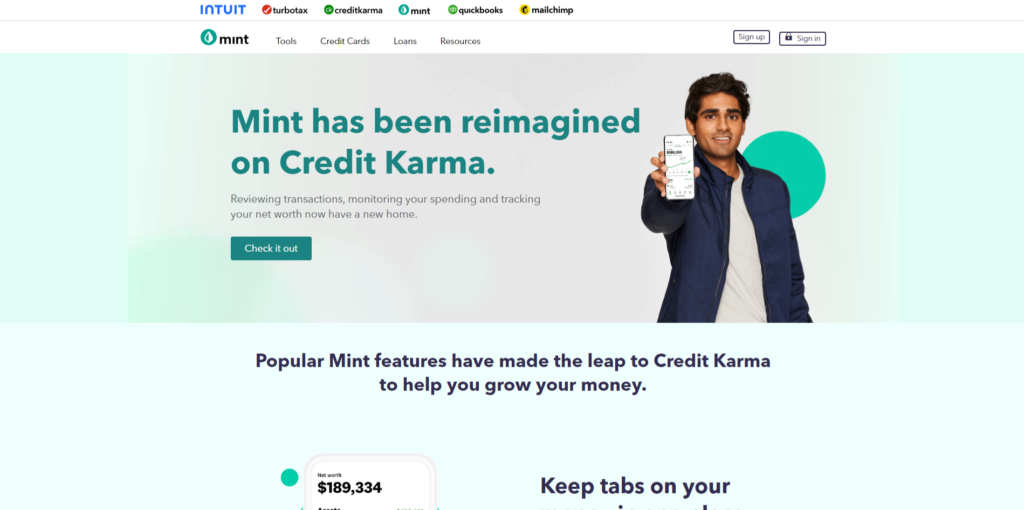
Image source
Mint, a free personal finance app, gained popularity for simplifying money management and saving. Acquired by Intuit Inc. in 2009, the creators of TurboTax, this mobile app is a budgeting tool that allows users to manage their spending with categorized budgets and savings goals. The Mint budgeting app syncs with your financial accounts, providing a comprehensive view of your financial health and total debt within the app. Its value lies in its ability to help users save money more effectively while enhancing financial literacy.
To utilize Mint, you must download the app and create an account. From there, you can establish a monthly budget, categorize expenses, track spending habits by category, and monitor your credit score. Mint offers features like bill reminders and alerts for exceeding your budget, incurring late fees, or nearing due dates for upcoming bills. Additionally, the app provides goal-setting tools to establish financial objectives and track progress.
What’s Going on with Mint?
In its initial announcement last November, Intuit revealed plans to integrate Mint into Credit Karma, also owned by Intuit, as a new “reimagined” product. Users will lose access to their Mint accounts on March 23, 2024, or sooner if they opt to switch to the Credit Karma app before that date.
For those sticking with Intuit, the company assures a smooth transition from Mint to Credit Karma. The app will notify users when they can transfer their financial account data. Once migrated to Credit Karma, users won’t be able to access Mint but can still download transactions.
Credit Karma will inherit some of the most popular features of Mint, and it will also introduce some new ones. Members can keep track of their spending and cash flow, and Credit Karma will use customer data to offer personalized recommendations, such as which credit card to use for rewards or what actions to take when an account balance is low. Credit Karma has also launched Intuit Assist, an AI-powered financial assistant that will help Credit Karma members with financial queries and decisions.
Using the app, users will get an overview of their finances, including average spending by category, transaction details, cash flow tracking, and insights into net worth. However, some budgeting features available in Mint will not be present in Credit Karma, leading many users to approach alternatives to Mint.
Best Alternatives to Mint in 2025
Once Mint closes its doors, numerous other budget apps are available to fill the void. Many alternatives to Mint, including various personal finance software and tools, offer similar features. Below is a list of options:
1. Credit Karma
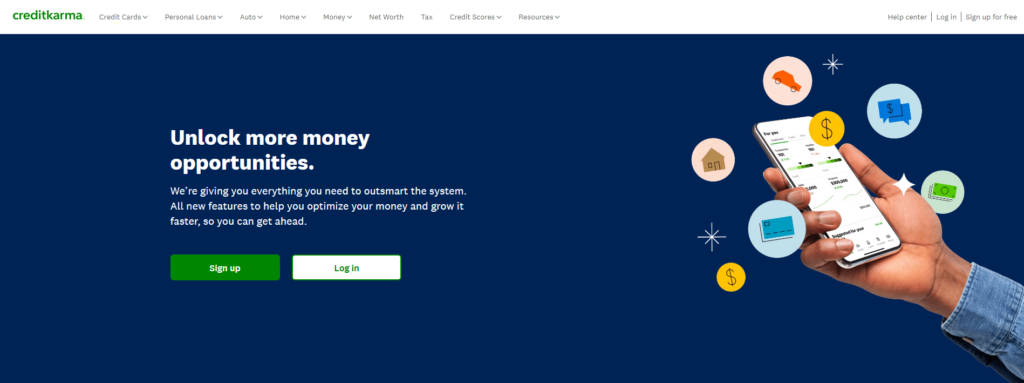
Image source
When you log in to Credit Karma, your credit score is the first thing you’ll notice, and a significant portion of the app is dedicated to helping you comprehend and enhance it. It achieves this by promoting wise decisions regarding your debt and financial products, such as credit cards, insurance, car loans, and mortgages. Credit Karma excels in tracking payments on existing credit cards and loans, a feature most competitors lack. Additionally, it offers a checking account tailored to assist individuals with low credit scores.
Continuously evolving, the Credit Karma app introduces numerous tools, products, and features, such as credit monitoring, Relief Roadmap, tax software, identity monitoring, etc., such as developing into a personal financial assistant for users. It actively seeks opportunities to optimize users’ financial situations. Currently, Credit Karma has approximately 130 million users.
Highlighted Features
- Access to Credit Information: Credit Karma provides free access to your credit information from two major credit bureaus, TransUnion and Equifax. You have the liberty to review your credit reports and scores as frequently as you like without it impacting your credit. Additionally, it offers insights into the factors that shape your credit score, including your payment history, how much credit you use, the age of your credit accounts, the variety of credit you have, and any new credit inquiries.
- Credit Score Simulation: With Credit Karma’s simulation tool, you can explore how various financial decisions might influence your credit score. This feature allows you to anticipate the effects of paying off debt, applying for a new credit card, or closing an existing account on your credit score.
- Personalized Credit Offers: Credit Karma evaluates your credit profile to recommend credit cards and loans tailored to your financial situation and preferences. It provides detailed information on interest rates, approval odds, rewards, customer reviews, and fees for each suggestion. It enables you to compare different options and understand their potential impact on your credit score.
- Credit Monitoring and Notifications: Credit Karma monitors your credit reports and scores and alerts you to any noteworthy changes or unusual activities. Alerts may include notifications of new accounts being opened in your name, changes in your credit score, or potential inaccuracies on your credit report.
Cost
Credit Karma offers its services for free, with optional premium features available for purchase.
2. YNAB
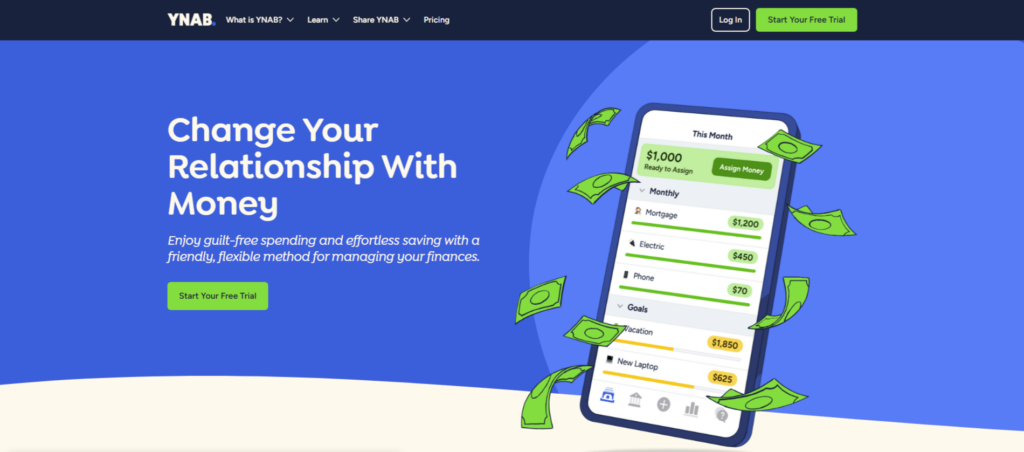
Image source
YNAB, short for “You Need A Budget,” is a budgeting app designed to help people manage their money effectively. Firstly, YNAB encourages users to assign every dollar a specific purpose, whether paying bills or saving for future expenses. It also assists users in preparing for significant expenses, such as car repairs or vacations, by spreading out these costs over time to make them more manageable. The app helps users reallocate their funds to maintain a realistic and valuable budget when circumstances change. Finally, It also teaches users to live on the income from the previous month, reducing stress related to financial uncertainty.
While Mint adopts a familiar approach to budgeting, YNAB introduces a more forward-thinking strategy that fundamentally alters the user’s perspective. Creating a budget isn’t just an option with YNAB—it’s the foundation of the entire platform and mindset. YNAB’s approach, known as “giving every dollar a job,” requires users to allocate their income to prioritized expenses before the month begins. Instead of merely tracking spending, YNAB emphasizes proactive decision-making to align income with priorities, fostering mindful spending habits.
Highlighted Features
- Forward-Thinking Budget Management: Using YNAB, you craft a budget based on your current funds, allocating every dollar to a specific role. By synchronizing your spending accounts, your budget stays updated in real-time across all your devices, allowing you to manage your budget wherever and whenever. For example, if your dining out budget is $200 and you’ve already spent $199, you might opt out of lunch. Likewise, you might decide to join if you’ve only spent $150.
- Expense Management: Deciding on your spending priorities is only one aspect of budgeting; tracking that your funds are spent as planned is equally critical. YNAB assists in monitoring your expenditures and organizing them into categories, providing insights into where your money goes. This streamlined process typically requires about 10 minutes a week to categorize all transactions, with many automatically categorized for your approval.
- Financial Health and Progress Reports: YNAB provides snapshots of your financial status, detailing your assets versus liabilities to determine your net worth. Subtracting your total liabilities from your assets calculates this figure. Including visuals like graphs and charts adds a motivational aspect to tracking your financial journey, enabling you to monitor details like your average grocery expenses and overall wealth growth in vivid detail.
- Goal Setting and Tracking: As you establish your budget, YNAB allows you to set specific goals for different budget categories, such as saving for a holiday or reducing debt, and monitor your progress toward achieving these objectives. When introducing a new budget category, you can define a goal, choosing from options such as saving for a specific purpose, accumulating a certain amount in savings, setting a monthly saving target, or establishing a debt repayment figure.
Cost
You can enjoy a 34-day free trial, followed by an annual subscription fee of $99, which equates to just $8.25 per month. Alternatively, you have the option of a monthly subscription at $14.99. Additionally, students who provide proof of enrollment are eligible for a complimentary 12-month subscription.
3. Rocket Money
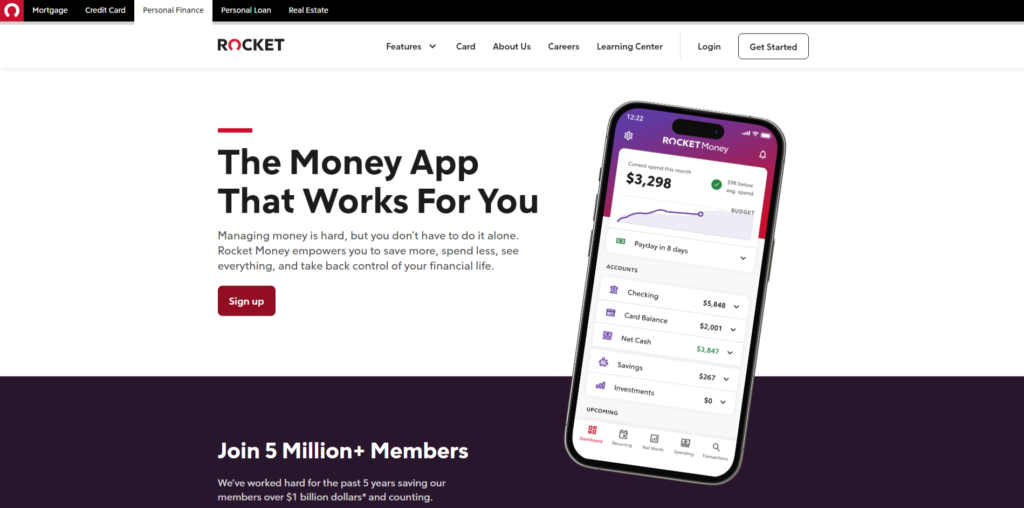
Image source
Rocket Money is a financial management and budgeting platform accessible via web browsers and mobile apps for both Android and iOS. While its standout feature is its ability to identify and assist in canceling monthly subscriptions, the platform is robust and comprehensive enough for most individual consumers. Users can track their credit score and expenses, budget by category, and view upcoming bills in advance, among other functionalities.
However, Rocket Money reserves some of its most valuable features, including the subscription-cancellation service, for its paid version. The free version offers basic budgeting functions like expense tracking, which may suffice for some users. On the other hand, the paid subscription, priced between $4 to $12 per month, unlocks advanced features such as custom budget categories, automated savings, and tracking of credit reports and net worth.
Highlighted Features
- Cross-Platform Accessibility: The Rocket Money application is accessible on a broad range of devices, including both iOS and Android smartphones and tablets, allowing you to choose your preferred device for usage. Additionally, it offers desktop browser access, which is advantageous for those who occasionally prefer the convenience of a larger screen. Note that opting for desktop/browser access requires the activation of two-factor authentication for added security.
- Credit Monitoring Services: Rocket Money offers services similar to Credit Karma, including the ability to monitor credit reports and scores. It facilitates staying informed about your credit status by enabling real-time alerts for any changes and providing access to your three major credit reports. This ensures that potential lenders see an accurate reflection of your financial standing.
- Subscription Oversight: Rocket Money excels in identifying and cataloging your recurring payments and neatly organizing your subscriptions and their due dates to help prevent late fees and overdrafts. A standout service is the provision of a personal “concierge” who can cancel any redundant or no-longer-desired subscriptions for you, a feature exclusive to premium members. While the concept of a digital assistant for subscription management is appealing, the necessity and efficiency of this service can be debated, especially when many subscriptions could be canceled personally with minimal effort.
- Negotiating Bills: Rocket Money also offers a bill negotiation service, potentially reducing costs on your behalf. However, it’s important to consider that Rocket Money retains a portion of the savings achieved through negotiation, ranging from 30–60% of the annual savings. For instance, should they reduce your phone bill and save you $175 over the next year, Rocket Money’s fee could be between $50 and $105. While the service may offer convenience, these savings, often limited to the first year, could likely be achieved independently, allowing you to retain the full financial benefit and ensure the negotiated terms fully meet your needs.
Cost
Rocket Money offers a free version. Users can upgrade to Rocket Money Premium for a monthly fee ranging from $4 to $12, with the option of $4 to $5 for annual billing. Users opting for the premium version can enjoy a 7-day free trial before committing to the subscription. Additionally, bill negotiation services are available, with costs ranging from 30% to 60% of the total savings achieved over 12 months through the negotiation process.
4. PocketGuard
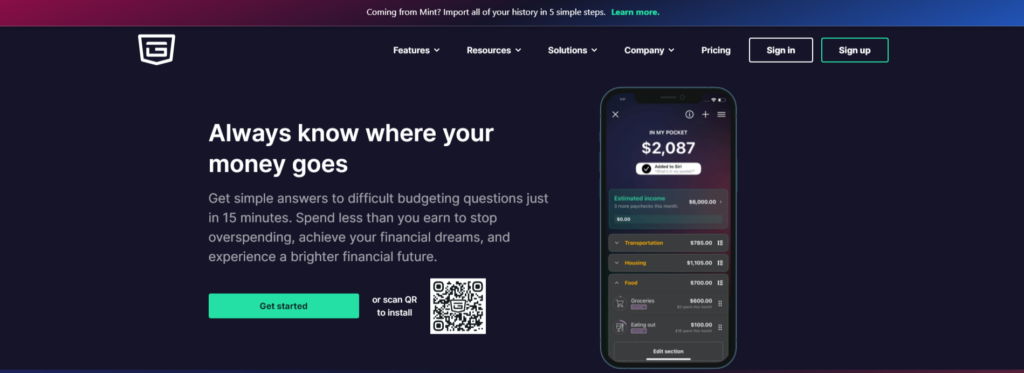
Image source
PocketGuard is known for its user-friendly interface, making it easy for anyone to navigate. The free version offers basic budgeting features, while the paid version includes unlimited savings goals, extended transaction histories, and debt payoff planning, distinguishing it from Rocket Money. However, unlike other budgeting apps, PocketGuard doesn’t offer a free trial, so you can’t test its premium features before committing.
Useful features like bill negotiation and spending insights cater to those looking to customize their budget, lower expenses, or save towards specific goals. With its straightforward interface, reasonable pricing, spending alerts, and personalized recommendations, PocketGuard is an excellent tool for enhancing your financial management.
Highlighted Features
- Bill Management and Reminders: This functionality assists in organizing your subscriptions and ensuring timely bill payments to evade late charges. It actively tracks your bills and subscriptions, offering automatic alerts prior to their due dates. Additionally, PocketGuard can negotiate your regular bills on your behalf to secure lower rates.
- Budgeting and Savings Objectives: PocketGuard, just like other tools in the list, synchronizes with your accounts to use up-to-date information, enabling the creation of budgets that reflect your real financial situation. Adding savings objectives into your budget is vital, and PocketGuard simplifies this process. You can set a savings target, link it to your bank account, and begin. Contributions towards this goal can be factored into the ‘In My Pocket’ feature to ensure adherence to your budget.
- Fraud Protection: PocketGuard includes a tailored fraud prevention algorithm that identifies potential fraud and alerts you, allowing you to contact your bank promptly. You also have the option to create a personal blacklist to block repeated fraudulent attempts.
- Debt Elimination Strategy: A key motive for budgeting with PocketGuard is to eliminate debt. The app aids in formulating a clear strategy for debt repayment, integrating this plan into your broader budgeting approach. You’re presented with various repayment strategies, such as the avalanche and snowball methods, and the app calculates the most effective approach for debt elimination.
- ‘In My Pocket’ Calculation: After inputting your recurring expenses, income, and savings objective, this tool uses an algorithm to determine your disposable income. It allocates funds to essential expenses and savings, showing the remaining amount available for daily expenditures.
- Expenditure Insights: PocketGuard employs graphical representations like pie charts and bar graphs to provide a clear view of your spending patterns. This visualization aids in identifying areas of overspending, enabling you to adjust your spending habits to stay within budget limits.
Cost
PocketGuard offers a basic version for free, which provides essential budgeting tools. For users looking to access more advanced features, PocketGuard Plus has pricing options at $12.99 monthly and $74.99 annually (around $6.25 per month).
5. Empower
Image source
Empower, formerly Personal Capital, serves as a comprehensive platform for managing banking and investment accounts. While initially focused on investment management, its budgeting and spending tracker is now free. However, its investment management services come with additional costs.
Empower’s strength lies in its investment tracking feature, setting it apart from other platforms. However, the platform can feel overwhelming, especially if you’re primarily interested in budgeting and spending tracking.
While you can connect all your accounts for free and monitor transactions, you may find that Empower lacks the robust expense-tracking capabilities in Mint. Additionally, unlike Mint, which provides a free credit score option, Empower does not offer credit monitoring. Empower may be suitable for individuals looking to track both spending and investing. However, you may want to explore other options if you’re seeking detailed spending and expense-tracking features.
Highlighted Features
- Various Financial Management Tools: Empower stands ready to assist you at any stage of your financial path, offering an array of tools designed to handle your cash and pave the way for future financial success. Whether it’s planning for retirement, calculating your net worth, managing investments, or organizing your budget, Empower provides the resources to monitor your current funds while fine-tuning your financial strategies for the days ahead.
- Retirement Management: Empower’s retirement and investment planning resources are notably impactful, particularly as they are offered at no extra cost. The retirement planner allows you to envisage various future scenarios, account for significant outlays to understand their effect on your retirement plans and estimate your monthly income post-retirement. It even enables you to assess the potential consequences of an economic downturn. On the investment front, Empower analyzes your investment mix, suggests an asset distribution approach aligned with your objectives, and identifies any concealed charges.
- High-Yield Cash Deposit: The Empower Personal Cash feature allows your money to grow at up to 4.70% APY without requiring a minimum deposit or imposing monthly fees. Federally insured by the FDIC up to $5 million, this cash management solution offers a combined account option for families that encompasses direct deposits, BillPay, and savings functionalities. While it defies traditional categorization as either a checking or savings account, it represents an excellent opportunity for accruing substantial interest on your funds monthly, free from any deposit or withdrawal restrictions.
- Wealth Management Services: For clients with investment assets starting at $100,000, Empower opens the door to complimentary financial analyses and eligibility for tailored wealth management plans. Depending on your asset level, options range from access to a team of financial advisors to personal financial advisor services, tax efficiency strategies, and ongoing monitoring and adjustment of your portfolio. The service fees begin at 0.89% for assets up to $1 million, with reduced rates for high-net-worth clients exceeding the $1 million threshold.
Cost
Using the Empower investment app is completely free, with all financial tools provided at no charge. The only potential fees you might encounter are associated with wealth management services, which amount to 0.89% for portfolios valued under $1 million.
6. Monarch Money
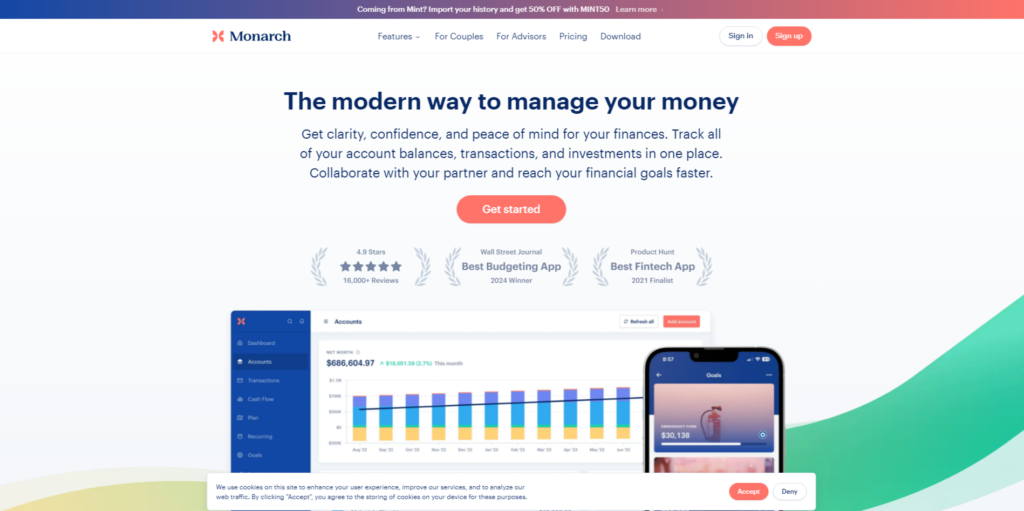
Image source
Monarch Money offers a comprehensive overview of your finances, similar to Mint. It allows you to link all your financial accounts, such as bank accounts, credit cards, investments, and loans, to track your net worth in one centralized location. Additionally, you can connect to Zillow Zestimates to monitor your property values if you own real estate. For alternative investments, you can manually add them to ensure your net worth is always up-to-date.
Using AI and transaction rules, Monarch automatically categorizes your spending, providing you with a clear understanding of your spending patterns.
Highlighted Features
- Seamless Financial Integration: Monarch effortlessly integrates with your diverse financial accounts, including credit cards, savings accounts, loans, and checking accounts across various institutions. This unified view lets you comprehend your full financial landscape and monitor your net worth progression.
- Tailored Budgeting with Custom Categories: With Monarch, you have the liberty to craft custom budget categories, enhancing the personalization of your budgeting process. It offers both monthly and yearly budget visualizations, alerts you when you deviate from your financial targets, and supports customization with emojis for an engaging experience. The automatic sync with your bank accounts eradicates the hassle of manual data entry.
- Optimized for Couple’s Financial Management: Monarch is sculpted with couples in mind, providing tools that encourage joint budget management. It fosters financial communication and planning between partners through collaborative features and monthly finance summary emails, aiding in setting and achieving shared financial goals.
- Advanced Reporting Capabilities: Monarch has detailed reporting functionalities allowing an in-depth analysis of your spending habits, cash flow, and financial trends. You can generate comprehensive charts by accounts, budget categories, merchants, and more, including Sankey diagrams for an insightful depiction of your expenditures.
- Streamlined Goal Setting and Monitoring: Monarch simplifies setting and monitoring financial objectives. Whether you’re saving for a holiday, building an emergency fund, or planning for future expenses, you can customize your goals with images to represent your saving ambitions, making it easier to stay motivated and on track.
Cost
Monarch Money offers users two primary options: a free version and a premium plan with a 7-day free trial. The free version grants users access to the app’s fundamental features at no charge, allowing them to explore its capabilities without incurring any immediate expenses. For individuals desiring enhanced financial insights and advanced functionalities, the premium plan is accessible at a subscription fee of $14.99 per month or $99.99 annually, with a 30-day refund policy.
7. Simplifi
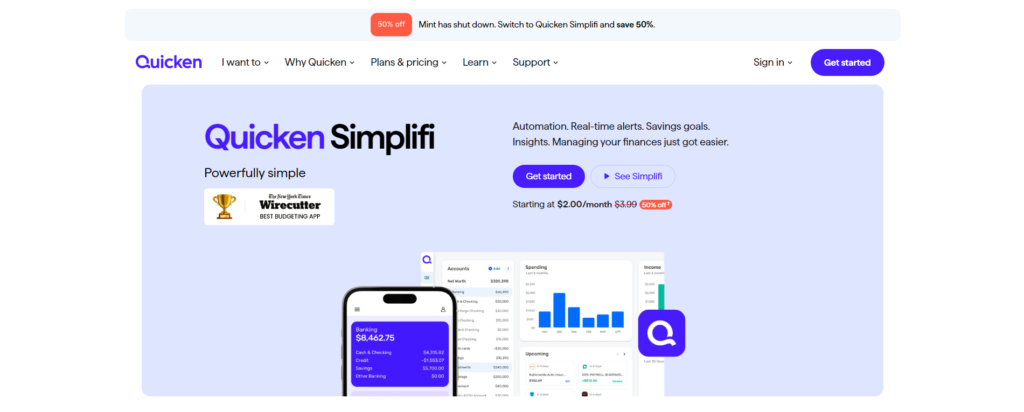
Image source
Quicken Simplifi, a new addition to the personal finance space from the well-known Quicken brand, is a mobile budgeting app designed to track spending, categorize expenses, set savings goals, and generate customizable reports to provide a comprehensive financial overview.
The app offers real-time alerts for low balances, upcoming expenses, and approaching spending limits, ensuring users stay informed about their financial status. While Quicken Simplifi automatically categorizes spending, it also provides ample customization options to track spending habits effectively.
Quicken Simplifi has certain limitations compared to Mint, such as a cap of 10,000 transactions per import and the need to manually set up recurring reminders for uploaded data. However, Quicken offers Mint users free access for one year if they import their Mint data within three months of signing up.
Highlighted Features
- Comprehensive Financial Overview: Connect seamlessly with over 14,000 financial institutions, allowing you to gain an instantaneous, comprehensive snapshot of your finances by integrating your accounts. This capability enables you to discern patterns in your income, expenses, and overall net worth with precision.
- Monitor Spending and Enhance Budgeting: Implementing a fundamental budget is key to effectively managing your earnings and expenditures, ensuring your spending does not exceed your income. Utilize this feature to categorize and monitor your spending patterns over time, facilitating better financial control.
- Set and Fulfill Personal Financial Goals: Simplifi allows you to outline goals for various financial aspirations—preparing for retirement, saving for a home down payment, budgeting for a vacation, or funding your dream wedding—so setting your sights on specific milestones is straightforward. It is designed to guide you toward realizing these objectives, offering support every step of the way.
- Establish and Reach Personal Financial Milestones: Define your financial targets with precision, whether related to retirement planning, accumulating a down payment for a house, organizing a vacation, or planning your wedding. By setting clear goals, Simplifi is your partner in navigating towards these achievements, providing structured assistance to ensure success.
Cost
Starting in February 2024, Quicken Simplifi’s budgeting app offers a monthly subscription fee of $2.99, billed annually. Additionally, Quicken Classic offers a Premier plan priced at $4 and a Deluxe plan at $3.
You can enjoy a 30-day free trial, which you can cancel anytime before the billing date to avoid charges.
8. Goodbudget
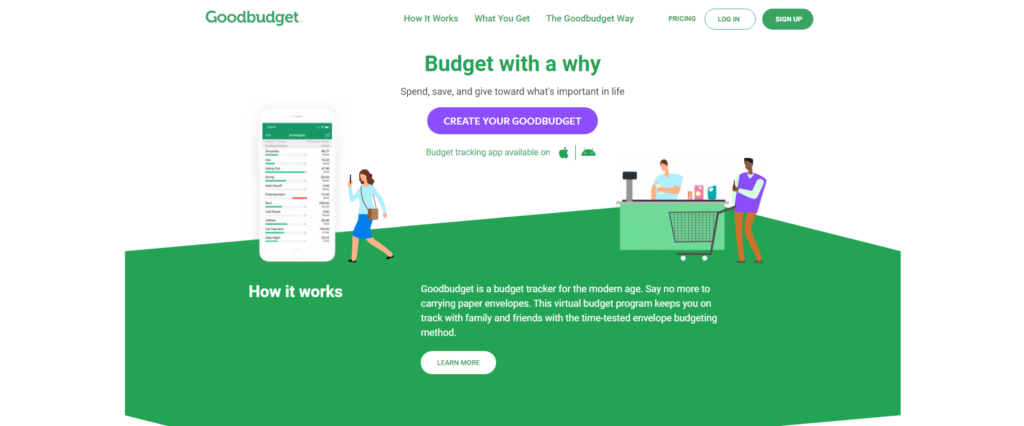
Image source
Goodbudget is a budgeting app accessible on both iOS and Android platforms. It operates on a virtual envelope system, akin to the traditional paper method but with the convenience of digital technology. With Goodbudget, users can allocate their income into various categories and monitor their spending to ensure they stay within budget for each category.
While Goodbudget may lack some of the advanced features found in other Mint alternatives, it remains a practical choice for families seeking to manage their finances effectively and achieve their savings objectives.
Highlighted Features
- Tailored Device Settings: Goodbudget offers the flexibility to conceal certain bills on selected devices to help manage your spending better. Imagine wanting to reserve an envelope for specific purposes that are out of immediate reach — you can easily hide this envelope within the app on your smartphone. However, for those thorough monthly financial reviews, you can access all information on other devices like tablets or desktops, ensuring full control over what’s visible and when.
- Comprehensive Online Access: With Goodbudget, your entire financial overview is accessible from any computer with internet connectivity. This feature ensures that even without your mobile device, you can always check in on your budget, making financial management more flexible and always within reach.
- Collaborative Budget Management: Transform budgeting into a collaborative effort within your household with Goodbudget’s budget sync feature. Whether with a roommate or family member, sharing and aligning on budgetary objectives becomes straightforward, allowing for unified management of expenses, bill payments, and savings targets.
- Enhanced Spending Insights with Location-Based Reminders: Goodbudget enhances your budgeting tools by allowing you to add location-based reminders for transactions. If you frequent a particular place, Goodbudget can prompt you with how much you typically spend there, automatically incorporating it into your budget tracking. It’s also handy for comparing spending across similar venues, like coffee shops, helping you make more cost-effective choices based on your spending history and preferences.
Cost
Goodbudget offers both a free version and a paid version called Goodbudget Plus.
The free version includes ten regular and ten other envelopes, one year of transaction history, debt tracking, community support, and access on up to two devices.
For enhanced features, the premium version, Goodbudget Plus, is available for $8 per month or $70 per year. It includes unlimited envelopes and accounts, access on up to five devices, and seven years of transaction history.
Tips on Choosing the Best Budgeting Tool
Before downloading any budgeting app, it’s essential to consider several factors that will influence your decision. Here are some key features to look for in a budgeting app:
- Look for Free/Trial-Based Tool:
Many budgeting apps offer a free version or a free trial, which can be a great starting point. However, it’s essential to consider that free apps often come with limitations or in-app advertisements.
While paying for a budgeting app might seem counterintuitive, the premium services offered by subscription-based apps can often justify the monthly or annual fee. Before committing, ensure that the app you’re considering offers a free version or free trial so you can test it out before making a financial commitment.
- Straightforward Budget Reports
Ensure that the budgeting software you select provides simple reports to track your budgeting progress monthly, quarterly, and annually. If you’re vigilant about monitoring your spending, opt for software that offers weekly reports or a real-time dashboard for quick insights into key budget categories. Basic reports typically display the budgeted amount, actual spending, and the variance between the two, with the flexibility to adjust the time frame as needed.
While it’s crucial to access straightforward budget reports, you may also require more detailed insights occasionally. Reliable budgeting software should offer options for generating detailed reports. If you prefer printing them, ensure the software supports this feature, as some may only provide on-screen reports.
- Secure Financial Data Handling
Data encryption is essential, especially if you link your accounts to the budgeting software. The only exception to this rule is software that relies on manual transaction entry. Review the privacy or security statement provided by the budgeting software to understand how your information is accessed and whether it’s protected with encryption.
- Credit Card and Bank Account Syncing
Many budgeting apps offer the convenience of syncing with your bank accounts and credit cards, automatically tracking your income and expenses. However, some apps require manual transaction entry, which can be time-consuming and challenging to maintain.
When selecting a budgeting app, prioritize those that sync with your accounts or provide the option for manual entry, giving you the flexibility to choose the method that suits you best.
- Data Export Capability
Most budgeting software allows you to export your data to a CSV file, which is compatible with spreadsheet software like Excel. This feature is particularly useful if you anticipate not using the software long-term. Should you decide to switch to another budgeting or personal finance software, having your data in formats such as CSV or QIF can save you hours of data entry.
While spreadsheet usage may be less common among casual budgeters, it is a valuable tool for those focused on in-depth financial analysis. If you fall into this category, pay close attention to the software’s export options.
Conclusion
Many people who used Mint to manage their finances are now looking for alternative budgeting tools since Mint closed in March 23, 2024. While Credit Karma is a popular choice, several other budgeting apps have compelling features and benefits to consider.
Credit Karma is a budget management and credit monitoring platform that offers personalized financial recommendations and insights to over 130 million users. YNAB focuses on proactive budgeting, encouraging users to assign every dollar a job and be mindful of their spending habits. Rocket Money’s subscription-cancellation service and cross-platform accessibility stand out from other apps, while PocketGuard excels in bill management and fraud protection.
Empower, Monarch Money, Simplifi, and Goodbudget all have unique features tailored to different financial needs, such as investment tracking, collaborative budgeting, and enhanced spending insights. Ultimately, the best budgeting tool depends on personal preferences, financial goals, and desired functionality.
When choosing a budgeting app, consider cost, ease of use, security measures, and compatibility with your financial habits. With the right budgeting tool, managing finances can be more effective, allowing you to reach your financial goals confidently.
Frequently Asked Questions
What is a suitable replacement for Mint?
While there are numerous alternatives to Mint, many top choices come with a price tag, unlike Mint’s free service. The most suitable option for you depends on your budgeting style and preferences. Given that many budgeting apps offer free trials, trying out a few is beneficial to discover the one that best fits your needs.
Are money budget apps safe?
Leading budgeting apps employ bank-level security measures to safeguard your data, although they are not entirely risk-free. Like any digital tool, they may be vulnerable to various security threats. However, many employ robust encryption and security protocols to protect user data.
Can I keep using Mint?
Mint will be discontinued on March 23, 2024.
Why are budgeting apps beneficial?
Budgeting apps offer an effective means to manage your finances. Typically, they sync with your banking, credit card, and investment accounts, enabling them to track your expenditures and provide insights into your progress toward achieving savings objectives.
What is the best and safest budget app?
Among the options listed, the top 5 best budgeting apps are: – Rocket Money – Simplifi – YNAB (You Need a Budget) – Monarch Money