


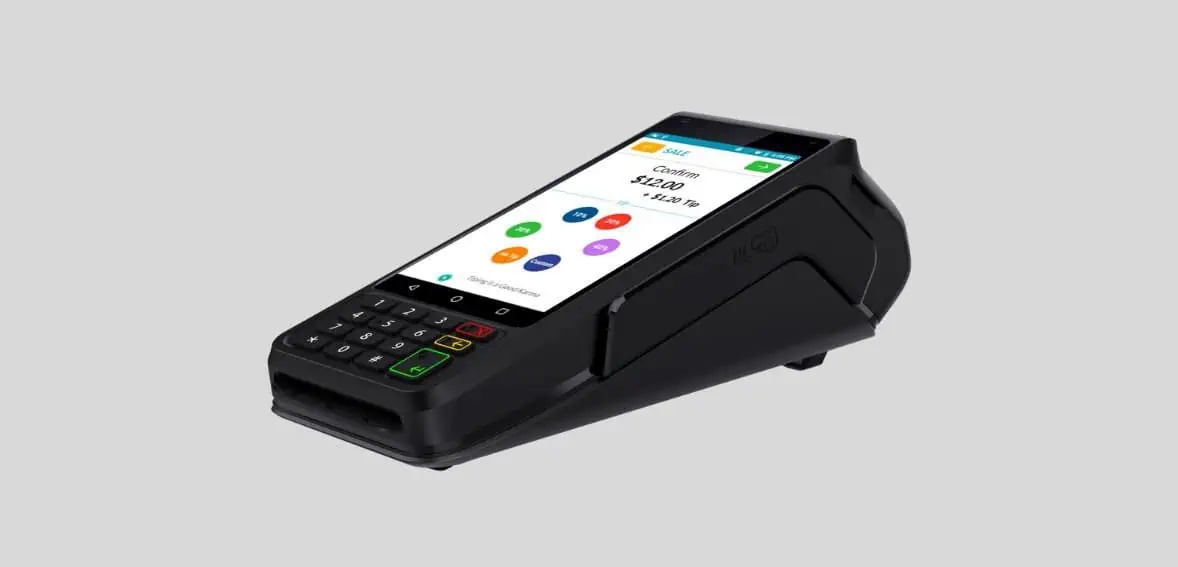
Dejavoo P1 Android Terminal Quick Reference Guide
Posted: February 12, 2024 | Updated:
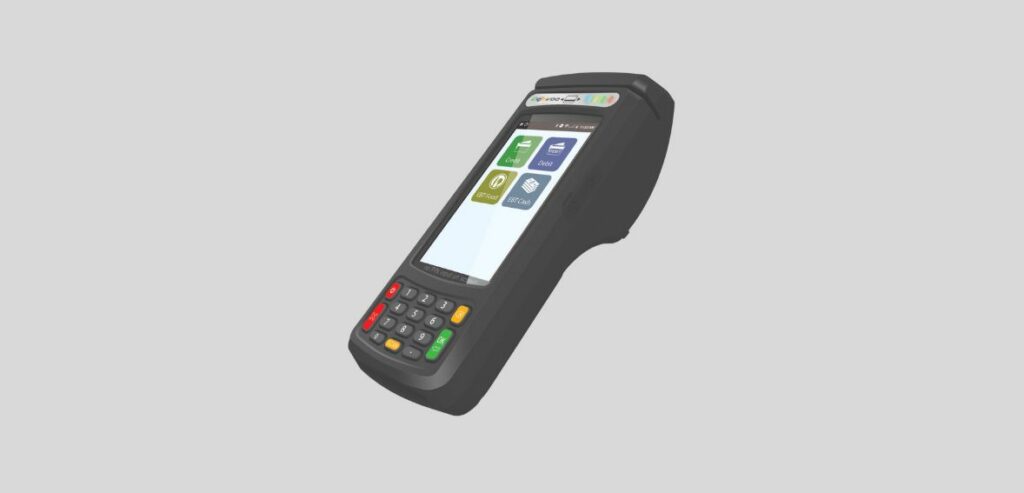
Boost your payment-accepting ecosystem with the Dejavoo P1 Android terminal. This modern countertop payment platform is built to elevate businesses by offering a strong transaction base. It’s backed by the iPOS Pays Gateway, allowing fast transaction processing and helping customers quickly finish their purchases.
Featuring the 4G technology, the Dejavoo P1 is a forward-looking solution that embraces the future of businesses. Its high-tech capabilities make it the perfect choice for businesses that want to stay in a changing market. Opting for this terminal can provide insightful service to your customers, paving the way toward success.
Key Features Of The Dejavoo P1 Android Terminal
The Dejavoo P1 Desktop Android is highly regarded for its range of features that greatly enhance its functionality, making it an excellent tool for businesses.
- Versatility At Its Core:
One of the standout qualities of the Dejavoo P1 is its versatility. This device seamlessly adapts to situations, effortlessly transitioning between being a standalone unit and integrating into existing POS systems. This level of flexibility allows businesses to meet their needs and requirements easily.
- User-Friendly Interface:
Another notable feature of the Dejavoo P1 is its user interface. With an amazing display and a powerful navigation system that is easy to use, accepting payments becomes a smooth process. As a result, customers enjoy an experience when making transactions.
- Diverse Payment Options:
This device makes it possible to accept different payment options, according to the choice of your customers, by supporting various types of cards such as EMV chip cards, contactless payments, or traditional magnetic stripe cards. It is useful because many businesses can accept a wide range of payment options, making it a convenient option for both buyers and sellers.
- Ultimate Security Level:
Dejavoo P1 has incorporated end-to-end encryption technology to enhance security in payment processing. This feature ensures that customers’ sensitive material is well protected from any leakage during transactions, building trust between firms and consumers alike.
- On-the-Go Connectivity
Dejavoo P1 provides wireless connectivity through options such as Wi-Fi, and Bluetooth for businesses on the move. This feature enables businesses to be free from a permanent location making it perfect for businesses like food trucks and consultancy services.
- Tailored Receipts
Dejavoo P1 facilitates customizable receipts. Businesses are able to brand receipts with their logo and add transactional information needed while interacting with customers individually. The receipt printer is an inbuilt one thus printing can be done quickly after every sale to give excellent customer service delivery that is uninterrupted and professional at all times.
How Do You Set Up The Dejavoo P1 Android Terminal?
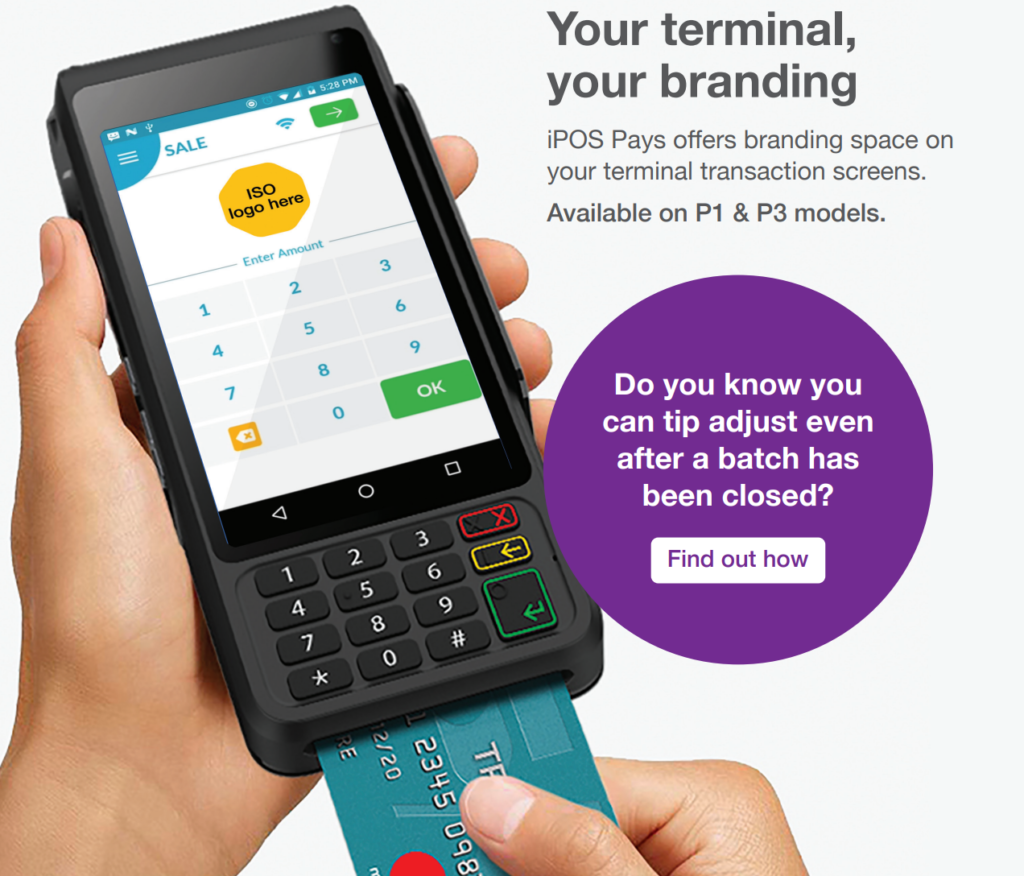
Image source
Setting up the Dejavoo P1 is a straightforward process that will have you accepting payments in no time. First, ensure you have all the necessary components: the Dejavoo P1 device, power adapter, and ethernet cable and then follow these steps:
- Start the setup by plugging one end of the ethernet cable into your router or modem, the other end into your Dejavoo P1’s Ethernet port. This helps with a reliable internet connection and great performance.
- Then, hook the power adapter to an electric socket and connect it to your Dejavoo P1. Once it powers up, a simple interface helps with the setup step by step.
- Complete setup by doing as the screen suggests: customize settings like language choice and receipt options. Also, type in the merchant account info your payment processor gave you.
- After adjusting all configurations, do a trial transaction to check everything works smoothly. The Dejavoo P1, made for convenience and dependability, suits businesses big and small.
Connecting To Wi-Fi And Network From Dejavoo P1 Android Terminal
Setting up the Dejavoo P1 is a breeze, and one of the most crucial steps is connecting it to your Wi-Fi network. With its built-in Android operating system, the Dejavoo P1 gives you the flexibility to connect wirelessly, ensuring that you can process payments smoothly. Here are some things that you should remember before connecting to Wi-Fi:
- To connect your device with Wi-Fi, get to the settings menu. Click on the “Wi-Fi” option and then search for networks. When you find your desired network, type in the password and wait for a successful connection.
- Flawless transactions with Dejavoo P1 need a steady network connection. You can however try moving closer to your router or try restarting the router and the device should you experience any connectivity concerns.
- Dejavoo P1 goes further than Wi-Fi by providing Ethernet connectivity options that come in handy when a reliable wired connection is necessary.
- Ensure that Dejavoo P1 is securely connected to your chosen network option, whether Wi-Fi or Ethernet, so as to comfortably process payments without any disruption or holdups.
Navigating The User Interface Of Dejavoo P1 Android Terminal
Using the Dejavoo P1 Desktop Android is easy owing to its simple design and layout. Once the Dejavoo P1 switches on, a lively home screen pops up. It has shortcuts for tasks like payments, managing stock, and reports. Just tap the app you want to use, and it’s open!
The main menu houses shortcuts for key tasks, such as sales, refunds, clearing sales, and daily sales settlement. Each shortcut has a clear icon, making it simple to get around.
For payments using credit or debit cards, choose the “Sales” option. The menu that appears is easy to understand. You can input transaction information like product details and price, with options for tap-and-go payments. If you need to adjust settings, the “Settings” option in the main menu lets you tweak Wi-Fi, manage linked gadgets (including printers or cash boxes), and refresh software, all in a few taps.
Using the Dejavoo P1 Desktop Android is enjoyable since its design makes navigation a breeze. Even if you aren’t familiar with similar gadgets, you can easily use the various features, from processing payments to managing inventory. With everything just a few taps away, using this feature-filled gadget is enjoyable!
Accepting Payments With The Dejavoo P1 Android Terminal
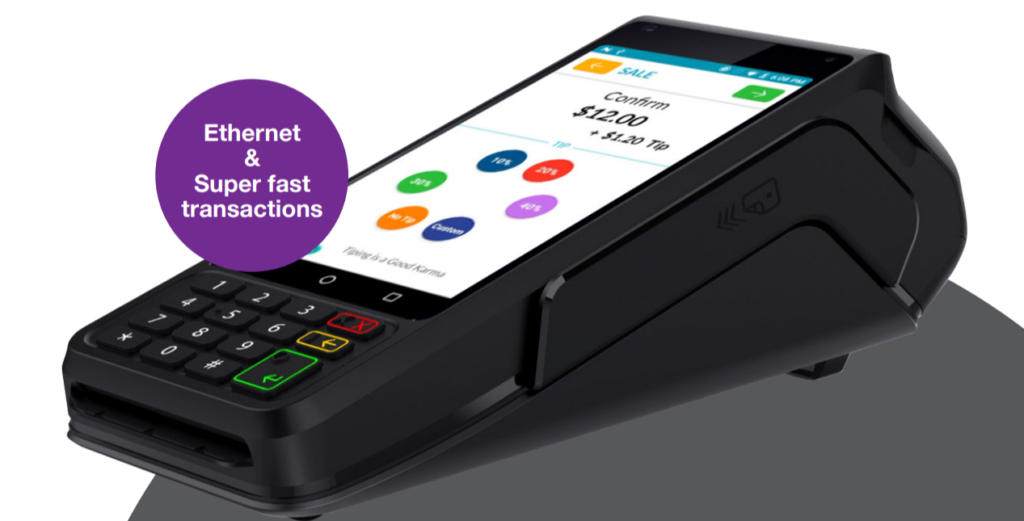
Accepting Payments with the Dejavoo P1 is a breeze, thanks to its user-friendly interface and intuitive design. Whether you’re running a small business or managing a bustling retail store, this versatile device allows you to process payments from your customers seamlessly.
- Initiating Payment Processing: To initiate payment acceptance through your Dejavoo P1, simply click on the “Payments” icon placed on the main screen. By doing this, you will be taken to a list of payment options that include credit card transactions, mobile wallet payments, and contactless payments that use NFC technology.
- Entering the Transaction Amount: Once you have chosen the preferred payment method, input the transaction amount and follow the prompts displayed on the screen. The Dejavoo P1 is ready for both chip-enabled cards and traditional magnetic stripe cards so that it can be compatible with different forms of payments.
- Confirmation of Payment: After selecting the payment method, it’s time to confirm the transaction by cross-verifying the amount and inputting the PIN. Once the customer enters the PIN, the transaction is confirmed.
- Printing the Receipt: With its inbuilt receipt printer and rapid processing capabilities, Dejavoo P1 guarantees promptness when finalizing transactions. The security as well as encryption measures are good for this reliable device; meaning any fraud that may arise in relation to any payment made is prevented from happening or even spreading further.
The Dejavoo P1 is really simple that its payments can be accepted without any difficulties – all you need to do is just touch the screen, pick the method of payment you like, type in the amount and follow instructions; it could not be any simpler! This powerful tool will solve either onsite transactions or online purchases through built-in e-commerce systems like Shopify or WooCommerce. Therefore, what are you waiting for? Incorporate smooth payment processes with your Dejavoo P1 Desktop Android today and improve your business immediately.
Standard Troubleshooting Issues And How To Resolve Them On Dejavoo P1 Android Terminal
Having trouble with your Dejavoo P1 Desktop Android? Don’t worry, we’ve got you covered! While the Dejavoo P1 is known for its reliability and user-friendly interface, there may be times when you encounter some common issues. Here are a few troubleshooting tips to help you resolve them quickly.
- When it comes to connecting their Dejavoo P1 to Wi-Fi or a network, users often experience challenges. If you are grappling with this one, first of all, ensure that your device is within the range of a solid internet connection. Double-check the entered Wi-Fi password for accuracy and make sure nothing is obstructing.
- Besides that, another issue that can cause issues is slow performance or freezing of the device. To solve this, try doing a simple restart by pressing and holding the power button until your device shuts down completely. Then switch it on again and see if it still has problems.
- If you run into difficulties processing payments using your Dejavoo P1, confirm that all connections are promptly connected and the respective ports are placed correctly. Also, make sure your payment software is up-to-date because earlier versions may be incompatible.
- In case you get an unresponsive screen or error displaying screen, consider factory resetting the device. Remember to backup crucial data prior to carrying out this operation as all settings will be erased.
- Sometimes printing issues may arise such as wrong receipts or failure to print receipts at all. Check if there’s enough paper in the printer tray without any jamming parts then refilling both printer hardware and software can usually fix such issues too.
Tips for Maximizing the Use of Your Dejavoo P1 Android Terminal
- Personalize Your Interface:
With the Dejavoo P1, you can easily adapt its interface to match your business needs. You can take the time to arrange icons, add shortcuts, and personalize settings. This will enhance not only their look but also allow them to be used in different ways improving on efficiency through navigation.
- Embracing Reporting Tools:
Get valuable insights into how your business is performing by using the powerful reporting tools available within Dejavoo P1. Through these reports, one will be able to scrutinize sales trends and top-selling items or services as well as monitor employee performance. By keeping track of metrics such as these and others like inventory management decisions, marketing strategies and staff training your business can improve and flourish.
- Implementing Loyalty Programs:
The built-in feature in Dejavoo P1 allows loyalty programs that boost customer retention and sales. For instance, there are rewards programs such as points accumulation or discounts for frequent customers that improve customer satisfaction and encourage repeat sales.
- Stay Updated with Software upgrades:
Keep your Dejavoo P1 device at an optimal level of operation through constant checking for software updates from the manufacturer. Such updates include bug fixes, feature enhancements, or security patches which ensure that everything in your device runs without hitches.
- Conducting Effective Employee Training:
For companies that have multiple employees who use the Dejavoo P1 system, host comprehensive training sessions. All functionalities and best practices for payment processing should be known by workers. Having a well-trained staff is crucial because they help process transactions more efficiently leading to excellent customer service thereby maximizing returns from using Dejavoo P1.
Conclusion
The Dejavoo P1 Desktop Android is a handy and strong gadget that simplifies transactions for businesses for both big organizations and SMB businesses. With an easy-to-use display, compatibility with multiple payment systems, and a wealth of features, it’s a solid pick for shop owners aiming to simplify their workflow.
By adhering to these pointers and utilizing the features this cutting-edge device provides, your business’s transaction process experience can be improved, making transactions effortless for your customers.
It is important to keep your Dejavoo P1 up to speed with the freshest software drops from Dejavoo Systems for the best results. Frequently scanning for any new updates or features they may offer is beneficial. So why delay? Discover what your business is truly capable of today with the high-powered features of the Dejavoo P1 Desktop Android!