


Can I Use Zelle for Small Business Transactions?
Posted: January 27, 2023 | Updated:
Zelle is a peer-to-peer (P2P) payment solution that, like PayPal, Venmo, and other well-known mobile payment choices, may speed up payments to send money to individuals or help you handle your small business payments more effectively—all without charging any fees. Zelle for small business is becoming popular in the business sector for various reasons, such as high security, instant transactions, and economical transaction fees.
Understanding Zelle’s operation will help you use their product effectively once you start using it in your business. Before sending or receiving your first payment, take note of the following information.
What is Zelle?
The mobile payment app Zelle for business enables peer-to-peer (P2P) services offering instant transactions, which make it easier to transfer money without using cash or visiting a bank. Users sent more than $187 billion using Zelle in 2019, up 57% over 2018.
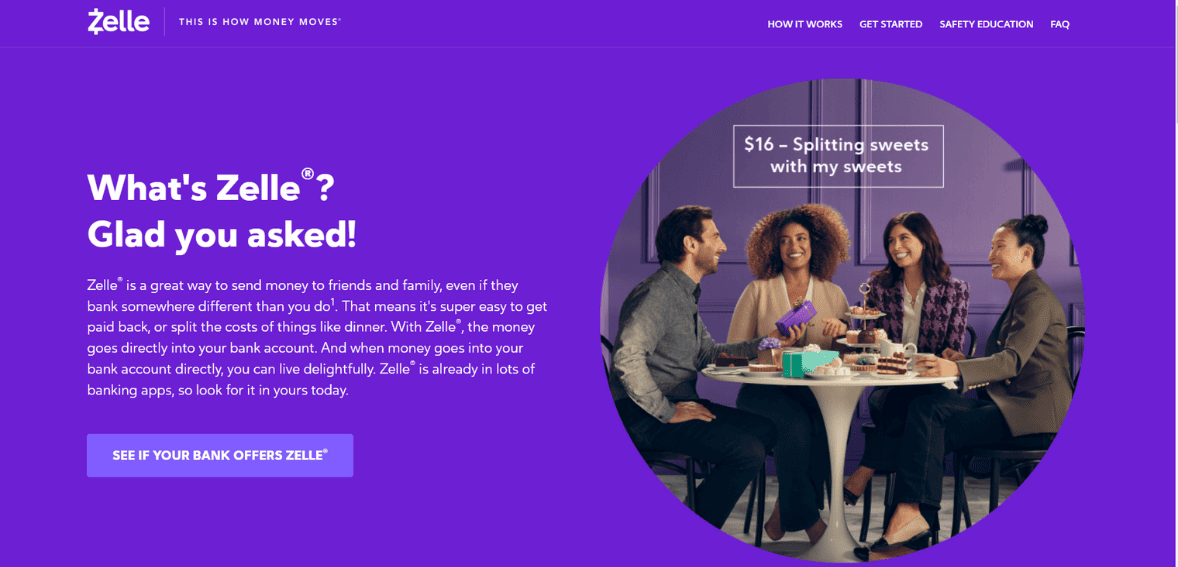
Zelle is linked with more than 30 banks and it is a standalone app you can install on cell phones. Several major financial institutions, including Chase, Bank of America, Wells Fargo, Capital One and Citi, have integrated the service into their mobile banking applications. You can access Zelle for business app within the existing bank’s mobile app if it is installed on your phone.
Benefits of Zelle for Business
Setting up the Zelle app is simple, all you need to do is add your contact and financial information. You can send, receive, or share expenses with others. These chores are easy to complete, and the program will lead you through them. Furthermore, using Zelle is entirely free. Here are some benefits of Zelle:

- Secure Network
Zelle doesn’t store any of your personal information, which is one of the ways it positions itself as a secure money transfer software. Your information is kept private with your bank and is never made available to Zelle. An instant money transfer’s drawback is that you might be unable to reverse the transaction. Because of this, you must be familiar with and confident in the recipient of your money.
- There are no fees
It costs nothing to download or use Zelle. Unlike other payment apps, you don’t have to pay fees for every transaction with Zelle. Despite this, it’s wise to contact your bank beforehand to make sure there are no money service costs.
- Connect with Bank Applications
Various banks have integrated Zelle with their banking apps. If you bank links with Zelle, you don’t have to download a separate app to access the platform. Its website cites hundreds of banking partners and claims that 100 million consumers can use their banks to access Zelle. There is no intermediary, unlike other banking apps. The recipient’s account will immediately receive the funds when it is sent.
- No Receiving Limits
There are no receiving restrictions with Zelle, so you can accept any money someone is willing to send you. There are, however, sending caps, which differ per bank. Sending and receiving constraints are in place for other applications, such as Cash App, until users confirm their identities.
- No Banking Details are Required to Receive
You can send money without having the recipient’s financial information on hand. Simply knowing their email address or phone number will do. In addition to handling the rest, Zelle will SMS or email the receiver once they receive their funds.
- Instant Money Transfer
Sending money quickly is made easy with this payment method. Most of the time, people who signed up for Zelle can have a money transfer in just a few minutes. This makes managing your finances and money transfer needs simpler.
Disadvantages of Zelle for Business
Here are some disadvantages of Zelle:
- Lack of Purchase Protection
Zelle doesn’t protect payments, and your purchases cannot be undone. When using Zelle to make purchases, only send money to trustworthy people. Customers can choose a reliable option with refund guarantees.
- Available in US Only
With Zelle, you can only use specific networks linked with financial institutions within the United States. This means you cannot use international bank accounts. The service is, therefore, unsuitable for businesses looking to expand worldwide.
- Non Supportive of Credit Cards
Zelle does not accept credit cards for payment because it is an instant money transfer service. Other P2P services, such as Venmo and PayPal, will connect with credit cards for a fee. Customers can complete transactions using credit cards.
Can I Use Zelle for Small Business Transactions
The answer to this question depends on various factors. You can use this tool only if the financial institution where you have your business bank account allows Zelle for commercial users. For clarity, consumer (person-to-person) transfers are available from all banks connected to the Zelle network. However, not all banks that are Zelle members provide this service for business-to-business or business-to-person transfers.
The second limitation is that Zelle is only compatible with American-based bank accounts. Zelle will not function if you want to send or receive money from someone outside the United States.
Contact your bank to learn if using Zelle for business is permitted.
How Zelle for Business Works?

Zelle interlinks participating banks with banking applications to simplify payment transactions for small businesses. With this payment tool, you can send and receive money by assuming the customer and business accessing Zelle using mobile banking apps:
- The consumer enters the contact information and payment amount and then transmits the money.
- The business gives the customer access to its Zelle contact information, often a phone number or email address associated with the account. First-time recipients, Zelle frequently text or call a security code to confirm the transaction.
- Zelle will notify the recipient, the employer, or the employee that the payment has been received. This notification is often sent through text messages.
Is Zelle for Business safe?
Yes, in general, using Zelle for business is safe.
Banks created the program, and safety was given top priority during development. For instance, the payment processor uses data encryption to protect the information of its clients. This implies that the user’s personal information is never in danger of being disclosed.
However, there are some hazards associated with using Zelle for business. The most considerable security risk with Zelle is being a victim of scammers.
Because the bank won’t cover any purchases you make through Zelle, some banks, including Chase, advise against doing this and suggest that you only send money to persons you know and trust. PNC asserts that it cannot compensate you for a transaction made through Zelle if you don’t receive the item.
As a result, some banks advise against using Zelle for businesses to pay for goods or services.
You should keep fraud in mind to utilize Zelle to make online purchases. One benefit of the service is that payments may be made quickly and conveniently without providing account information, but there are cons.
Nothing is in place to safeguard your payments once they have been received, including a chargeback option, transaction status, or transaction history.
You should be able to avoid this problem if you take the banks’ advice and use Zelle solely to transmit money to persons you know.
However, one security measure is in place to give you peace of mind. You will receive a full refund for transactions you did not authorize. Your money will be reimbursed if someone can hack into your account and make transactions.
Use a provider like PayPal for your initial payment to a business, advises Business Insider. If you want to avoid paying PayPal fees, you can switch to Zelle for business after you are confident in its reliability.
What is the Cost of Zelle?
Neither personal nor commercial users of Zelle presently pay fees while receiving or sending money. This is true whether using the mobile banking app or online banking service of a participating bank to send or receive money using Zelle.
However, because certain participating banks might levy such costs, Zelle advises consumers to double-check with their credit union or bank that they are not required to pay extra fees for using Zelle.
How to Set Up and Use a Zelle Business Account
Exactly how to open a Zelle business account will depend on your bank. However, there are only a few basic steps, such as:
- Access your bank’s website or mobile app to log into your account.
- Look up Zelle or choose Zelle from the list. (Note: Your bank can have a description like “Send Money with Zelle.
- Follow the setup wizard’s prompts. Your basic information, such as the phone number or email address you want to link to your Zelle for Business account, will be requested.
- Double-check the provided phone number or email address.
- Complete enrollment.
Give your customer the associated email address or phone number so they can start paying on your new account. Choose “Send a Payment Using Zelle” to start a payment. Using another person’s associated email address or phone number, you can send money to their account.
Conclusion
Overall, Zelle for business is a solid, free choice that operates virtually fast if you need to transfer money urgently. With no fees and simple bank-to-bank money transfers, Zelle is one of the top solutions for quick transfers compared to other P2P transfer apps.
Although it is a reliable and straightforward option, users must utilize it properly and confirm they send money to trustworthy people. Make sure the person is reliable before sending money to Zelle.