


Best Retail Point of Sale Systems
Posted: July 26, 2022 | Updated:
A few great retail point-of-sale systems are among the best investments you can make for your business, particularly in the retail industry. Not only does it allow you to manage transactions at the checkout counter, but it also provides you with useful features like the ability to process discounts, manage your employees, and increase the number of payment options you can take.
However, the choice of a retail point of sale system isn’t one to be taken lightly. You must take the time to evaluate the features, pricing, and hardware of the different options available in the market. If you don’t have the time to do that or know where to start, you’ve come to the right place.
In this article, you’ll find a breakdown of the best point of sale systems for retail business and why your business needs a POS retail system.
Why Your Businesses Need a Retail Point of Sale Systems
Before you take a look at the best POS systems available for retail business, it’s important to understand the benefits of using them in the first place.
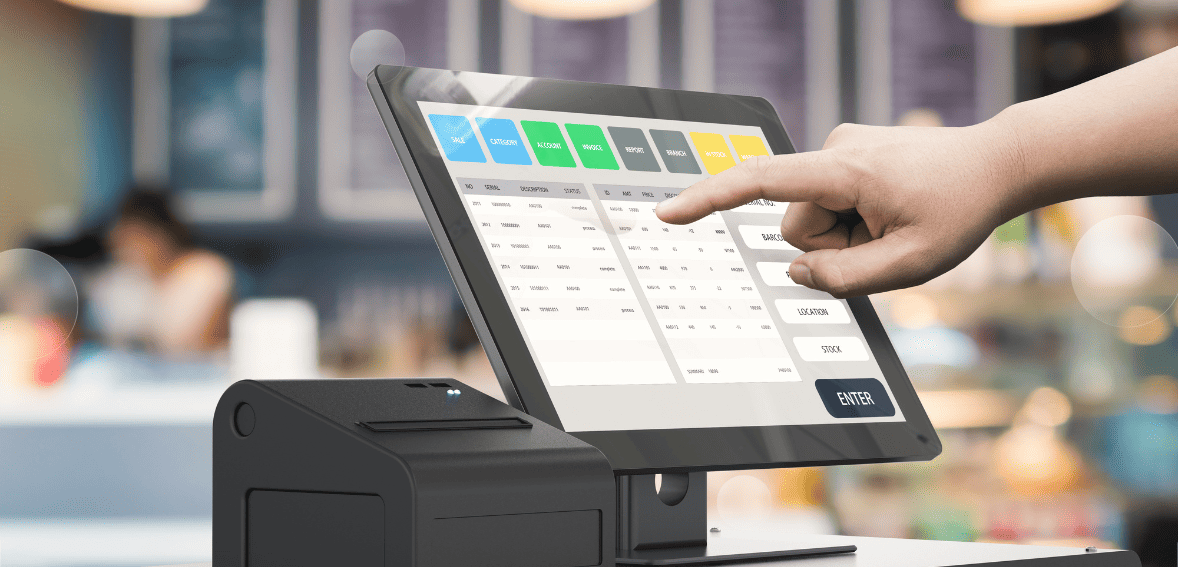
POS systems for retail business should allow your business to do the following:
Provide accurate and detailed sales reports
POS systems allow you to create complete and accurate sales reports, such as best-selling products, number of products sold, profit margins, and many more. A retail POS system allows you to minimize human errors that normally occur when entering sales data so the data is completely accurate.
Enhance the customer experience.
Retailers can improve their customer service with POS systems. This makes it easy for store clerks to find products their customers are looking for in just a few seconds. Customers can even search for items themselves using the self-service kiosks that can be created by retailers.
Multi-location inventory tracking
An integrated POS system allows retailers to track their inventory across multiple stores in multiple locations. Retailers can see how much stock they have in each store.
They can, for example, look in their other stores when one is out of stock. Therefore, retailers can find out the availability of items that their customers look for in every store they own.
Data security for customers
Secure handling of customer credit card information is a company’s responsibility. Cloud POS systems ensure that all customer data is properly and securely stored. Data is not stored on computers but in the Cloud. Thus, Cloud POS systems eliminate the possibility of data loss due to viruses or damaged systems.
You can run your business offline by using a Cloud-based POS system. You will never have to worry about missing data. As soon as your device is connected to the internet again, the transactional information will be saved and synchronized.
Operate your businesses from anywhere.
A cloud-based POS system allows you to access your sales from anywhere using any mobile device. Thus, you won’t have to visit your store to monitor ongoing transactions, track inventory, or view sales data.
Streamline the product return process.
Last but not least, advanced POS systems facilitate product returns quickly. Using your POS system, you can easily process a customer’s cancellation of a purchase. Once the purchase has been canceled, the reduced stock automatically increases again.
Top 7 Retail POS Systems
Now that you know what to expect from your retail POS system, it’s time to look at the best options available in the market. The top seven retail POS systems available are:
Clover
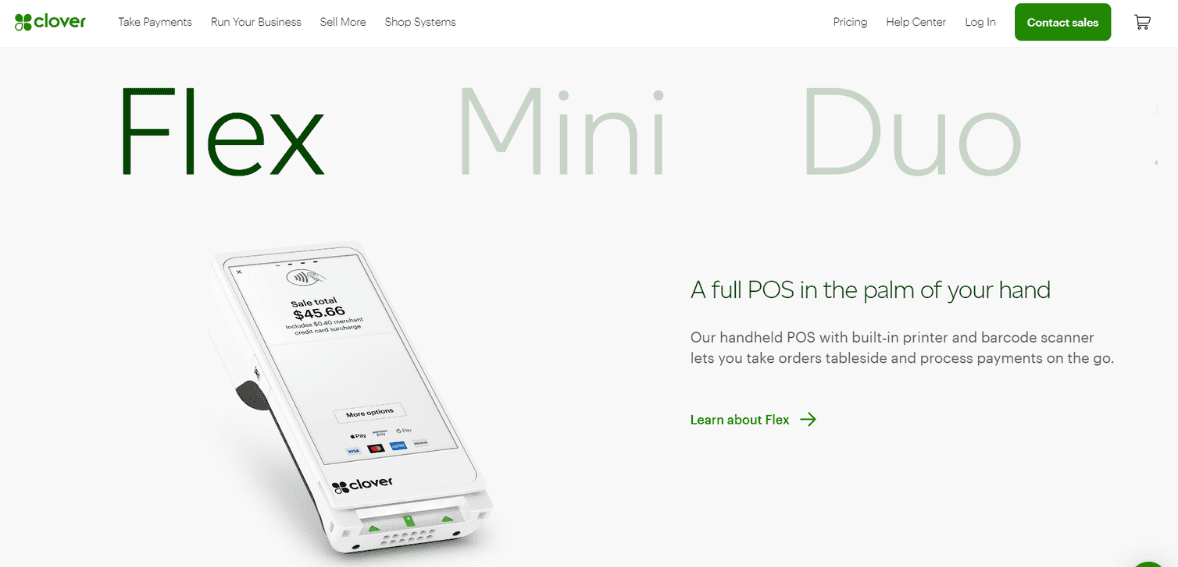
Stores that already have a website and wish to start taking online orders should consider Clover POS. Online ordering can be easily added to an existing website thanks to an intuitive dashboard and mobile app. Furthermore, businesses can reward and retain their most loyal customers by using Clover’s loyalty app.
Clover systems might not be the most affordable option available out there, but their combination of hardware options and software features makes it worth the investment for a lot of retailers. Clover includes many great features, such as bulk item importing and loyalty programs.
Additionally, the company’s simple feature addition process makes it stand out. Adding Clover-tested apps to your POS system is as simple as adding a new app to your smartphone. You can add features like employee payroll and customer feedback monitoring by downloading an app, or you can integrate with third-party software.
Features
The following are some of the features of Clover:
- Offline payments
- Tracking, grouping, and modifiers of items
- Setting up an email and text promotional campaign
- Deliveries and curbside pick-ups (starting with the Clover Essentials plan)
- Exchange of items (starting with the Clover Register plan)
- Reports detailing customer history and spending habits
- Reports on employee clock-ins and clock-outs
- Customizable digital and physical gift cards that can be accessed on mobile devices
- A loyalty program that can be customized
- Verification of ID
- 450+ apps in the app market
Pricing
With Clover directly, you will have just payment processing for free, though you will have to pay $39.95 per month for the full Register plan with retail POS features. Each additional register is $9.50.
Clover systems can be purchased directly from Clover or from one of several Clover resellers. Clover hardware costs between $49 for the Clover Go contactless card reader and $1,649 for the Clover Station Duo.
One downside to Clover POS software is that it works exclusively with Clover hardware.
Pros
- A great option for companies that started online but need a physical presence
- Setup is quick and easy
- The hardware is sleek and purpose-built
- Feature set that can be customized
- A good selection of hardware options
- Free 30-day trial
Cons
- Processed exclusively through Fiserv
- Startup costs are high
- It requires a pre-existing website
- There are no inter-store transactions
SwipeSimple
SwipeSimple is a cloud-based mobile POS. Both Android and iOS devices can use it, as well as a few dedicated payment terminals. Simplicity is the name of the game with this platform. The system may not be as feature-packed as some competitors, but it offers small businesses a great starting point that’s easy to use and set up at an affordable price.
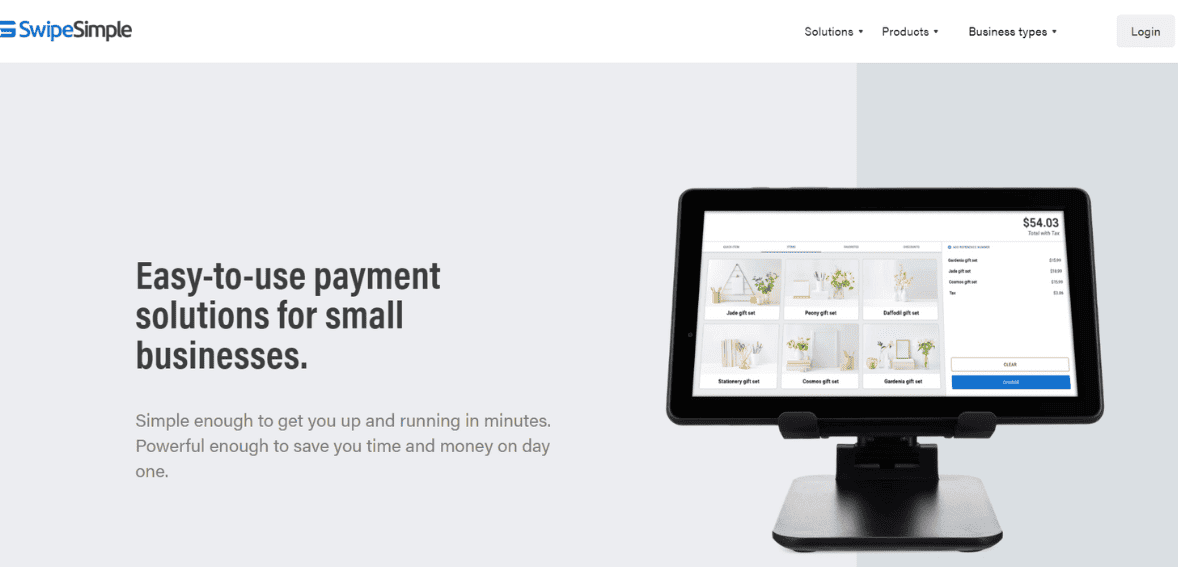
Image source
One issue with SwipeSimple is that you can’t purchase it directly from the company, so it can be hard to decide whether the platform is right for your business. Resellers set the prices and provide support for the system, so you’ll have to get it through them. In the end, your cost, experience with the product, and quality of support may be more dependent on the reseller than SwipeSimple itself.
Features
SwipeSimple boasts these features:
- Mobile and register modes
- Receipts via SMS/email
- Calculate change for cash
- Options for Signature Collection
- Catalogue of items
- Managing inventory
- Offline Mode
- Store card information
- Reports in-app
- Setting Taxes
- Accounts for multiple users
Pricing
Because you can’t buy SwipeSimple directly, there isn’t a set price. You need to use a reseller, such as a merchant service provider. However, SwipeSimple pricing is hard to find, even from resellers. You will need to get quotes on hardware, software, and payment processing costs.
Pros
- An app with a variety of features
- Get a free chip card reader
- There are no cancellation fees
- Good customer service
- Compatible with iOS and Android
- Easy to set and use
Cons
- Pricing information isn’t available from SwipeSimple
- Resellers dictate the pricing
Vital POS
Image source
Vital POS offers everything you need in a POS system. Whether you are in need of a complete retail system or mobile functionality for on-the-go payments, they have what you need.
Vital POS automates inventory management, pricing configuration, tax reporting, and payment processing for small businesses using the cloud. Users can be added, role-based groups can be created, multiple locations can be managed, item categories can be created, and access rights can be configured. Vital POS allows employees to automatically select items from predefined categories, view tax information, manually enter item data, apply discounts, and process payments via cash or credit cards.
Features
Vital POS includes the following features:
- Multi-User Access
- Roles and permissions for users can be configured
- Tracking cash payments
- Tipping in-line or by the cashier
- Refunds for full orders
- Detailed sales reports
- Reports on taxes
- Discounts created manually at the time of use
- Inventory Catalog for Imports / Exports
Pricing
While the Vital Mobile app is free to download, a monthly fee is required for continued use of the app and the Back Office portal. Vital Mobile charges a monthly fee of $4.99. Your processor may charge more or less depending on other factors.
There is a monthly fee for each Vital device and those fees stack. If you use a Vital Mobile and a Vital Select POS, you’ll pay two software fees: one for the Mobile and one for the Select.
The cost of hardware starts at $60 for the C3 and $110 for the C4.
Pros
- Easy-to-use software
- Customer service and onboarding are excellent
- Strict security
Cons
- If you need more than one device, software fees can add up
- Battery life has been reported as being short
Vend
Vend is one of the top POS systems for midsize retailers who want to focus largely on in-person sales. As the software is easy to use, comes with inventory management features, and has a great loyalty program.
You also get API access on every monthly plan, so you can integrate your in-person POS with a website, add an employee time clock, and more.
Features
Vend’s most notable features include:
- App for creating, importing, and scanning barcodes
- Price books by location, customer group, and/or time period
- Loyalty cards and gift cards with a brand
- Display options for customers
- Analyzing customer behavior and building customer profiles
- Creation and management of purchase orders
- Reordering stock automatically
- Transfers of stocks
- Bundling and separation of products centrally
- Demand forecasting
- Split tenders
- Store credit and returns
- Automated promotions and discounts
- Integrations with eCommerce
- Access to APIs
Pricing
Vend subscriptions are available from $69 to $199 per month as long as you use Lightspeed Payments as your payment processor. One location and one register are included in the price.
Additional registers cost $69 per month each, while additional locations cost $119 per month each.
Vend works on pretty much any device that supports the Google Chrome browser. You can also download the software for your iPad. You can scan products with your phone by downloading the Vend scanner app for free. The rest of the hardware can be purchased directly from Vend or sourced from other vendors.
Pros
- A great loyalty program
- A user-friendly interface
- Suitable for businesses of all sizes
- Works with a wide range of third-party hardware and software
- Support available 24/7
- A comprehensive inventory system
Cons
- It can get expensive fast
- eCommerce is not built-in
- Information on lower pricing tiers can be lacking in detail
Revel
From kiosk shopping to delivery management to integrated eCommerce, Revel can be customized to meet virtually any retail POS need. Revel’s advanced and flexible features make it a popular choice for niche markets, such as golf courses and garden centers.
Thanks to its open API, Revel can also be integrated with virtually any other business software. A custom-built Revel solution will meet the needs of midsize and larger retailers with multiple locations.
Revel’s reporting suite is the real deal for retailers with multiple locations or complex inventory. You can easily grow your customer base when you have access to crucial data about your sales, employees, customers, and inventory.
Features
The following robust features are available in Revel:
- Offline mode of payment
- Integration of third-party services for online ordering
- A suite of intelligent reports
- Inventory tracking in real-time
- Creation and management of purchase orders
- Management of cash
- Physical gift cards that can be customized
- A loyalty program that can be customized
- Customer service tailored to your needs
- Delivery tracking and text message updates in real-time
- Access to APIs
Pricing
Revel charges $99 per month/terminal if you sign up for three years and two terms. The deal also requires you to commit to Revel for three years for your payment processing needs.
Due to the lack of information on Revel’s website, you will need to call for a quote.
Revel works with iPads, which you can buy independently or directly from them. For hardware like card readers, printers, and cash drawers, you will need to contact Revel.
Pros
- A comprehensive reporting system
- Suitable for multi-location retailers
- Packages specifically designed for your business
- Access to APIs is open
Cons
- Subscriptions with a long-term commitment
- Prices are too high for smaller businesses
- A minimum of two registers must be used
Lightspeed
Fast-growing retailers that need to sync their online and in-person sales and track large inventories will love Lightspeed Retail’s inventory management and multi-channel selling features.
You can also create and complete purchase orders across multiple vendors with Lightspeed’s unique inventory features. Lightspeed offers quite advanced loyalty functionality as well, which allows you to store customer information and offer specialized discounts.
Features
- Lightspeed’s features include:
- Tags for inventory that can be customized
- Bulk breakdowns and bundling of items
- Tracking code assignments
- Wish lists, holds, and layaways
- Cards/certificates that can be reused
- Programs that reward customers and offer personalized promotions
- Text and email campaigns that are automated
- Exchanges and returns are easy
- Management of work orders
- Management of purchase orders
- Reports on sales, employee time clocks, and user permissions
Pricing
You can get one device starting at $69 per month, but extra charges apply for features such as analytics, eCommerce, loyalty programs, and integration with accounting software. You’ll have to pay an additional $29 per month for the additional device you install Lightspeed Retail on.
iPads and desktop PCs are supported by Lightspeed Retail. Depending on your needs, you can get a quote from Lightspeed or buy the hardware separately.
Lightspeed Retail POS software works with any hardware, unlike Clover.
Pros
- A deep inventory management system
- Suitable for retail stores with barcoded inventory
- A straightforward pricing structure
- Enhanced retail features
- eCommerce integration
Cons
- Additional features are charged for
- API access is extra
- Restaurants, florists, and businesses without barcodes will find it difficult to use
Talech POS
Talech POS is a cloud-based point-of-sale system for retailers, restaurants, and professional service providers. Several of its industry-specific features and hardware options make it a good choice for many businesses. However, some providers, such as Clover, offer similar monthly costs with proprietary hardware options that may be more attractive to businesses looking for an all-in-one solution.
Features
Talech’s suite of features includes the following:
- Payments can be made by chip, contactless, and swipe
- Integrated authentication and end-to-end encryption
- Inventory tracking in real-time
- Bundle products
- Develop marketing campaigns and accounts for the company
- Reward programs
- Integration of gift cards
- Integrates with accounting software
- Analyzes sales data
- Measure the performance of your staff
- Inventory audit
Pricing
Talech has different plans available, including a free mobile plan. Their plan’s pricing is as follows:
- Mobile: no software fee, but it has payment processing fees.
- Starter: $29 per month for the first device and each additional device.
- Standard: $69 per month for the first device and $29 for each additional device.
- Premium: $99 per month for the first device and $29 for each additional device.
This doesn’t include POS hardware, which must be purchased separately.
With the Starter and Standard plans, you need to buy additional features such as the online ordering service for $49 per month or gift card functionality at $19 per month. The Premium plan includes these features.
If you get the Standard or Premium plans, you must pay $199 for a “getting started package” that includes a two-hour training session with Boomtown (Talech’s training partner) to help set up your system.
Pros
- Creating purchase orders and synchronizing locations according to industry requirements
- Pricing that is clear and affordable
- You can get a free mobile plan
Cons
- Hardware must be purchased separately, so it is not an all-in-one solution.
- There have been reports of poor customer support
- Standard and Premium plans require the purchase of the “getting started package.”
Why Not Square?
When it comes to being transparent about what they can offer, Square.com does an excellent job. Yet they could provide more information about account holds and freezing, as this is one of the biggest problems today’s merchants face.
Square has a number of issues, including:
Square has a pretty strict fraud prevention scheme, which results in the freezing of funds if they believe your account is at risk. Often, this puts small businesses in a difficult position where they cannot access the cash they need to stay afloat.
The complexity of third-party payment processing is not adequately explained by Square. The only way to restore a frozen account is to prove who you are. However, if you don’t meet their requirements, your account will be terminated permanently.
Many business owners want more advanced features, such as advanced reporting and store credit, that rival other point-of-sale systems. Considering there is no monthly fee, it is understandable that more sophisticated tools are not included.
Conclusion
There isn’t a one-size-fits-all solution when it comes to retail POS systems. Just because a system is good for your industry doesn’t mean that it will be good for your business in particular. Each business has its own quirks, and only you can know for certain what type of retail POS system can meet the needs of your operation. Look at the features they offer, consider your budget, and evaluate your own needs before making a decision. The right choice can transform your business.