


SwipeSimple Review 2025 – New Features, Hardware, and Other Considerations
Posted: May 30, 2025 | Updated:
SwipeSimple is a leading mobile point-of-sale (POS) solution in 2025, used by over 125,000 small businesses across the U.S. It stands out for its simplicity and flexibility, turning smartphones, tablets, or computers into payment terminals for accepting credit card payments anywhere.
Unlike DIY apps like Square or Clover, SwipeSimple is explicitly made for businesses that prefer a ready-to-use solution through merchant service providers. To stay competitive, its platform has evolved with new features and hardware. SwipeSimple now offers a range of hardware—from compact card readers to complete countertop registers—allowing businesses to choose what best fits their needs. This SwipeSimple review covers features, hardware, pricing, support, and how it compares to other POS options in 2025.
SwipeSimple Review 2025 – An Overview
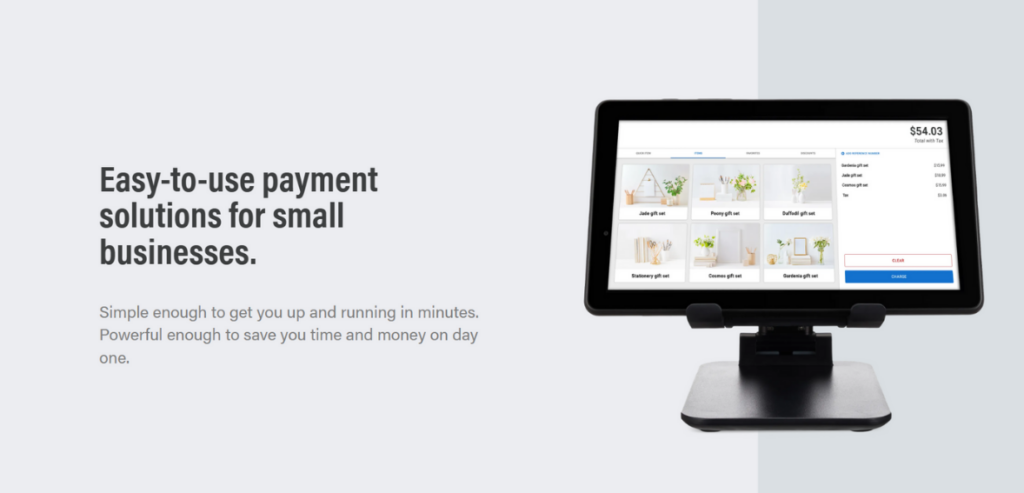
Image source
SwipeSimple launched in 2014 as one of the first mobile POS solutions for small businesses. Created by CardFlight (founded in 2013), it was designed to make card payments simple and accessible for merchants beyond the traditional checkout counter. Early versions let users accept payments on their iOS or Android devices using a card reader or manual entry—offering a mobile alternative to bulky terminals. From the beginning, SwipeSimple focused on ease of use and worked through a partner network of banks and payment resellers, not direct sales. This allowed resellers to offer it as a ready-to-use mobile payment solution under their brand.
The platform evolved quickly. EMV chip support arrived in 2015, and contactless payments like Apple Pay were introduced in 2017. By 2021, CardFlight introduced SwipeSimple Register—an all-in-one countertop POS with touchscreen hardware for retail and restaurant businesses.
Today, SwipeSimple includes mobile apps, web dashboards, portable smart terminals, and complete register systems, all synced through the cloud. Despite growing into a full omnichannel suite, it remains simple and user-friendly.
SwipeSimple also stands out for being processor-agnostic. Merchants get the software through resellers who set up the merchant account and payment processing. This allows businesses to choose competitive rates, unlike platforms like Square, which require in-house processing. The tradeoff: pricing isn’t public, and the user experience can vary by provider. SwipeSimple had over 125,000 users and became a go-to solution for many merchant service providers.
Pros and Cons of SwipeSimple

Pros
-
- The mobile app and the web dashboard have a clean, straightforward interface.
-
- New staff can pick it up quickly; built-in demo modes exist to practice transactions without risk.
-
- It can turn a phone or tablet into a card terminal for in-person payments on the go, but it also supports checkout at a counter or taking payments remotely via invoice or a virtual terminal.
-
- Offers all the essential POS features a small business needs, including built-in invoicing, a browser-based virtual terminal, payment links for online sales, an item catalog with inventory tracking, sales tax calculation, discount and tip tools, and customer data storage
-
- With SwipeSimple, you are not locked into a single processor. It works with various merchant service providers (Fiserv, TSYS, Worldpay, Elavon, etc.), so businesses can choose the best rates or services for their needs.
Cons
-
- Some advanced management features aren’t available in the app. For instance, editing inventory details, generating specific reports, or deep configuring settings can only be done on the web dashboard, not on the phone. Competitors like Square allow more in-app management.
-
- You cannot buy SwipeSimple directly from CardFlight
-
- SwipeSimple does not publish universal pricing for its software or hardware – everything depends on the reseller you go through.
-
- Unlike some competitors, which offer new users free card readers or equipment, SwipeSimple generally requires you to buy the necessary hardware. Basic mobile card readers cost around $100+.
Top Features of SwipeSimple

SwipeSimple includes a comprehensive set of features that cover most day-to-day payment and sales management needs of a small business. Some of the core features are:
-
- Mobile Payments (POS App):
At its heart, SwipeSimple enables you to accept in-person card payments on a phone or tablet. The SwipeSimple mobile app (available for iOS and Android) pairs with a Bluetooth reader, so you can swipe magnetic cards, dip EMV chips, or tap contactless payments anywhere. The app supports adding sale items from an item catalog (with pictures, prices, and tax), or entering custom amounts on the fly.
You can apply discounts or let customers add a tip to the device. Receipts can be printed on a portable printer or sent via email/text from the app. Essentially, the mobile app turns your device into a complete POS – allowing sales at a market stall, customer’s home, or line-busting in a store.
-
- Invoicing:
SwipeSimple has a built-in invoices module that lets businesses bill customers for later payment, which is applicable for services or large orders. You can create an invoice through the SwipeSimple dashboard (or even the app, as of recent updates) and send it via email or SMS link. Customers receive a professional invoice with your business branding and a secure link to pay online by credit card.
The system tracks invoice status to see which invoices are paid or overdue and even sends automatic payment reminders. This replaces the need for a separate invoicing tool for many users. It’s handy for professionals like contractors or consultants who might charge after work is completed or any business that needs a “bill now pay later” workflow alongside immediate sales.
-
- Virtual Terminal:
For phone orders or any situation where you need to enter a customer’s card information manually, SwipeSimple provides a Virtual Terminal. This is accessible via the web dashboard on any computer (or even the mobile app with an internet connection). The virtual terminal allows you to enter card details (number, expiry, CVV) to process a card-not-present transaction on the spot.
You can also record cash transactions through this interface for your records. It lets you use SwipeSimple as a credit card terminal without any hardware – a big plus for taking orders over the phone or processing recurring payments where you have the card on file. The virtual terminal transactions are encrypted and secure and integrate with the same customer and reporting database as your in-person sales.
-
- Inventory Management:
SwipeSimple includes essential inventory tracking tools to help you manage your products. You can create an item catalog with names, prices, and even photos and organize items into categories. The system will track quantities on hand if you input your stock counts. Inventory levels sync to the cloud in real-time, so whether you sell an item via the mobile app or the register, the stock count updates for all devices.
You can set low-stock alerts to know when to reorder. Additionally, the dashboard provides reports of top-selling items and sales by item, giving you insight into product performance. While it’s not as advanced as a dedicated inventory management system (no variant tracking or purchase order, for example), it covers the essentials for a small retail or food/beverage operation.
-
- Customer Management (CRM) and Cards on File:
A valuable feature SwipeSimple offers is the ability to save customer information and payment details. Whenever you run a transaction, you can create or select a customer profile – storing the customer’s name and contact info and, with permission, their credit card token securely on file. This allows several benefits: you can see a customer’s purchase history, which helps with personalized service or loyalty.
You can charge repeat customers more quickly (no need to collect card details every time for frequent clients or subscription-style payments). It essentially gives a lightweight CRM (Customer Relationship Management) capability.
For example, a home services business can save a client’s card and charge it with one tap after each service visit, sending a receipt immediately – speeding up checkout considerably. All customer data is synced across the SwipeSimple platform, so it’s available on your phone app and the web dashboard. This feature, combined with invoicing and a virtual terminal, means SwipeSimple can easily handle face-to-face sales, billing, and recurring payments.
Other notable features include Payment Links (generate a simple pay link or “Buy Now” button you can share on social media or a website for quick online sales), tax settings (apply different tax rates or item-specific tax rules, which is helpful for businesses operating in multiple jurisdictions and tipping options (you can preset tip percentages or amounts for customers to choose, great for service and F&B businesses).
SwipeSimple also has multi-user support with basic employee tracking – you can create logins for staff and track their sales and tips collected. Overall, the feature set is quite comprehensive for a small business POS, covering sales across channels and providing enough management tools to streamline operations.
What Are the Hardware Options with SwipeSimple?
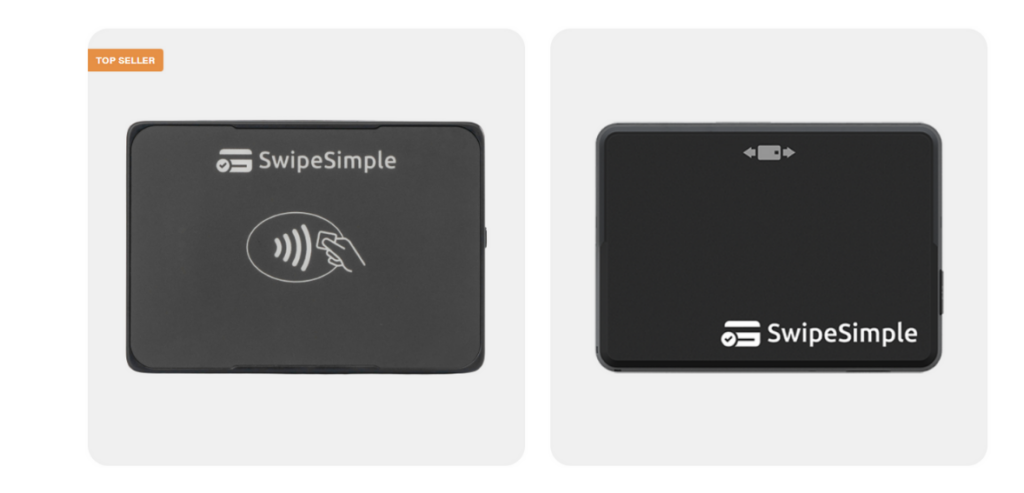
Image source
SwipeSimple’s software can run on different types of hardware, giving businesses flexibility in how they accept cards.
Broadly, the hardware solutions fall into two categories: mobile setups (card readers paired with a phone/tablet) and fixed setups (dedicated all-in-one terminals or register systems).
Mobile Solution: Card Readers and App
For mobile payments, SwipeSimple offers compact Bluetooth card readers that work in tandem with the SwipeSimple app on your phone or tablet. These readers connect wirelessly to your iOS or Android device and are EMV chip-capable.
-
- B200: An essential, affordable reader that supports magstripe (swipe) and EMV chip transactions. It’s a suitable entry-level device for those who only occasionally need to accept cards or are on a tight budget. (Note: the B200 does not do contactless/NFC payments.)
-
- B250: The B250 is popular as it supports swipe, chip, and contactless tap payments (NFC) like Apple Pay. It’s a small black reader with an LED indicator and built-in Bluetooth Low Energy. The B250 gives merchants complete flexibility to accept any card form factor. This reader has been widely deployed since the EMV and contactless wave in the late 2010s.
-
- B350: The latest addition (as of 2023/2024) is the SwipeSimple B350, an upgraded all-in-one reader. Like the B250, it accepts magstripe, EMV, and contactless, but it improves on its predecessors with a more powerful battery and enhanced compatibility with various processors. The B350 is designed for heavy daily use, featuring an easy-to-read display and an ergonomic, portable design. It basically “supercharges” the mobile SwipeSimple experience for businesses that process a high volume of in-person transactions on the go.
Using these readers is straightforward–you pair the reader via Bluetooth to your phone or tablet, launch the SwipeSimple app, and you’re ready to dip or tap cards. No audio jack or tethering is needed, which is convenient now that most phones lack headphone jacks.
The mobile solution shines for businesses like food trucks, market vendors, home repair services, or any operation where you might be away from a counter. A phone with SwipeSimple and a B250 reader in your pocket means you can accept payment anywhere you have a cellular or Wi-Fi signal. Even brick-and-mortar retailers often use these mobile setups for line-busting or curbside pickup payments during peak times.
Fixed Solution: SwipeSimple Register and Terminal
For merchants who want a more traditional or full-featured countertop setup, SwipeSimple also offers all-in-one terminals and register systems. These options don’t require a separate phone or tablet to run the app; instead, the SwipeSimple software is built into the device. There are a few hardware configurations under this category:
-
- SwipeSimple Terminal: SwipeSimple Terminal refers to SwipeSimple running on dedicated payment devices from PAX Technology, including the A920, A920 Pro, and A80 smart terminals. These Android-based devices feature touchscreens, card readers, and printers. The A920 is a handheld terminal with a 5-inch touchscreen, Wi-Fi, 4G/LTE connectivity, and a long-lasting battery. The A920 Pro has a larger 5.5-inch screen and a faster processor. The A80 is a smaller countertop terminal with a 4-inch display and a physical PIN pad, typically connected via Ethernet or Wi-Fi. All terminals accept chip, swipe, tap, and PIN debit payments and can print receipts. Ideal for businesses seeking a dedicated payment device, they offer cloud-connected features like syncing to your dashboard and inventory.
-
- SwipeSimple Register: SwipeSimple Register offers a complete POS system with a tablet-like form factor to replace traditional cash registers. The line includes Register 8, Register 6, and Register 15, with sizes corresponding to screen inches. The Register 8 features an 8-inch touchscreen on a swivel stand, allowing the screen to face the customer for tip entry or signature capture. For a complete setup, it supports USB peripherals like receipt printers, barcode scanners, and cash drawers. The Register 15 is a larger model with a 15-inch merchant display and an 8-inch customer-facing display, which is ideal for restaurants and larger retailers, supporting complex ordering and customer interaction. Both models run an optimized version of SwipeSimple, with features like tipping prompts, signature capture, and robust peripheral support, perfect for businesses seeking a modern, efficient POS system.
From a hardware perspective, the SwipeSimple Terminal and Register options mean that SwipeSimple isn’t just for mobile merchants – it’s equally suited for a classic storefront or restaurant setting. A business could mix and match: e.g., have a SwipeSimple Register at the main counter, an extra A920 terminal for a second checkout or outdoor sales, and a B250 reader for on-site service calls – all under the same account. All transactions from all devices funnel into the same backend for consolidated reporting.
How Much Does Hardware Cost?
The mobile card readers (B200/B250/B350) typically retail around $100–$150 (the B250 lists for about $125 and the B200 for around $105 through some resellers).
Smart terminals like PAX A920 are more expensive (often a few hundred dollars each), and the Register 8/15 systems are higher-end devices (likely in the upper hundreds when fully equipped with a printer, cash drawer, etc.). These devices are usually purchased upfront or financed through the reseller—SwipeSimple doesn’t have a monthly rental model of its own.
However, depending on the merchant service provider, sometimes the cost of the SwipeSimple hardware can be bundled or subsidized (for example, some providers might offer a free B250 reader if you open a new account). It’s worth discussing hardware pricing with the reseller. There is no proprietary lock-in – the hardware is tied to SwipeSimple’s software. Still, since SwipeSimple partners with major processors, these devices remain helpful even if you switch resellers within the SwipeSimple network.
What Businesses Are Best Suited to Use SwipeSimple?
SwipeSimple’s flexibility makes it suitable for a wide range of business types, but there are a few industries in particular that benefit the most from its features:
-
- Food and Beverage: SwipeSimple is ideal for cafés, food trucks, quick-service restaurants, bars, and other F&B businesses. It supports order modifiers, special instructions, and automatic pricing adjustments for custom orders. Tip support is built-in, allowing easy tip entry on the tablet or receipt. SwipeSimple enables payments at the counter, table, or curbside and can manage item-level taxes for dine-in, takeout, and liquor taxes. While not as specialized as some restaurant systems, it offers quick order entry, simple menu management, printed/text receipts, and tipping features. It’s also suitable for remote orders and payments with its Payment Links and invoicing features.
-
- Retail: SwipeSimple is a great choice for small retail stores and boutiques. It offers real-time inventory tracking, basic product catalog management, and sales trend reports. It supports in-store and online payments, with payment links and invoicing for remote sales, such as via Instagram. Retailers can use barcode scanners, apply discounts, and track customer loyalty through purchase history. The Register hardware suits retail counters, while the Terminal devices provide compact checkout options. SwipeSimple’s multi-channel capability allows seamless in-store and online transactions.
-
- In-Person Services: SwipeSimple works well for businesses providing services face-to-face, such as salons, spas, consultants, and photographers. It offers point-of-sale and billing functions, easy tip entry, and customer database features to save client profiles. Invoicing with payment links allows professional billing and easy online payments. Reporting tools help service providers track revenue and tips by employee, making it ideal for businesses with regular clients or appointments.
-
- On-Site Technical Services: Mobile service providers, such as plumbers, electricians, and IT technicians, benefit from SwipeSimple’s mobility and offline capabilities. Technicians can accept payments on-site using a phone, tablet, and card reader, with features like saving cards on file for recurring charges. Custom tax rates by location ensure compliance, and invoices can be generated and emailed instantly. SwipeSimple also supports immediate receipt delivery via text or email, enhancing professionalism. Its lightweight setup and secure, on-the-go payments make it perfect for on-site service businesses.
In general, any small business needing a flexible, easy payment system – whether selling products or services – could fit SwipeSimple.
One segment SwipeSimple is not targeting is very large or complex merchants (e.g., a big-box retail chain or a full-service restaurant with multiple stations and kitchen displays—those would likely outgrow SwipeSimple’s feature set). But for most small and mid-sized food, retail, or services businesses, SwipeSimple in 2025 offers a compelling, well-rounded solution.
Ease of Use
SwipeSimple is highly praised for its ease of use, making it an ideal choice for small businesses. The platform’s setup is quick and straightforward, allowing merchants to get started in minutes. The mobile app and web dashboard feature intuitive, user-friendly interfaces with logical navigation.
The mobile app provides a guided sales process, with clear prompts for adding items, processing payments, and offering receipts. At the same time, the web dashboard is well-organized, making it easy to manage inventory, customers, and reports. This simplicity is reflected in user reviews, with many highlighting how easily they could navigate the system without much technical knowledge.
Setting up SwipeSimple is effortless—once merchants receive their login credentials, they can download the app, pair a Bluetooth card reader, and start processing payments. A demo mode is also helpful in training employees and practicing transactions without accurate payments. During checkout, SwipeSimple provides a step-by-step guide that minimizes errors, such as reminders for card insertion or prompts for item modifiers, ensuring smooth transactions, especially in fast-paced environments.
The app is responsive and fast, with chip card transactions processed in about two seconds, thanks to EMV Quick Chip technology. Syncing between the app and the cloud happens in nearly real-time, enhancing the user experience. The merchant dashboard simplifies reporting, allowing easy filtering of sales data by day, week, or month, and offers convenient export options to CSV or QuickBooks. Additionally, tax rates, tip prompts, and business information are all accessible in one place, ensuring that critical data is easy to find without being cluttered by unnecessary options.
SwipeSimple provides online guides and a comprehensive knowledge base for training and support, but its intuitive design means most users rarely need them. The consistent interface across the mobile app and register devices reduces the learning curve for staff, and advanced features like detailed analytics and inventory management are tucked away in the back office, making the system simple for day-to-day use. While specific administrative tasks require access to the web dashboard, the mobile app handles most on-the-go needs, such as looking up past transactions or issuing refunds.
Analytics and Reporting
SwipeSimple’s cloud-based dashboard provides a robust set of analytics and reporting tools, offering small and medium businesses the ability to track performance without the complexity of high-end POS systems. The Dashboard provides an at-a-glance sales summary, including total sales for today, yesterday, and over the last 7 or 30 days, with comparisons to prior periods. You can also generate custom reports for specific date ranges or times of day, making it easy to monitor revenue trends.
SwipeSimple offers detailed reports on various business dimensions. These include sales breakdowns (gross sales, refunds, net sales, tips, and taxes), item-level reports to track bestsellers and slow movers, employee sales reports for performance tracking, and tax and discount reports for accounting purposes. This gives business owners a comprehensive view of their sales data, customer activity, and employee performance.
Customer reports are also available, allowing businesses to review purchase history and export customer lists. While not a full CRM suite, this data is helpful for small business marketing and clienteling efforts. Additionally, because SwipeSimple is cloud-based, all data syncs in real-time, meaning reports are always up-to-date, even across multiple devices or locations.
SwipeSimple allows users to export reports in CSV format for further analysis in Excel or integration with accounting software like QuickBooks. This streamlines bookkeeping, saving time on manual data entry. Some resellers even offer direct QuickBooks Online integration. The Dashboard also supports printing hardcopy reports when needed.
Although SwipeSimple doesn’t offer advanced analytics tools like business intelligence charts or custom dashboards, it provides actionable data for decision-making. For example, a retail business can use item sales reports to determine which products to reorder or discontinue, while a food truck owner can adjust staffing based on peak sales days. SwipeSimple’s real-time cloud sync makes tracking patterns such as busy hours or average transaction size easy.
One limitation is that the on-device app offers only basic reporting, requiring the web Dashboard for deeper analysis. The system also lacks custom dashboards or KPI visualizations, focusing instead on precise totals and lists. However, this simplicity suits many small businesses, delivering the essential metrics without overwhelming users. Moreover, SwipeSimple’s multi-location support allows businesses with multiple stores to track performance by location or combined, offering flexibility as they grow.
Pricing of SwipeSimple and Contract Length
As mentioned, SwipeSimple does not set or charge merchants a universal software fee—instead, the pricing is determined by the reseller/merchant service provider through whom you get the system.
CardFlight’s partners bundle SwipeSimple with a merchant account, and the costs can vary. This means pricing can feel opaque to merchants since you must obtain a quote. Typically, there are a few components to consider in SwipeSimple pricing:
-
- Payment Processing Rates: These credit card transaction fees will depend on your merchant account. Many SwipeSimple resellers offer interchange-plus pricing (e.g., interchange + 0.3% + 10¢) or flat rates competitive with Square. For example, CardFlight has advertised rates “as low as 2.6% + 10¢ per transaction” for SwipeSimple users, with no monthly fee – essentially matching Square’s standard rate. This indicates that if you go through a partner with a flat rate plan, you might pay around 2.6% per swipe. Other providers might do interchange plus (which could be cheaper for large tickets). The exact rate can be negotiated or will be part of the package your bank offers.
-
- Software/Service Fee: Some providers charge a small monthly fee for the SwipeSimple service (to cover the software licensing). This could range from $0 up to maybe $10 or $20 per month, often depending on if you need multiple users or devices. However, several SwipeSimple partners waive monthly fees entirely. CardFlight’s marketing for “SwipeSimple Connect” emphasizes no monthly or annual fees and no hidden fees. So, it is quite possible to use SwipeSimple with $0 software cost per month; but this is not guaranteed, it’s reseller-specific.
-
- Hardware Costs: As discussed in the hardware section, you’ll likely need to purchase the card reader or terminal. A ballpark: the mobile readers (B250 etc.) is $100, smart terminals $300-$600, register setups $700+. Some resellers sell the devices at cost; others might mark them up or occasionally discount them in promotions. This is an upfront cost (though some providers allow installment payments). For example, SwipeSimple B250 readers are around $125 if bought outright. It’s wise to compare a few reseller quotes – one might offer a free reader, and another might charge for it but offer slightly lower transaction rates.
Because of this variability, SwipeSimple’s total ownership cost can differ for each merchant. If you process a high volume, you could negotiate interchange plus and save money versus flat-rate systems.
SwipeSimple does not require a long-term contract in and of itself. Any contract obligations come from the merchant account provider. With a direct service like Clover or Toast, you often sign a 1-3-year agreement for the software, but with SwipeSimple, you could be on a month-to-month plan if your provider allows. Many of SwipeSimple’s resellers advertise no long-term contracts for their merchant services.
SwipeSimple Customer Support Options
Image source
Customer support for SwipeSimple operates through its distribution model, meaning merchants primarily contact their merchant service provider (reseller) for assistance rather than CardFlight directly. Merchants should contact their provider’s customer support when issues arise—whether it’s a device malfunction, a transaction problem, or a general inquiry. Many resellers offer 24/7 phone support, while others may only provide support during business hours. It’s essential to check the support options available with your specific provider, such as dedicated support lines, email, or chat support.
CardFlight, the company behind SwipeSimple, provides technical support to resellers, available Monday through Friday, 9 am to 6 pm ET. While most issues (like troubleshooting device connections or password resets) can typically be resolved by resellers using their knowledge base, more complex problems may require support from CardFlight, which could cause delays if the issue arises outside of business hours.
For those who prefer self-service, SwipeSimple offers an extensive online Support Center with FAQs, troubleshooting guides, and how-to articles. This resource is publicly accessible and covers common questions, such as how to pair card readers or refund transactions. Video tutorials are also available for specific tasks. This knowledge base allows users to resolve many issues independently, a significant benefit for quick problem-solving.
If you need to contact CardFlight directly, their website provides a “Contact Us” form and phone number, though this is mainly for sales inquiries or reseller/partner issues. If a merchant contacts CardFlight, they will typically be redirected to their provider for further assistance.
The mobile app and web dashboard also include built-in help links that direct users to documentation or their provider’s support contact information. Given SwipeSimple’s interface simplicity, many merchants rarely require support for routine usage questions. Assistance is mainly needed for hardware setup, connectivity issues, or account-related matters.
The support quality can vary depending on the reseller, which can be a downside if the provider’s support is slow or inadequate. When choosing a reseller, it’s essential to consider their customer service reputation. Some resellers offer a more personalized experience, and because many are local or regional banks and credit unions, in-person support or training might be available.
Many merchants find formal training sessions unnecessary due to the system’s user-friendly design. SwipeSimple also offers a demo mode and guides, allowing employees to learn by doing. In summary, while resellers provide SwipeSimple support, the combination of accessible self-help resources and the platform’s reliability means merchants can usually address most issues without significant difficulty.
What Are the Alternatives to SwipeSimple?
SwipeSimple is a firm offering but is not the only player in the small-business payment space. Depending on your needs, you might consider some alternatives, each with pros and cons. Here’s a brief look at the top options and how they compare:
1. Square
Square is often the first name that comes up as an alternative. Like SwipeSimple, Square provides a mobile-friendly, cloud-based POS supporting in-person and online payments. One big difference is that Square is an all-in-one service – you sign up directly (no reseller middleman), and Square acts as the processor. Square is known for its transparent pricing (a flat 2.6% + 10¢ for most in-person transactions, with no monthly fee for the essential Point of Sale app) and a vibrant feature set, including advanced inventory, employee management, and integrations.
Square also offers a variety of free or affordable hardware (the first magstripe reader is free; their contactless+chip reader is $49, and they have the Square Stand and Square Terminal devices as well). Ease of use is on par with SwipeSimple – Square’s apps are also intuitive and widely praised. Square might be a better fit if you value an expansive ecosystem (appointments, marketing, payroll, etc. add-ons) or need a solution you can start with instantly. However, Square’s processing fees are fixed – high-volume merchants could get lower rates with SwipeSimple via interchange-plus.
Also, Square doesn’t support custom merchant accounts; if you want to shop around for processing, SwipeSimple is better.
2. Clover
Clover is another popular POS platform backed by Fiserv. It offers a range of proprietary hardware – from the small Clover Go mobile reader and Clover Flex handheld to the Clover Mini and Clover Station countertop systems. Clover, like SwipeSimple, is often sold through merchant account providers (you usually get it via a bank or ISO). One advantage of Clover is its feature-rich hardware and an app market that allows extended functionality (loyalty programs, restaurant order management apps, etc.).
For example, the Clover Station Duo has dual screens and a sleek design, and Clover’s devices can operate fully offline with cached transactions. In terms of cost, Clover devices tend to be pricier, and there may be monthly software fees depending on the plan. Clover’s pricing info is a bit more accessible, though—you can find ballpark prices for hardware and plans online (Clover’s website lists devices and some basic plan rates).
Also, Clover’s contract terms will depend on the provider – some merchants have long leases on Clover hardware. SwipeSimple’s non-proprietary hardware (PAX, etc.), might avoid that.
3. PayPal Zettle
Zettle (formerly PayPal Here, revamped as PayPal Zettle) is PayPal’s solution for point-of-sale. It provides a mobile app and a compact card reader (the Zettle Reader 2) as well as an option for a Zettle Terminal. Zettle is targeted at small businesses and individuals, much like Square. The biggest advantage of Zettle is for those who already use PayPal—it integrates your in-person sales with your PayPal account, so funds go into PayPal (from which you can transfer to your bank).
Zettle’s pricing is straightforward: in the US, PayPal Zettle charges a flat 2.29% + 9¢ per transaction for card-present payments (with no monthly fee), and the card reader is often heavily subsidized (as low as $29 for your first reader). Zettle’s feature set is decent, including inventory management, an essential product library, and some analytics, but it’s not as deep as Square or Clover.
Zettle is excellent if you want to start quickly with minimal cost and if you value PayPal’s ecosystem (for example, easy online PayPal transactions alongside POS or accessing PayPal Working Capital loans from your sales). It has a slick interface as well. However, Zettle lacks some features SwipeSimple has – for instance, invoicing and stored customer info are more the realm of PayPal’s leading tools and not integrated into Zettle POS as seamlessly as SwipeSimple’s invoice feature.
Zettle also does not offer the variety of hardware that SwipeSimple does; it’s mostly a mobile reader solution (the standalone terminal is the reader plus an Android device). PayPal’s support for Zettle can also be limited (primarily online help, not much phone support specifically for Zettle).
4. Toast
For restaurants in particular, Toast POS is a prominent alternative. Toast is a restaurant-focused POS system that offers purpose-built hardware (Toast terminals, handhelds) and prosperous software tailored to food service (table mapping, online ordering integration, menu management, kitchen display systems, etc.). Suppose a business is a full-service restaurant or bar. In that case, Toast might be considered over SwipeSimple because it has all the industry-specific bells and whistles – reservations, delivery integrations, detailed menu coursing, and more. Toast’s pricing, however, is quite different: it typically involves a monthly software subscription (e.g., $69/month or more, depending on the package), and Toast requires using their processing (they have a flat rate or custom rate plans and often require a contract).
Most Toast arrangements are on a long-term contract, and the hardware can be expensive (though Toast has a free ” starter kit ” with higher processing fees). Compared with SwipeSimple: If you run a small cafe or quick-service eatery, SwipeSimple likely has all you need at a lower cost and more straightforward setup. If you run a medium to large restaurant with complex operations (multiple printers, courses, etc.), Toast might be more suitable despite the higher cost. SwipeSimple can and is used by many food businesses (speedy service), but it doesn’t have kitchen displays or ingredient-level inventory that a larger restaurant might require. Toast also includes employee scheduling, payroll integrations, and such in its ecosystem—beyond SwipeSimple’s scope.
So, Toast is an alternative mainly for the hospitality sector – and one should weigh the advanced capabilities against the significantly higher price and contractual commitment. Notably, Toast has had some merchant backlash for its fees (in mid-2023, Toast introduced a controversial fee on online orders, for instance). By contrast, SwipeSimple’s fee structure is controlled by the merchant’s chosen provider, which could be more negotiable.
Conclusion
SwipeSimple has firmly established itself as a top-tier mobile POS solution for small businesses in 2025 by striking the right balance between simplicity, flexibility, and functionality. Its processor-agnostic model empowers businesses to shop for the best payment processing deals. At the same time, its clean, intuitive design ensures that even first-time users can be up and running in minutes. From mobile payments to invoicing, virtual terminal capabilities, and complete register setups, SwipeSimple offers a broad toolkit that can grow with your business.
The platform’s biggest strengths lie in its versatility—whether you’re a food truck owner, home service provider, or boutique retailer, SwipeSimple easily adapts to your environment. While it may not offer the ultra-advanced features of some larger enterprise POS systems, its focus on ease of use, reliable cloud sync, and real-time reporting makes it ideal for small to mid-sized operations that want a solid, affordable, and scalable solution.
Though the lack of direct pricing and dependency on resellers can make the buying experience a bit more complex, that same structure provides flexibility and customization not found with more rigid, one-size-fits-all platforms like Square. Suppose you’re looking for a well-rounded POS system that doesn’t lock you into a particular processor or ecosystem and wants room to negotiate better rates. In that case, SwipeSimple remains an innovative, future-ready choice in 2025.